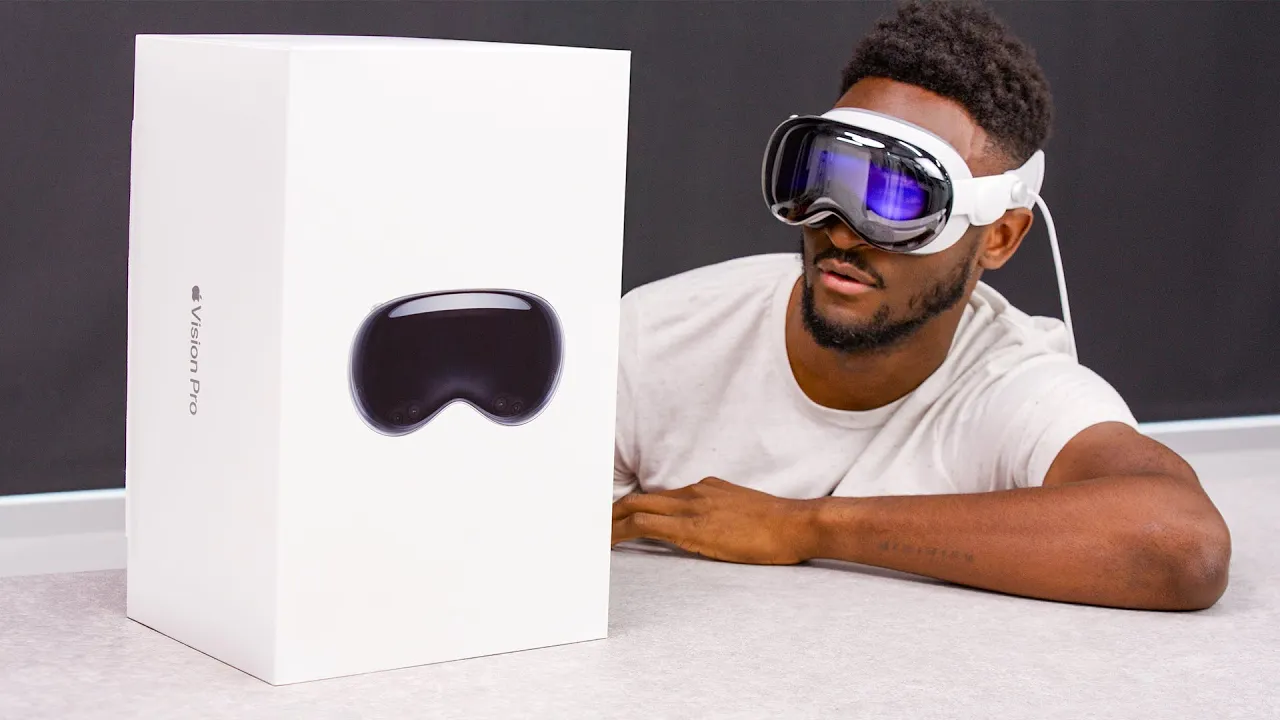
Apple Vision Pro Unboxing!
0 up · 0 down · 0 ratings
Promos
Unboxing and hands-on with Apple Vision Pro! youtu.be Charge your devices with Anker’s new MagGo line-up at Amazon: ankerfast.club Anker.com: shop.anker.com MKBHD Merch: shop.mkbhd.com Outro music: youtube.com Tech I'm using right now: amazon.com Playlist of MKBHD Intro music: goo.gl Headset provided by Apple for review. ~ twitter.com @MKBHD @MKBHD
Apple Vision Pro Unboxing walks viewers through the very first moments with Apple’s high end spatial computer. The video opens with the host confirming that this is the first glimpse into Apple’s AR and VR headset, setting expectations for an unboxing that also teases a longer investigative series. Viewers are guided through the oversized box and the three main components first: the headset itself, Zeiss optical inserts, and the optional travel case. The host describes the packaging as premium, notes the materials and build quality, and highlights the first physical interactions with the headset, such as removing protective coverings and revealing the front weighted design. He emphasizes the 1TB model and the battery-based power arrangement, including the described two and a half to three hour runtime and the need for a USB-C wall brick to extend usage. Throughout, there is a constant emphasis on what comes in the box, what each part does, and how the pieces fit together as a complete system. The segment ends by previewing future setup steps and the ongoing Vision Pro coverage, inviting viewers to subscribe for the next installments. The second paragraph delves into the accessories and the decision points around fit and comfort. We see the different headbands, including the Solo Knit Band and the Dual Loop Band, with the host performing a practical demonstration of how each one attaches and adjusts. The Light Seal Cushions are covered in depth, explaining the purpose of the seal’s thickness and how a face scan via iPhone Face ID sensors customizes the fit. There is a detailed description of the battery and its connection to the headset, including the proprietary end that plugs into the side of the headset and the 30 watt power brick. The host also scrutinizes the travel case and its protective role, arguing that a robust case is important for travel due to the headset’s value and fragility. He contrasts the perceived premium experience with practical concerns like weight distribution and long-term wearability. The segment ends with a note about the Zeiss prescription lenses, emphasizing how they magnetically attach and how scanning a code with the headset personalizes the prescription profile. In the third portion the host boots up Vision Pro for the first time, explaining the setup flow and what the viewer should expect during onboarding. He details the order of operations: removing the battery from the case, choosing a Light Seal thickness, selecting a band, and deciding whether to plug in directly or use the battery, which can be charged via USB-C. The startup process is described as quick, with a visual hello script and an initial pairing process that will be covered in a future video. The commentary touches on the weight distribution, indicating that the Dual Loop Band offers better balance compared to the Solo Knit Band and how the weight shifts forward, leaning into comfort considerations. Finally, there is anticipation for more hands-on coverage, including gaming experiences, movie watching, and app ecosystems, all of which will be shown in upcoming installments. The final paragraph shifts to anticipation around practical usage scenarios and ecosystem accessories. The host reiterates the Zeiss lenses as a key option for wearers with prescriptions and explains the magnetic attachment process. He reiterates the main takeaways about the Vision Pro’s build quality, high-end feel, and front-weighted design, and teases further explorations into weight distribution and long sessions. The video concludes with a nod to the Anker sponsorship and a glimpse of the upcoming setup tutorial videos, promising a deeper dive into usage, experiences, and app availability. Overall, the unboxing frames Vision Pro as a premium, curiosity-driven first step into Apple’s spatial computing, while laying the groundwork for more detailed reviews and practical demonstrations to come.
Topics · Technology · Gadgets · Consumer Electronics · Virtual Reality · Augmented Reality · Apple · Product Unboxing · Hardware Review
Questions answered
- What comes in the Vision Pro box besides the headset?
- The box includes Zeiss optical inserts, a light seal cushion in two thickness options, two headbands (Solo Knit Band and Dual Loop Band) with adjustable fit, a battery, a USB-C power brick, a USB-C cable, a travel case, a polishing cloth, and documentation.
- How is the Vision Pro powered and charged?
- The Vision Pro uses a built-in battery connected to the headset via a proprietary connector. The battery provides about two and a half to three hours of use, and can be charged using the included USB-C wall brick and cable.
- What customization options are shown for comfort?
- You can choose between the Solo Knit Band or the Dual Loop Band and between a thin or thick Light Seal cushion. The Dual Loop Band distributes weight differently and can be adjusted for better long-term comfort.
- What accessory supports prescription wearers?
- Zeiss optical inserts are available for prescription users, magnetically attaching to the headset. Prescription lenses can be added by Zeiss, and a scanning step customizes the headset to your prescription.