HD Tutorial: Volume App
0 up · 0 down · 0 ratings
Description
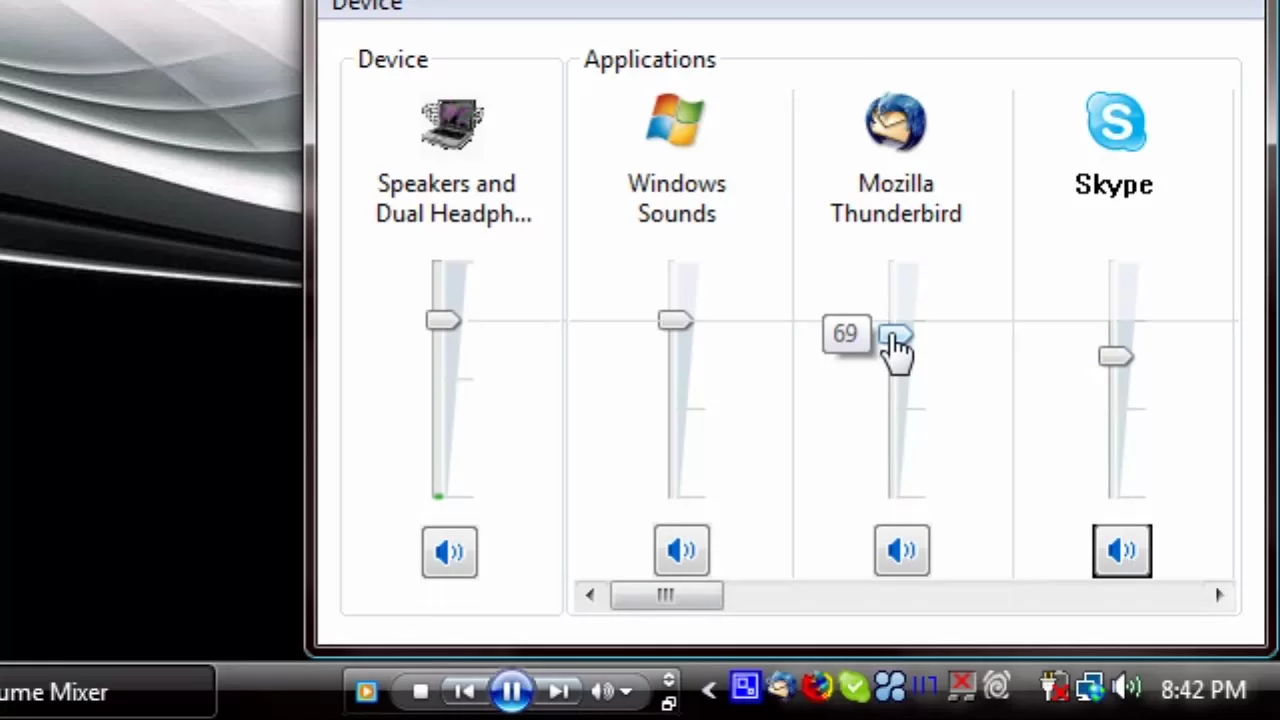
***WATCH IN HD*** In this HD Tutorial, I show you how to change the volume level in specific applications, quickly and easily. Enjoy - SUBSCRIBE
This video provides a concise, practical guide to adjusting the volume levels for individual applications within Windows Vista. The presenter demonstrates using the built-in mixer to assign distinct volume levels to different programs such as Skype, Thunderbird, Firefox, Windows Media Player, and a web browser playing YouTube content, all while music is playing in the background. The tutorial emphasizes the difference between the master system volume and per-application volume, showing how to drag sliders in the mixer to calibrate how loudly each program should sound relative to the others. A real-time example is shown: lowering the YouTube video volume while keeping Skype or Thunderbird at higher levels, and then exploring what happens when you close certain apps to restore audio balance. The walkthrough also notes that the master volume controls the overall output, and that changing a single application's volume can affect the overall mix, explaining how to use the mixer without opening each application individually. The video concludes with a quick recap of steps and a call to request more tutorials, inviting viewers to subscribe for future content.
Topics · education · technology · tutorial · how-to · software