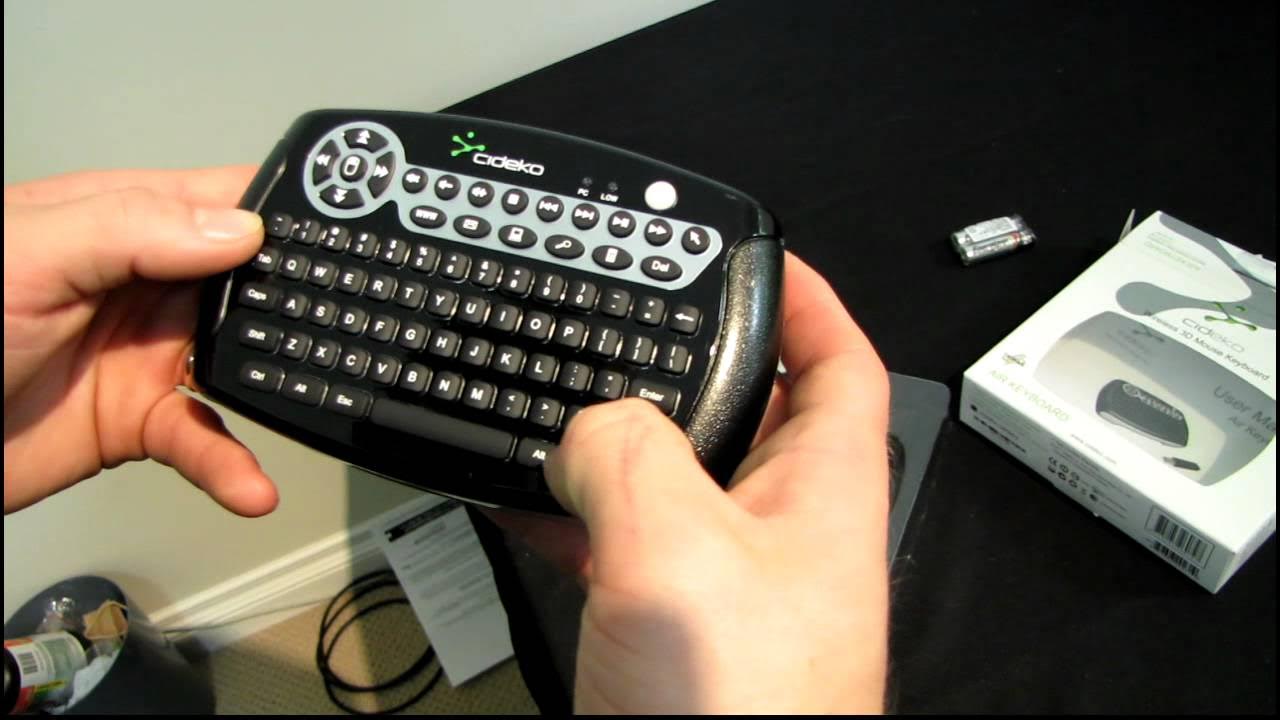
Cideko Air Keyboard Wireless Handheld Keyboard & Mouse Unboxing & First Look Linus Tech Tips
0 up · 0 down · 0 ratings
Description
ncix.com This is actually a very cool little unit. The air mouse works like aiming a laser pointer at the screen and the keyboard has excellent tactile feedback!
The video starts with a quick music sting and an unboxing of the Cideko Air Keyboard, a wireless handheld keyboard with an integrated air mouse. Linus walks through the packaging and highlights the product’s core claims, including plug-and-play setup, compatibility with multiple operating systems, and a claimed wireless range of up to 10 meters. He then digs into the contents, noting the inclusion of Energizer batteries and a clever dongle storage solution that tucks into a dummy USB port for easy transport. The reviewer examines the layout of the keyboard, pointing out a full QWERTY arrangement, the presence of media hotkeys, and a multi-point space bar. He also comments on the spacing and home row feel, suggesting the layout may require a short adjustment period but emphasizes the device’s overall functionality and features such as Windows keys and air mouse controls. The air mouse feature is demonstrated by aiming like a laser pointer to control the cursor, showing that double-clicking and navigation are viable with the shoulder and other buttons. He demonstrates basic web navigation to YouTube, showing the cursor response and discussing the practicality of the device for everyday use and for an HTPC setup. The video concludes with a recap of the Air keyboard’s strengths, including its portability, functional keyboard, air mouse capability, and multimedia hotkeys, while noting that it retains some quirks such as keyboard alignment and battery life considerations. Viewers are left with a sense that the Cideko Air Keyboard is a compelling, versatile gadget for media centers and casual computing, especially for couch-based control scenarios.
Topics · technology · unboxing · consumer_electronics · htpc · peripherals
Questions answered
- What operating systems does the Cideko Air Keyboard support?
- The device supports a wide range of operating systems, including Linux.
- How does the air mouse feature work on the Cideko Air Keyboard?
- The air mouse functions by aiming the device like a laser pointer at the screen to move the cursor, with left and right click available via shoulder or built-in buttons.