My monitor just got an UPGRADE
0 up · 0 down · 0 ratings
Promos
Linus wanted more screen space so he called in a few favors, also he doesn't follow his own advice on asking for help. Buy LG 49WL95C Monitor On QVC (PAID LINK): shop-links.co On LG.com: bit.ly On Amazon (PAID LINK): geni.us On Newegg (PAID LINK): geni.us Buy VIVO Monitor Stand On Amazon (PAID LINK): geni.us On Newegg (PAID LINK): geni.us Purchases made through some store links may provide some compensation to Linus Media Group. Discuss on the forum: linustechtips.com Our Affiliates, Referral Programs, and Sponsors: lmg.gg Get Private Internet Access VPN at lmg.gg Get a Displate Metal Print at lmg.gg Support a Creator code LINUSMEDIAGROUP on Epic Games Store: geni.us Get a 30-day free trial of Amazon Prime at lmg.gg Linus Tech Tips merchandise at lttstore.com Our Test Benches on Amazon: amazon.com Our production gear: geni.us Get your ticket to LTX 2020: ltxexpo.com Twitter - twitter.com Facebook - @LinusTech Instagram - @linustech Twitch - twitch.tv Intro Screen Music Credit: Title: Laszlo - Supernova Video Link: youtube.com iTunes Download Link: itunes.apple.com Artist Link: soundcloud.com Outro Screen Music Credit: Approaching Nirvana - Sugar High youtube.com
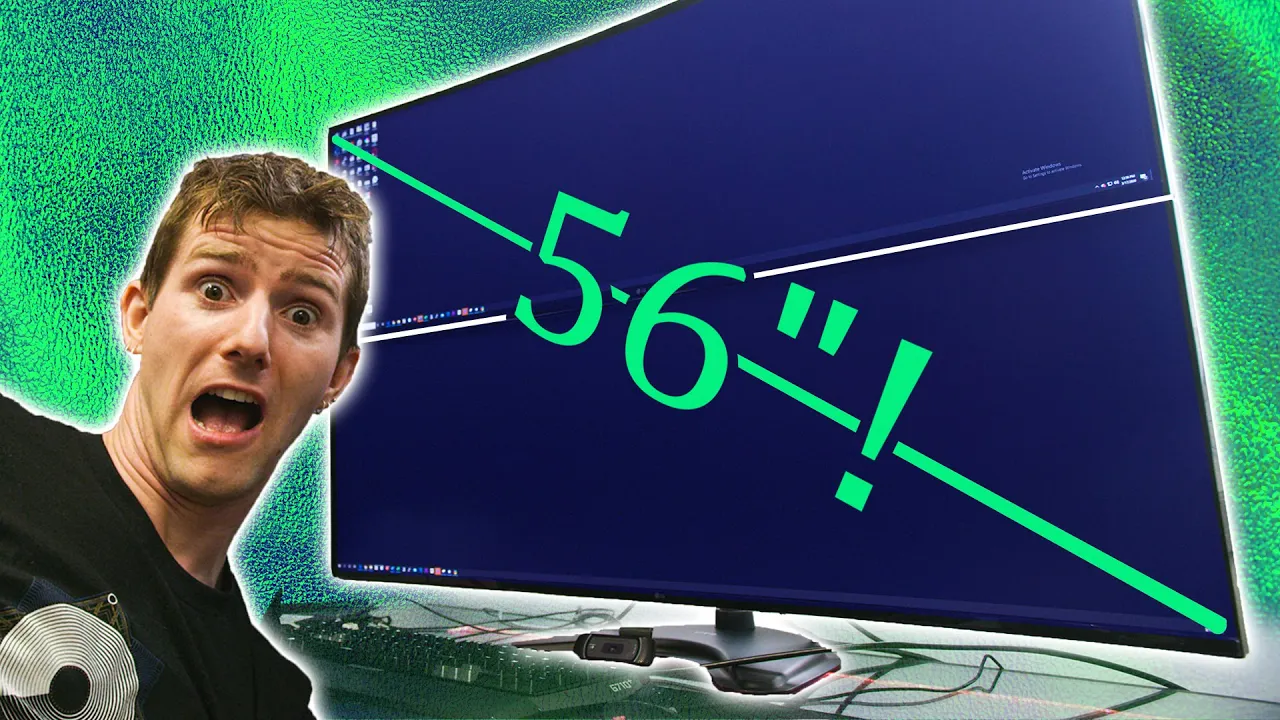
Linus begins by reflecting on a long-standing preference for stability in his workstation, noting that his monitor is the one component he’s willing to upgrade. He explains his patience with other gear, but admits that fitting multiple windows, apps, and collaboration tools on a single display has become a bottleneck. The video then pivots to a bold plan: a dual ultrawide setup using a 49-inch monitor stacked on a specialized Vivo table stand. He outlines why this form factor is appealing, highlighting the theoretical density and real estate benefits of a 5120-pixel-wide panel that’s still 1440p tall, effectively delivering the feel of two 27-inch 1440p monitors side by side without the bezel gap. The mood is practical and humorous as the team acknowledges weight, mounting, and space constraints, setting up the central question of whether this extreme arrangement will actually work on his desk. Finally, the segment transitions to the physical installation, with Linus and the crew testing the idea that a heavy ultra-wide stack can be stabilized on a nontraditional stand, and the expectation that this will ultimately improve workflow and multitasking across Trello, Teams, and web browsing. In the core build segment, Linus methodically unpacks the LG 49WL95C, comparing its pixel density to the original ultrawide while pointing out the hardware specifics that make it resemble a split 5K monitor. He emphasizes the practical equivalence in usable area to two 27-inch 1440p displays, which helps justify the unnecessary complexity of mounting two of these giant panels. The discussion shifts to mounting logistics, with the crew trying a VESA mount and a 27-inch table stand designed for such weight, acknowledging that the setup is heavier and more involved than typical monitor installs. The team tests the weight tolerance, narrating the struggle and joking about the amount of force needed to tighten hardware while keeping fingers safe. Cable management becomes a focal point as they lay out DisplayPort and power connections, planning a configuration that minimizes clutter while maximizing accessibility for window management software that Linus relies on for production planning. The segment ends with a realization that the ergonomics of a desk-bound ultrawide stack may be imperfect, but the potential gains in screen real estate for productivity tools, chat, and content planning make the upgrade compelling enough to continue. The conclusion of the video emphasizes real-world usability and a candid acknowledgment of the setup’s risks and benefits. Linus demonstrates how the stacked monitors can be aligned, calibrated, and integrated into his daily flow, showing off how windows can be snapped and spread across the two big screens using third-party window management tools. He narrates the importance of planning the workspace around communication and project management tools, illustrating Trello boards and Microsoft Teams as central to his workflow. The team also touches on the fun and chaos of on-camera assembly, noting that the production sees a lot of “struggle content” but that the payoff is a dramatically expanded multitasking surface. The video concludes with a nod to future refinements, encouraging viewers to subscribe for more updates and promising a future comparison to other large display configurations. Throughout, the tone remains optimistic about productivity gains while keeping a lighthearted, community-focused vibe.
Topics · technology · hardware · monitors · setup_optimization · productivity
Questions answered
- What is the key benefit Linus is hoping to achieve with the dual ultrawide setup?
- The main benefit is dramatically increased screen real estate to improve multitasking, window management, and productivity by having many apps and windows visible at once.
- Why do they consider stacking two 49-inch monitors instead of placing them side by side?
- Stacking is chosen to fit two large panels on a desk that cannot accommodate side-by-side placement, while preserving the combined resolution and working area without bezels in the middle.
- What hardware is primarily used to mount the two ultrawide monitors?
- They rely on a Vivo monitor table stand designed to hold multiple monitors and a VESA mounting approach compatible with LG 49WL95C panels, with adapters and careful weight considerations.