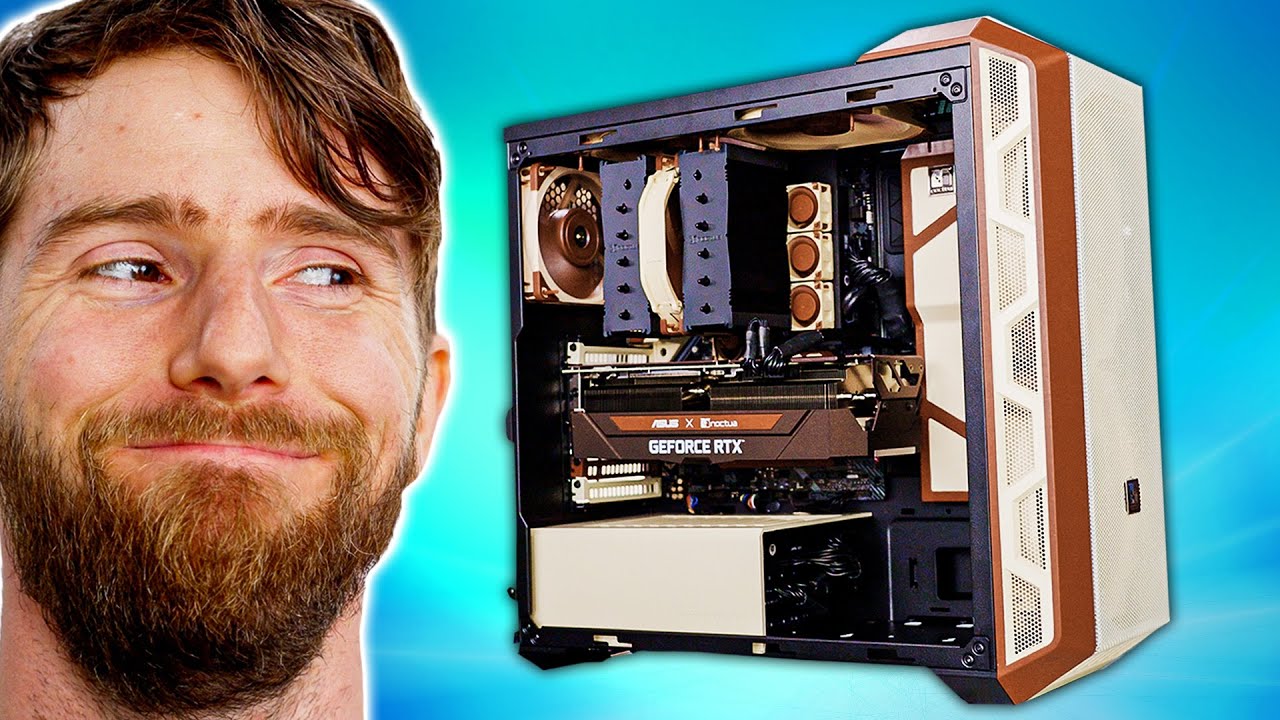
This Ugly PC will BLOW YOUR MIND - All Noctua Gaming PC
0 up · 0 down · 0 ratings
Promos
Asus teamed up with Noctua to release the best and brownest 30 series cards – and to celebrate, we stuffed as many of their fans as possible in one PC build! Discuss on the forum: linustechtips.com Buy a Cooler Master H500 ARGB: geni.us Buy a Noctua NF-A20 PWM: geni.us Buy a Noctua NH-D15 Chromax: geni.us Buy a Noctua NF-A12x25 PWM:geni.us Purchases made through some store links may provide some compensation to Linus Media Group. ► GET MERCH: lttstore.com ► SUPPORT US ON FLOATPLANE: floatplane.com ► AFFILIATES, SPONSORS & REFERRALS: lmg.gg ► PODCAST GEAR: lmg.gg FOLLOW US --------------------------------------------------- Twitter: twitter.com Facebook: @LinusTech Instagram: @linustech TikTok: @linustech Twitch: twitch.tv MUSIC CREDIT --------------------------------------------------- Intro: Laszlo - Supernova Video Link: youtube.com iTunes Download Link: itunes.apple.com Artist Link: soundcloud.com Outro: Approaching Nirvana - Sugar High Video Link: youtube.com Listen on Spotify: spoti.fi Artist Link: youtube.com Intro animation by MBarek Abdelwassaa @mbarek_abdel Monitor And Keyboard by vadimmihalkevich / CC BY 4.0 geni.us Mechanical RGB Keyboard by BigBrotherECE / CC BY 4.0 geni.us Mouse Gamer free Model By Oscar Creativo / CC BY 4.0 geni.us CHAPTERS --------------------------------------------------- 0:00 Intro 1:34 Case and fan install 6:16 Motherboard and PSU 9:20 CPU and RAM 10:34 Linus Paint Tips 11:02 Noctua story time 12:04 PC comes together 13:06 Big GPU! 15:13 1st boot and peripherals 16:34 Play some games 17:58 Outro
This video undertakes an ambitious Noctua themed PC build, focusing on performance and airflow while embracing the unconventional Noctua brown color scheme. The host begins by highlighting the unique challenge of fitting a massive 200 millimeter Noctua cooling fan into a mainstream case, noting the importance of airflow in keeping high-end components cool. The build process centers on integrating Noctua fans throughout the system, including the motherboard chipset cooling and a Noctua themed back PCI cover, with meticulous attention to vibration isolation and cable management. The case chosen is the Cooler Master MasterBox H500 ARGB, which is praised for its full mesh front panel and support for multiple 200 millimeter fans, ensuring optimal intake and exhaust paths. The video then shifts to component choices, including an ASUS X Noctua RTX 3070 exceptional collaboration, a Ryzen 7 5800X3D CPU for gaming performance, and selective storage and memory choices, all customized with Noctua accessories and custom painting to maintain a cohesive brown and beige aesthetic. Throughout the narrative, the host emphasizes the balance between aesthetics and raw performance, arguing that the Noctua color scheme can look striking when executed with a consistent design language. The result is a quiet, high-performance gaming PC that demonstrates the practical benefits of Noctua engineering, including reduced acoustic profiles and robust cooling even under load, while acknowledging the price premium of premium cooling components. Overall, the video blends build tutorials, performance demonstrations, and design storytelling to show that a brown Noctua themed PC can deliver both standout aesthetics and formidable thermal performance.
Topics · pc-build · cooling · hardware · design · modding · gaming-pc · computer-hardware
Questions answered
- What makes the ASUS X Noctua GPU special in this build?
- The ASUS X Noctua RTX3070 and later the RTX3080 edition combine Noctua cooling design with a high performance GPU and a large heat sink, aiming to maximize cooling efficiency and minimize noise while preserving raw gaming performance.
- Why use a 200 millimeter Noctua fan and what challenges does it present?
- The 200 millimeter fan provides massive airflow for superior cooling. It is 30 millimeters thick, which limits case compatibility and requires careful mounting and case selection to fit without obstructing other components.
- What is the role of Noctua cooling in the motherboard and memory setup?
- Noctua replacements were used to replace stock motherboard chipset fans for quieter operation, and memory modules were paired with silent cooling arrangements to maintain overall acoustic performance, with some custom modifications for fit.
- What is the overall philosophy behind this build according to the video host?
- The build prioritizes performance and airflow while embracing Noctua’s color scheme and design language. The aim is to demonstrate that high-end cooling and low noise can be achieved with a consistent aesthetic, even if it comes with a premium price.