GAMING at 16K RESOLUTION?? – HOLY $H!T
0 up · 0 down · 0 ratings
Promos
Can you really game at 16K? Will this setup crash and burn, or be the most amazing gaming experience ever? Synergy sponsor link: Share your mouse and keyboard between multiple computers with Synergy! Save 50% here: symless.com Buy Acer Predator XB1 4K Amazon: geni.us Newegg: geni.us **NOTICE**: There have been reports of ICTable failing to fulfil some orders, and not providing proper refunds. Please exercise caution when dealing with them. Discuss on the forum: linustechtips.com Our Affiliates, Referral Programs, and Sponsors: linustechtips.com Linus Tech Tips merchandise at designbyhumans.com Linus Tech Tips posters at crowdmade.com Our production gear: geni.us Twitter - twitter.com Facebook - @LinusTech Instagram - @linustech Intro Screen Music Credit: Title: Laszlo - Supernova Video Link: youtube.com iTunes Download Link: itunes.apple.com Artist Link: soundcloud.com Outro Screen Music Credit: Approaching Nirvana - Sugar High youtube.com Sound effects provided by freesfx.co.uk Title: ROCK IT by Tokyo Machine from Rocket League x Monstercat Vol. 1 Listen on Spotify: open.spotify.com iTunes Download Link: itunes.apple.com Title: It Came From Planet Earth by Stephen Walking from It Came From Planet Earth Listen on Spotify: open.spotify.com Video Link: youtube.com Title: War by Astronaut & Far Too Loud from War iTunes Download Link: itunes.apple.com Video Link: youtube.com Listen on Spotify: play.spotify.com Title: The Escape by PIXL from The Escape Video Link: youtube.com Listen on Spotify: play.spotify.com
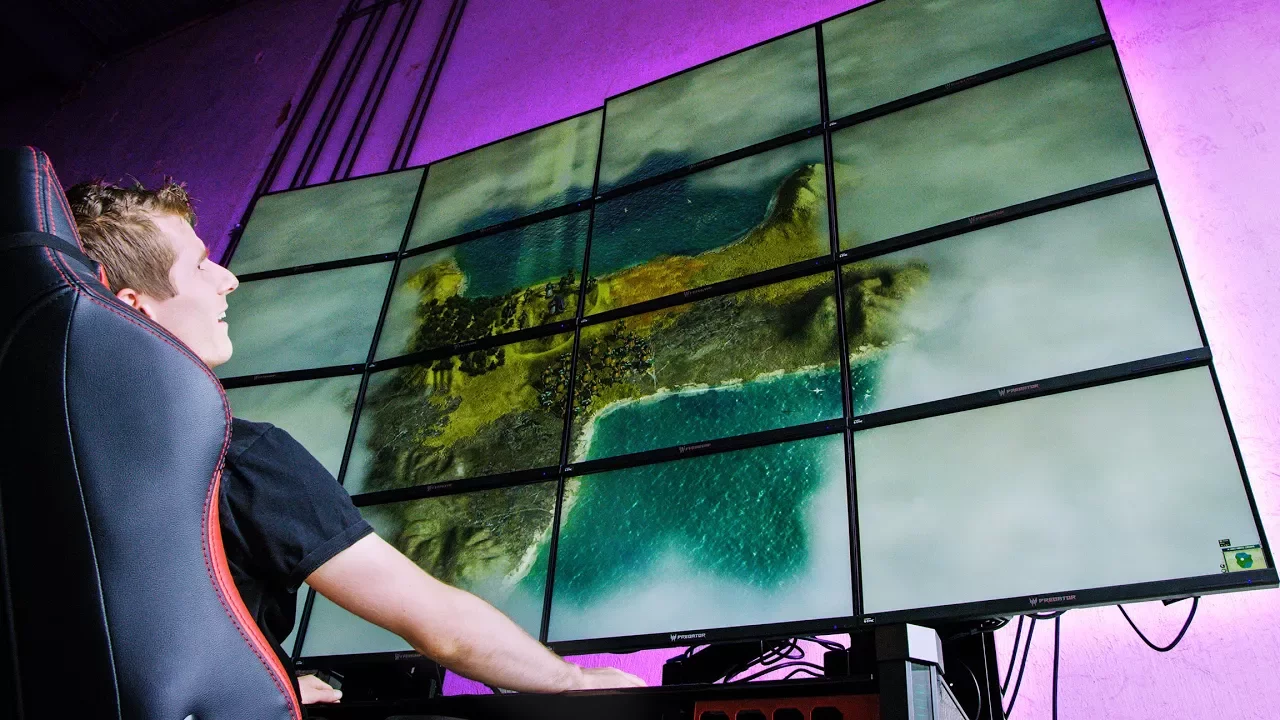
Linus Tech Tips returns to the 16K gaming experiment with a more complete, reconfigured setup aimed at delivering a workable, if extreme, multi-monitor gaming wall. The video starts by recapping the previous episode’s challenges, acknowledging that the desk, monitors, and cabling were overwhelming to cover in a single installment. The team explains that they have upgraded displays and replaced problematic cables to stabilize the 16K array, and they highlight the need for four separate power circuits given the wall of monitors and their power draw. They detail how Acer provided 16 of their Predator XB1 4K displays to form the giant mosaic, with IPS panels chosen for wide viewing angles since the display wall could be viewed from off-center positions. The host walks through the wiring strategy, including four pounds of power cords and an expanded DisplayPort trunk that has been shortened from 300 feet to 240 feet to reduce signal degradation. The segment shows the moment of triumph when all 16 monitors appear to be aligned and functioning, with a chorus of relief and humor about the lingering doubts from the last video. Finally, the crew explains the fundamentals of what 16K means in terms of pixel density, noting that it is not a simple doubling from 8K to 16K, but a fourfold increase in total pixels, which helps set expectations for performance and display capabilities. A major portion of the video is devoted to the hardware architecture and how to drive such a display wall. The team justifies the use of four NVIDIA Quadro P5000 GPUs, each offering roughly GTX 1080-level performance with 16 GB of VRAM, for a total of 64 GB across the setup, which helps accommodate the immense pixel demand without resorting to SLI. They introduce Mosaic, NVIDIA’s display-spanning technology designed for large-format walls, to enable scaling beyond standard NV Surround limits and preserve synchronization via a Quadro Sync II card to reduce jelly effects. The discussion emphasizes the educational value of using professional-grade GPUs for this gaming demonstration while noting that some features intended for signage and jumbo-trons might not be a perfect fit for gaming, yet are leveraged for synchronization benefits. A practical note is added about the power and cabling requirements, including a peek at the TKON desk’s built-in cable management and customizable features that emphasize the project’s blend of showmanship and engineering. The segment reinforces the idea that the 16K wall is a showcase for what high-end hardware can achieve, while also acknowledging the real-world limitations and caveats that come with pushing technology to the extreme. The team then pivots to hands-on testing with actual games to gauge playability and performance at 16K. They reveal the monumental screen real estate by attempting Minecraft first, which demonstrates the sheer scale of the display wall and yields an impression of extreme image density. FPS figures in this segment stabilize around 40 to 50 frames per second for Minecraft at 16K, accompanied by a playful disbelief at the level of pixel count and the novelty of the experience. Next, they test Rise of the Tomb Raider at low settings to optimize VRAM usage, observing a sharp slowdown and a delayed render that highlights how memory and bandwidth constrain real-time gameplay at such high resolutions. The group then ventures into Half-Life 2, where they marvel at the vintage game’s UI scaling and manage to achieve playable frame rates withadjusted settings and VSYNC; the discussion covers memory usage, temperature, and power trends, offering insight into resource distribution across the four GPUs. The footage closes with a quick Civ V run at 8K detailing a more traditional gameplay experience on a high-resolution wall, reinforcing the idea that while some titles flex into 16K, others are overwhelmingly constrained by VRAM and rendering bottlenecks. The video ends by re-emphasizing that 16K gaming on regular consumer hardware remains niche, but the experiment vividly demonstrates what is possible with a dedicated, multi-GPU setup and synchronized display technology, along with a reminder to check the video description for sponsor and gear links.
Topics · technology · gaming · hardware · display_technologies · multimonitor_setup · enthusiast_hardware
Questions answered
- What is the main goal of the 16K gaming experiment?
- To demonstrate whether gaming at 16K is technically feasible and to explore the practical limitations and necessary hardware for driving a large wall of monitors.
- Which hardware enables the 16K setup to stay synchronized across many displays?
- NVIDIA Quadro GPUs with Mosaic display technology paired with a Quadro Sync II card to minimize jelly effects and maintain synchronization.
- What is the approximate total VRAM available for the 16K wall, and why is it important?
- About 64 GB across four Quadro P5000s, which is crucial to hold the texture and frame data for 16K rendering across many panels.
- What was the result when running Half-Life 2 at 16K, and what did it demonstrate?
- The game could run at 16K with adjustable settings, showing the potential for legacy titles to be experienced at extreme resolutions, albeit with attention to VRAM and performance constraints.