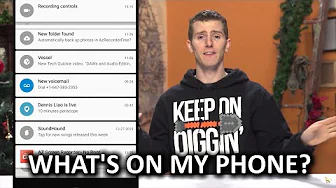
What's on my phone? - Early 2016 Edition
0 up · 0 down · 0 ratings
Channels and socials
Thanks to Braintree for supporting our channel. To learn more, and for your first $50,000 in transactions fee-free, go to braintreepayments.com How complicated is my phone setup? You'll have to watch to find out... Pricing & discussion: linustechtips.com Support us: linustechtips.com Join our community forum: bit.ly twitter.com @LinusTech Intro Screen Music Credit: Title: Laszlo - Supernova Video Link: youtube.com iTunes Download Link: itunes.apple.com Artist Link: soundcloud.com Outro Screen Music Credit: Approaching Nirvana - Sugar High youtube.com Sound effects provided by freesfx.co.uk
What’s on my phone? - Early 2016 Edition opens with Linus explaining that he’s avoided many typical YouTube “what’s on my phone” tropes, but finally decides to share his current setup. He describes the general layout of his home screens, emphasizing a clean, organized desktop with a weather widget and Google Now, plus a dedicated area for a temporary screen recording app used to capture the video. The host explains that he has essentially given up fighting notification clutter on the lock screen, instead relying on Android’s trusted device feature so his smartwatch can unlock the phone and ring it if misplaced. He notes that the smartwatch integration has proven incredibly valuable for staying connected and quickly locating his device, which sets the tone for the rest of the walkthrough. Throughout the video, Linus articulates his preference for practical, stable tools over flashy, exotic options, and he highlights the balance he maintains between work needs and personal usage. He walks through the core app folders on the main home screen, naming utilities, security, and daily-use apps, while offering commentary on why each choice makes sense for him. The discussion then shifts to media consumption, with mentions of Google Play Music, Sonos, and the Emby media server, illustrating how he accesses and streams his personal library across devices. He also shares his perspective on streaming apps like Plex and why he hasn’t adopted paid tiers, underscoring his preference for a simple, cost-effective setup that covers his needs. By the end of the video, Linus reflects on his own device simplicity, acknowledging room for future experimentation but reaffirming that a straightforward, reliable phone can still be remarkably effective for a busy professional. He also segues into a sponsorship segment about BrainTree, tying the technical capabilities of his phone setup to a practical example for developers building mobile apps. The closing moments invite viewers to engage further with the sponsor and propose follow-up editions, while ensuring a light, humorous finish that aligns with Linus Tech Tips’ persona.
Topics · technology · lifestyle · mobile_devices · digital_media · reviews · how_to
Questions answered
- What unlock feature does Linus rely on to bypass fingerprint or password on his Android phone?
- Linus uses the trusted device feature with his paired smartwatch to unlock his phone without needing a fingerprint or password.
- Why does Linus prefer not to subscribe to Plex for remote media access?
- He considers Plex a monthly fee he isn’t willing to pay, preferring a solution that covers his needs without ongoing subscription costs.
- Which apps does Linus mention as essential for communication and collaboration on his phone?
- He mentions Hangouts for messaging, YouTube Studio for analytics and comments, Gmail for email, and the stock dialer as core communications tools.