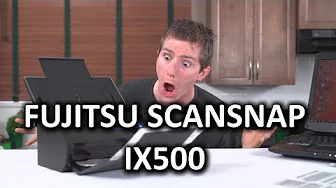
Fujitsu Scansnap ix500 Small Business Scanner
0 up · 0 down · 0 ratings
Channels and socials
My review of the Fujitsu Scansnap ix500 is based on what we use it for, so it might not be the most comprehensive thing ever. Basically we needed one of these for business use, and you guys told me you wanted me to review that kind of stuff, so here goes. Sponsor link: linustechtips.com Pricing & discussion: linustechtips.com Support us: linustechtips.com Join our community forum: bit.ly twitter.com @LinusTech Intro Screen Music Credit: Adhesive Wombat -
Check out his channel here: youtube.com Outro Screen Music Credit: Approaching Nirvana - Sugar High youtube.com
The Fujitsu Scansnap ix500 Small Business Scanner review begins with a candid acknowledgement that the product isn’t the most exciting item, but it fills a real office need. The host explains why the ix500 was chosen for their growing business: to replace multiple older scanning setups, enable double-sided scanning, and support various paper sizes without resorting to a flatbed. He walks through the unboxing, noting the included USB 3.0 cable, Fujitsu software, Acrobat 11 standard, and a carrier sheet, while contrasting it with older solutions that could only scan to two PCs. The one-button design is highlighted as a central concept, with the device ready to deploy after a brief setup wizard. Setup and installation are described as faster than in the past, though initial frustration remains around downloading management utilities instead of relying on a CD. The host demonstrates the physical layout, including the single front button labeled scan, and details the back panel that includes a Kensington lock, power jack, USB 3.0, Wi-Fi toggle, and a WPS button for networked scanning. The discussion then pivots to how the ScanSnap software can organize scans, either by default destination to a specified folder or by dynamic routing to active applications like card managers or document organizers. The reviewer tests various options such as emailing, cloud destinations, and Gmail integration, noting that while some features work well, others feel imperfect, particularly the text recognition and business card handling. He touts advanced features like ultrasonic double-page detection, auto-rotation, and the ability to create searchable PDFs, while acknowledging that real-world accuracy varies, especially for business cards and receipts. The ix500’s strengths are underscored by the document feeder, reliable scanning speed, and the ability to scan to mobile devices via a quick, secure workflow over Wi-Fi. The video closes with a balanced assessment: the ix500 is expensive but justifiable for a small business due to durability, parts replaceability, and a growing modding community, while offering practical demonstrations such as a quick workaround to censor names on legal documents, and inviting viewer feedback on future business-focused content. The host invites comments, explains ways to support the channel, and signs off with a nod to ongoing coverage of business-grade tech versus consumer gear.
Topics · technology · business_technology · office_equipment · product_review