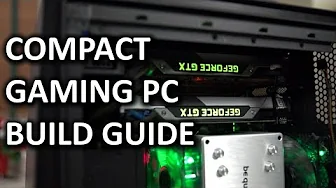
ULTIMATE Intel Compact SLI Gaming PC Computer "How To" Build Guide
0 up · 0 down · 0 ratings
Channels and socials
This ultimate compact gaming PC build guide shows just how much firepower can be crammed into an extremely small enclosure without unsafe temperatures! I hope you enjoy it! This video build guide was brought to you by Intel. System Components List: linustechtips.com Join our community forum: bit.ly twitter.com @LinusTech Music used with permission: Automagic by Televisor Spection by Fractal
The video presents a detailed, step by step guide to building an extremely compact yet powerful gaming PC using an Intel platform. The host outlines the core objective: maximize gaming performance within a small chassis while maintaining safe thermals and reasonable noise, and also explores overclocking potential. He emphasizes the importance of component selection in tight spaces, focusing on heat output, power delivery, and motherboard flexibility for future expansion. Early on, the rationale behind choosing an i7-4770K with a low-profile cooler is explained, highlighting performance per watt and the benefit of hyper-threading for multitasking workloads beyond gaming. Memory choice is discussed with practicality in mind, opting for 16 GB of 2133 MHz RAM to balance cost, capacity, and real-world gaming gains. The motherboard choice (Gigabyte G1.Sniper M5) is defended for its PCIe spacing that accommodates two GTX 780 Ti GPUs in an SLI configuration while leaving room for future add-in cards. Aesthetics are touched upon with color coordination and silent operation in mind, but the emphasis remains on thermals and performance. The storage strategy combines a fast SSD for the OS and primary apps with a large HDD for game libraries and media, reflecting a design that values both speed and capacity. The GPU configuration is justified as the best option given space constraints, with dual EVGA GTX 780 Ti cards chosen for raw performance and thermal behavior in a small form factor. The host also discusses peripheral choices and the monitor, explaining how a high-refresh display and a capable keyboard/mouse package complement the compact rig. Windows 8 is selected for the operating system due to the timing of the guide, with a note that SteamOS is still evolving. The video concludes with a performance snapshot, noting that the system delivers big-performance in a small footprint and comparing the compact build to other high-end systems in terms of scalability, upgradability, and overall value. Finally, the host invites feedback for future builds and underscores the value of practical tips for managing cables, thermals, and expansion options in small cases.
Topics · technology · computing · hardware · pc_build
Questions answered
- What is the main goal of this compact gaming PC build guide?
- The goal is to create an extremely powerful gaming rig in a very small enclosure while maintaining safe thermals and acceptable noise levels.
- Why was the i7-4770K chosen over the 4670K for this build?
- The 4770K was chosen for its higher performance with hyper-threading, which benefits multitasking and future-threaded workloads, not just gaming.
- What cooling approach is used to keep temperatures down in a small case?
- A low-profile cooler backed by careful case airflow design, including rear exhaust and strategically placed fans, helps maintain safe temperatures with minimal noise.
- Which storage setup is used and why?
- A 240 GB SSD for the OS and key apps, paired with a 4 TB HDD for a large game library and media, balancing speed and capacity.