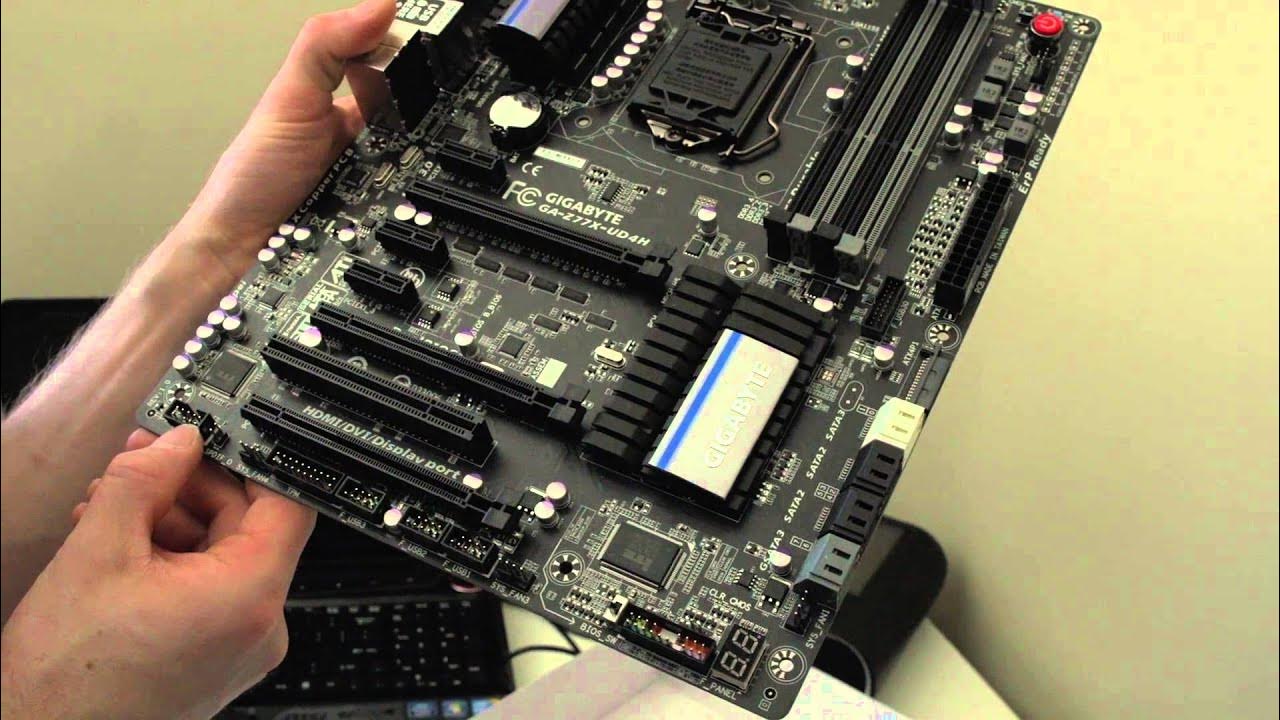
Gigabyte Z77X-UD4H Motherboard Unboxing & Overview
0 up · 0 down · 0 ratings
Channels and socials
Gigabyte's Z77X-UD4H is in that "best bang for the buck" price range where you get the features you need without spending extra on the ones that you don't. twitter.com @LinusTech Buy it now at NCIX: ncix.com
The video delivers a thorough unboxing and first-look overview of the Gigabyte Z77X-UD4H motherboard. It starts by framing the UD4H as a value-oriented board that balances necessary features with sensible pricing, highlighting support for current Intel Core processors, fully digital power design, and 3D dual UEFI BIOS aimed at reducing the risk of bricking during BIOS updates. The presenter then walks through the board’s design details, noting the matte black PCB, humidity-resistant glass fabric coating, and the per-port USB protection, which underscores durability and reliability. A close look at the PCIe slot arrangement follows, with explanation of 16x and 8x slots, how bandwidth changes when populating PCIe slots, and practical guidance for multi-GPU setups. Throughout, he emphasizes features like Intel Smart Response, high-quality USB 3.0 integration, and robust front panel and power delivery options, illustrating why this board sits in the sweet spot for mainstream builders. The section on accessories and layout discusses the included items, cable routing, IO shield, and the emphasis on front USB connectivity, making clear how these design choices affect installation and everyday use. The overview concludes with reassurances about build quality and a nod to Gigabyte’s engineering decisions that improve long-term reliability, such as modular fuses per USB port and top-tier component durability, framing the UD4H as a durable, feature-rich option for Ivy Bridge builds without overspending.
Topics · technology · hardware · unboxing · computer-components · build-guide
Questions answered
- What makes the Gigabyte Z77X-UD4H a good value choice for Ivy Bridge builds?
- It offers essential modern features such as a fully digital power design, 3D dual UEFI BIOS, Crossfire and SLI support, and robust USB 3.0 integration, all in a board positioned below premium models, providing a balance of features and price.
- How does the PCIe slot layout affect multi-GPU configurations on this motherboard?
- The board provides one PCIe 16x slot and two PCIe 1x slots, with another 16x slot that runs at 8x when populated with a second card; using two GPUs leaves one PCIe 4x slot and limits expansion, but is sufficient for many high-end builds given the remaining space and power design.