HD Tutorial: Make Firefox Faster
0 up · 0 down · 0 ratings
Description
***WATCH IN HD*** Hey guys, this tutorial is a brief video on how to increase the loading and buffering speed in Mozilla Firefox. This will work for all versions of Firefox, but Fasterfox will only work for versions older than 3.0.5 Enjoy! - SUBSCRIBE
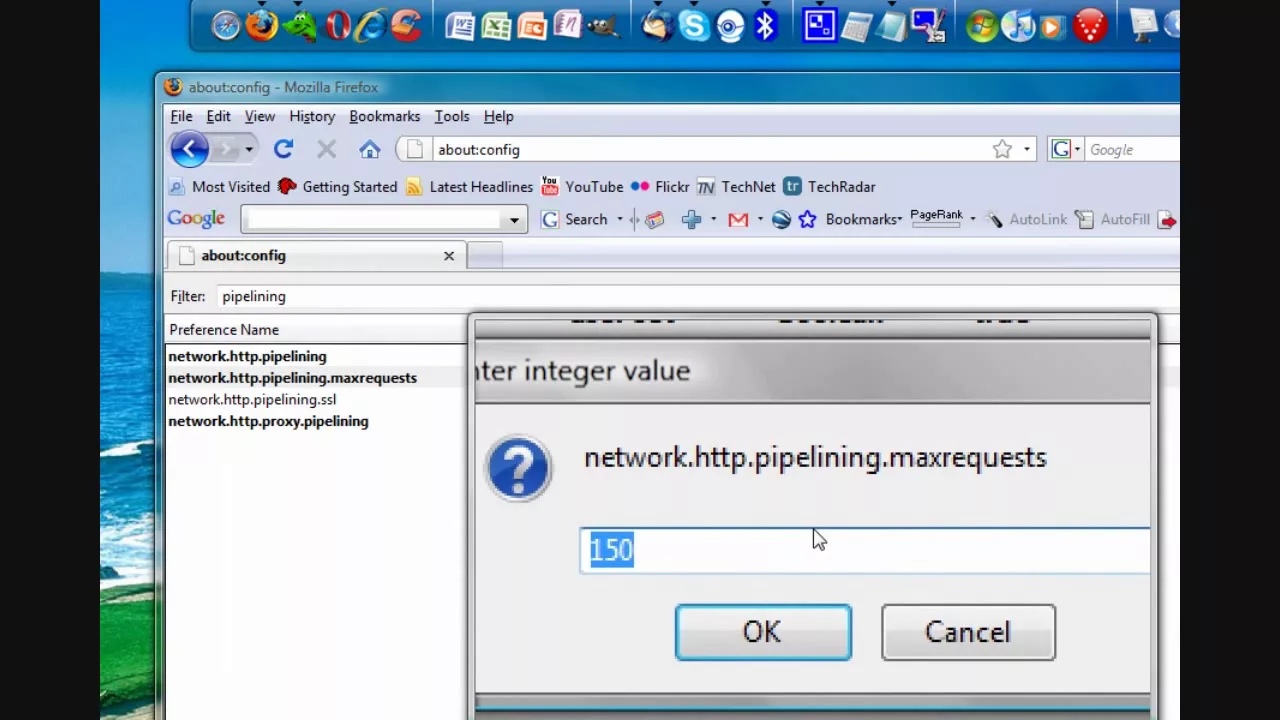
This video is a concise, practical guide aiming to speed up Firefox performance through two main approaches. First, the creator walks through a hands-on set of changes in the about:config area, focusing on net work.http.pipelining and related settings to increase concurrent connections and request handling. The presenter demonstrates how to enable pipelining, adjust the maximum number of requests, and enable proxy pipelining, explaining that these tweaks help load larger pages more quickly and improve overall responsiveness. He cautions that some of these tweaks are version specific, noting compatibility with Firefox 3.0.5 and the limitations of newer versions where Faster Fox may not apply. After applying the changes, the video suggests restarting the browser to activate the new values and then tests with sites like YouTube and MySpace to illustrate noticeable speed improvements in loading and login times. The second part of the tutorial introduces the Faster Fox add-on as an optional enhancement for compatible Firefox versions, showing where to find it in the add-ons store and explaining that it may not work on the latest releases. The host also recommends upgrading to a newer Firefox for compatibility, yet acknowledges that using older versions with Faster Fox could offer leaner performance and lower RAM usage. The video wraps up with a reminder that additional tutorials on Safari and Internet Explorer may follow, inviting viewers to subscribe for more optimization content.
Topics · technology · software tutorials · web browsers · performance optimization
Questions answered
- What Firefox version is required for these tweaks to work, and can they be applied to newer releases?
- The tweaks described are stated to work with Firefox 3.0.5 and older, and the video notes that Faster Fox may not be compatible with newer versions. If using a newer release, the specific add-on may be unavailable, and some settings could differ or be ineffective.
- How do you apply the changes shown in about:config to improve performance?
- Open about:config in Firefox, search for network.http.pipelining and set it to true, adjust network.http.pipelining.maxrequests to a higher value (for example, 200), and enable network.http.proxy.pipelining by setting it to true. Then search for network.http.max-persistent and adjust per proxy and per server values (e.g., 80). Restart Firefox to apply the changes.