I’ll Never Stop Wanting This - NexDock XL
0 up · 0 down · 0 ratings
Promos
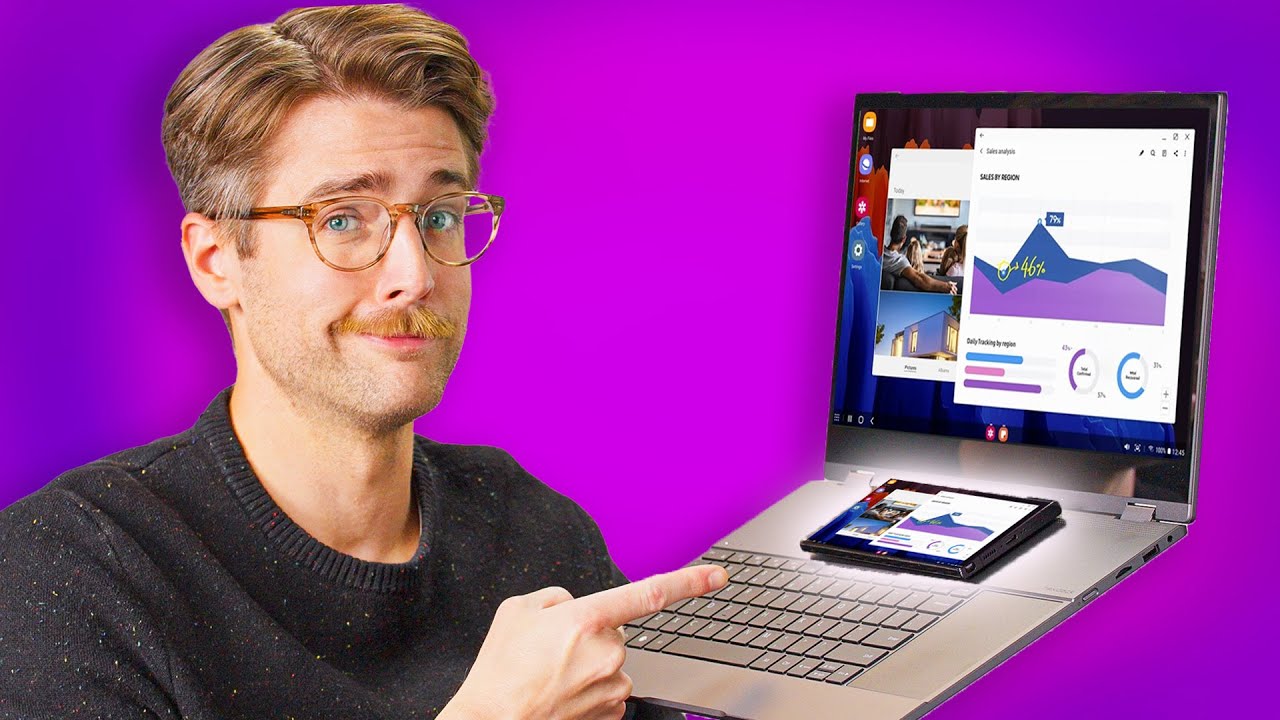
Stay equipped with all your devices and accessories on the go! The Offsite Laptop Bag is now available at LTTStore.com: lmg.gg Riley has a dream. A dream of using his phone as his main computing device. Can the NexDock XL make this dream a reality? With an improved keyboard and trackpad, a large display, and built-in wireless charging, this may be the closest we've gotten to the phone-as-a-laptop dream... but is it enough? Buy a NexDock XL: lmg.gg Purchases made through some store links may provide some compensation to Linus Media Group. Want us to unbox something? Make a suggestion at lmg.gg ► GET MERCH: lttstore.com ► GET A VPN: piavpn.com ► GET EXCLUSIVE CONTENT ON FLOATPLANE: lmg.gg ► SPONSORS, AFFILIATES, AND PARTNERS: lmg.gg ► PRODUCTS WE USE ON THE SHORTCIRCUIT SET: lmg.gg FOLLOW US ELSEWHERE --------------------------------------------------- Twitter: twitter.com Instagram: @shortcircuityt TikTok: @linustech Facebook: @ShortCircuitYT CHAPTERS --------------------------------------------------- 0:00 Riley has a dream 0:39 Unboxing and design/ports 2:06 Keyboard flex, charging pad, hinge 3:06 Sponsor - lttstore.com 3:42 Connection options and trackpad impressions 6:07 Keyboard and speaker impressions, problems with Dex 8:04 Display specs and keeping the dream alive 8:59 Weight, battery life, pricing, and overall thoughts 9:55 Outro
The video opens with a clear reveal of the NexDock XL in its box, highlighting the items included such as a power adapter, USB-C and HDMI cables, a region adapter, and a Mini HDMI to HDMI cable. The host walks through the hardware briefly, pointing out the brushed metal finish, the two USB-C ports, the mini HDMI port, the microSD slot, and the built in wireless charging pad on the chassis. A key emphasis is placed on the hinge, the new keyboard layout with a left side keyboard and right side trackpad, and how the device is meant to be a dock that turns a phone or other display-out device into a portable computing setup. The video also notes that wireless control is possible for the keyboard and trackpad, but wired connections remain important for stability, with display input via HDMI or display protocols from the phone or other device. The unboxing sets up expectations for a dream of using a phone as a primary computing device and frames the NexDock XL as the closest attempt yet to realize that dream, while acknowledging the compromises of battery life and palm-rejection related ghost touches. Across the first segment, the host frames the NexDock XL as an aspirational product, mindful of reviews from prior NexDock generations and the ongoing pursuit of a seamless phone-as-PC workflow.
Topics · technology · mobile computing · docking stations · consumer electronics · tech reviews
Questions answered
- What is the NexDock XL primarily designed to do?
- It is designed to turn a phone or other HDMI-out device into a larger display with a keyboard and trackpad for computing tasks, effectively acting as a docking station and external display.
- Can the NexDock XL be used wirelessly for input and display?
- Yes, it supports wireless display and input for the keyboard and trackpad, though the reviewer notes that the wireless trackpad experience is choppy and less reliable than wired use.