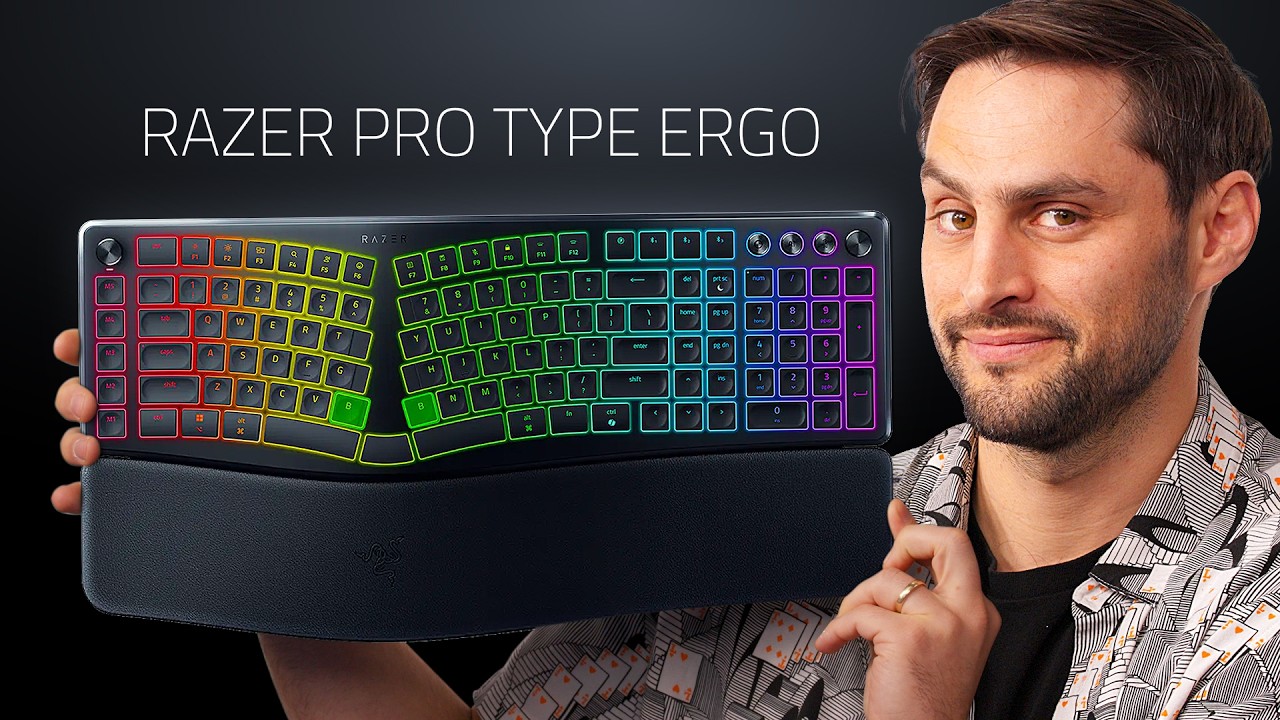
Razer Finally Got a Desk Job - Razer Pro Type Ergo
0 up · 0 down · 0 ratings
Description
Play War Thunder for FREE on PC, PlayStation, Xbox, and mobile using the links below! New to the game, or returning after six months? You'll get a massive bonus pack on PC and consoles packed with vehicles, boosters, and more. Claim your bonus and start playing today! PC/Console: playwt.link Mobile: wtm.game Razer is stretching out of the gamer zone with a new ergo keyboard. There's a lot more functionality packed into this than you might think making it a solid upgrade for any desk.
Channels and socials
Check out the Razer Pro Type Ergo keyboard here: geni.us Want us to unbox something? Make a suggestion at lmg.gg Thanks to our channel partner Secretlab! - Grab a TITAN Evo ergonomic gaming chair: lmg.gg - Grab a MAGNUS Pro sit/stand gaming table: lmg.gg ► SHOP OUR PRODUCTS: lttstore.com ► GET A VPN: piavpn.com ► GET EXCLUSIVE CONTENT ON FLOATPLANE: lmg.gg ► DIVE DEEPER ON THE LTT LABS WEBSITE: lmg.gg ► SPONSORS, AFFILIATES, AND PARTNERS: lmg.gg Purchases made through some store links may provide some compensation to Linus Media Group. Affiliate links powered in part by affilimate.com Studio lighting by Aputure: aputure.com Linus Sebastian is an investor in Framework Computer, Inc and HexOS by Eshtek. CHAPTERS --------------------------------------------------- 0:00 James is ergo pilled 1:14 Keyboard overview 6:44 Sponsor 7:25 Typing test 8:11 Razer synapse software 13:50 Battery life 14:05 Pricing 15:05 Watch another video
Razer makes a bold move beyond pure gaming peripherals with the Pro Type Ergo, a keyboard designed to bridge ergonomic gains with desktop practicality. The video opens with a playful tease about the ergonomic agenda, presenting the Pro Type Ergo as a versatile all-rounder that aims to reduce wrist strain while keeping a professional, desk-friendly aesthetic. The host dissects the physical design first, noting the 10-degree contour, removable wrist rest, and four-point foot design with two different tilt options. He emphasizes how the split layout lowers ulnar deviation by widening the stance of the hands, which improves shoulder and forearm alignment, and demonstrates how the keyboard can be angled to suit various heights and preferences. A highlight is the dual B keys, a curious feature borrowed from other ergonomic layouts, which the host finds appealing for quick accessibility and efficient thumb-key usage. Throughout the unboxing, there is a balance between practicality and nerdy delight, as he points out USB-C charging, a Bluetooth option, and the tactile yet quiet scissor-switch keycaps, which are parade-ready for Mac and PC alike. The video then pivots to software, walking through Razer Synapse expectations, macro profiles, and the on-device controls like the command dial and volume knob, which add a tactile dimension to workflow management. Finally, the host tests the keyboard with a typing sample, assesses auto-switching profiles across Illustrator and Chrome, and weighs the price against similar ergo setups, concluding that the Pro Type Ergo represents a defensible, feature-rich entry point for ergonomic desk setups, even if it requires software integration for full functionality. The closing segment reinforces the keyboard as a solid all-rounder with a balanced blend of ergonomics, customization, and aesthetics, suggesting it as a gateway into a more comfortable and productive workstation while acknowledging its premium price.
Topics · tech review · ergonomic peripherals · keyboard hardware · gadget review
Questions answered
- Does the Razer Pro Type Ergo work without Synapse, and are profiles stored onboard?
- No, the Pro Type Ergo relies on Razer Synapse for full customization and onboard memory is not advertised, so profiles are software-dependent and may not transfer without Synapse.
- What makes the Pro Type Ergo ergonomic and how adjustable is it?
- It features a 10 degree contour, a split keyboard layout to reduce ulnar deviation, adjustable tilt with two foot options, and a detachable wrist rest to improve neutral wrist posture.
- What is the layout like and how many space bars does it have?
- The keyboard uses a split layout with an extra middle space bar, giving three space bars in total which supports thumb clusters for common modifiers and actions.
- What is the price and who is this keyboard for?
- The keyboard is priced around 190 to 200 USD and is positioned for desk users seeking ergonomic improvement with a rich feature set, suitable for those who value comfort and customization despite the higher cost.