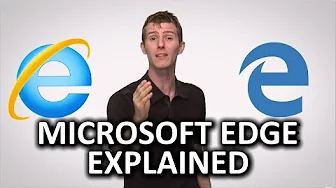
Microsoft Edge as Fast as Possible
0 up · 0 down · 0 ratings
Description
With the HUGE decrease in Internet Explorer usage, Microsoft knew that something had to be changed to increase their internet browser adoption rate... Freshbooks message: Head over to freshbooks.com and don’t forget to enter Tech Quickie in the “How Did You Hear About Us” section when signing up for your free trial. Follow: twitter.com Join the community: linustechtips.com
Microsoft Edge as Fast as Possible examines the transition from Internet Explorer to a new browser built by Microsoft, Edge. The video explains that IE had a long-standing decline due to faster, more secure, and feature-rich competitors like Chrome and Firefox, which motivated Microsoft to develop Edge with a fresh rendering engine called Edge HTML. The host describes how Edge removes legacy IE components, which is intended to boost speed and reliability on modern websites. In addition to engine changes, Edge introduces a streamlined user interface, including a separation of tabs and address bar, plus a single, simplified menu system for settings. The discussion then highlights Edge specific features such as on-page annotation, sharing, and integration with Cortana for quick information retrieval and task assistance. The host also addresses early performance expectations, noting that although Edge should perform better, benchmark results at the time show it lagging behind Chrome and Firefox in some tests and having uneven HTML5 compatibility. Finally, the video weighs the trade-offs for users who rely on third-party extensions and advanced options, suggesting that power users might miss certain tweaks while casual users may appreciate the cleaner UI and built-in features. A segment of the video then pivots to a sponsored segment for FreshBooks, illustrating how the channel blends technology discussion with practical software tools for freelancers, followed by a call to action to try FreshBooks with a promo code. The conclusion invites viewers to comment with their own Edge experiences and hints at deeper performance benchmarks available on the creator’s other channel, Linus Tech Tips, for those seeking more data on Edge’s in-depth performance.
Topics · technology · software · browsers · performance
Questions answered
- What is Edge HTML and why was it created?
- Edge HTML is a new rendering engine developed for the Edge browser to replace older Internet Explorer code, with the aim of faster, more accurate rendering of modern web pages.
- Which Edge features differentiate it from Internet Explorer?
- Edge introduces a streamlined user interface, separate tabs from the address bar, a single simplified menu for options, built-in page annotation and sharing, and Cortana integration without relying on third-party extensions for core functionality.