Windows 11 Reactions: It Runs Android Apps! (Kinda)
0 up · 0 down · 0 ratings
Promos
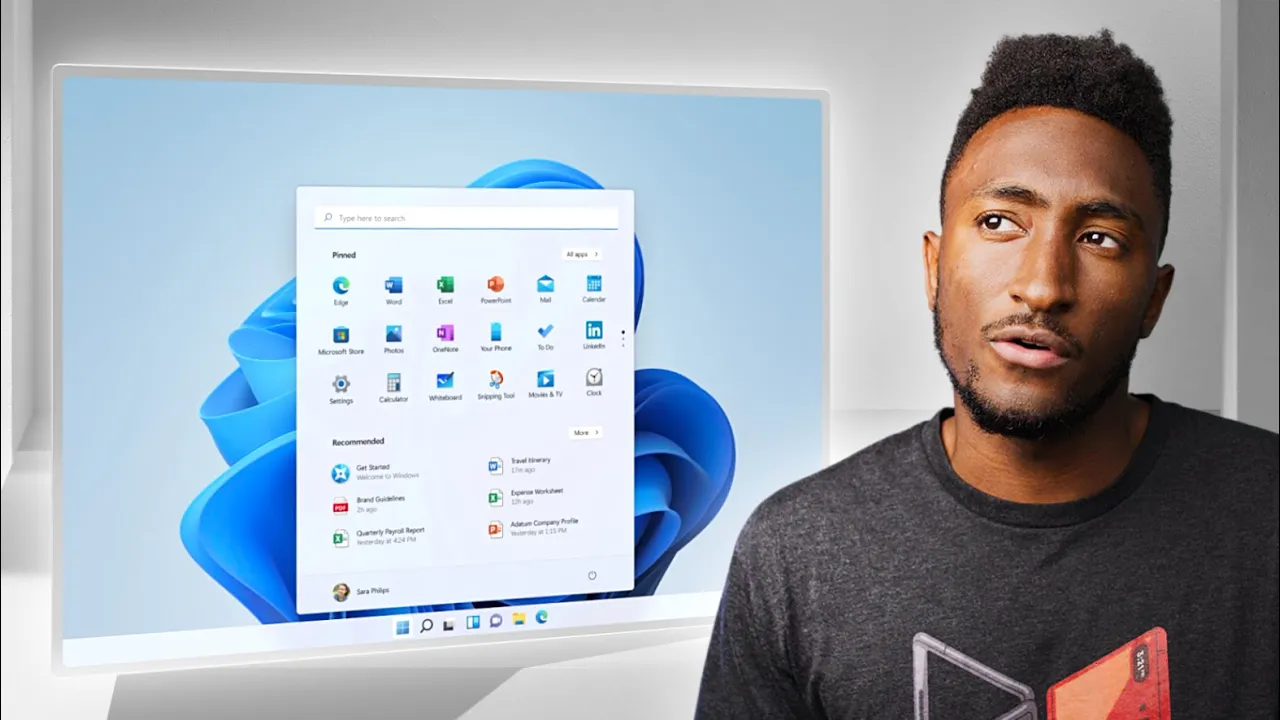
Windows 11 is official and it is... very glassy. Joanna Stern's WSJ piece: wsj.com MKBHD Merch: shop.mkbhd.com Tech I'm using right now: amazon.com Intro Track: Windows 11 Startup Sound Playlist of MKBHD Intro music: goo.gl ~ twitter.com @MKBHD @MKBHD
Windows 11 is shown with a refreshed aesthetic that emphasizes a glassy, translucent UI, a centered start menu by default, and a more modern overall look. Marques highlights how the new design feels brighter and cleaner, noting the ability to move the start button back to the left if desired, and describing the widget pane that slides in from the side as AI-customized with weather, news, and social posts. He compares the new widgets to Android and iOS widgets, illustrating how Windows 11 borrows the idea of a swipable info pane to provide quick context without leaving the desktop. The video also covers practical improvements such as improved window management with new snap layouts, and the rumored memorization feature for external displays that will remember window layouts when monitors are unplugged and reconnected. A key revelation is the ability to run Android apps directly in Windows 11, enabled by a collaboration with Amazon and powered by Intel bridge technology, which launches the Amazon App Store inside Windows, requiring an Amazon account and an initial app store installation. Marques discusses the nuances of this feature, noting that while the Android app ecosystem will be accessible, the experience may vary in terms of performance and touch input versus traditional desktop use, and he acknowledges that not every app will translate perfectly to a PC environment. He closes with expectations for betas, security, and performance improvements, and invites viewer thoughts on the design direction and the Android app integration. Overall, the video balances enthusiasm for a fresh Windows 11 surface with practical skepticism about how well Android apps will run on a PC, and it emphasizes the shift toward a more integrated ecosystem where Teams is built into the OS, external displays are better managed, and the overall experience aims to feel more native while relying on cross-ecosystem app availability. Marques signals that the combination of a new look, smarter widgets, and app compatibility could potentially “break the cycle” of past Windows iterations, inviting viewers to share their opinions on whether Windows 11 feels like a strong update or just another redesign in the lineage.
Topics · technology · operating systems · software · apps · hardware
Questions answered
- Welke hoofdverbeteringen brengt Windows 11 volgens de video en hoe wordt Android-app-ondersteuning mogelijk gemaakt?
- Windows 11 introduceert een vernieuwde, glasachtige gebruikersinterface, een gecentreerde startknop, en nieuw widget-paneel met AI-aanpassingen. Het vensterbeheer is verbeterd met nieuwe snap-presets en geheugenfunctie voor externe displays. Android-apps kunnen via een samenwerking met Amazon en Intel Bridge-technologie rechtstreeks in de Windows-winkel worden geladen via de Amazon App Store, waarbij inloggen met een Amazon-account vereist is en de eerste installatie van de Amazon App Store noodzakelijk is.
- Wat zijn de mogelijke nadelen of onzekerheden bij Android-apps op Windows 11 zoals genoemd in de video?
- Hoewel Android-apps in Windows 11 kunnen draaien, kan de ervaring variëren per app, vooral qua prestaties en touch-input versus desktopgebruik, en niet alle apps zullen naadloos werken op een pc. Het proces hangt af van de Amazon App Store en de compatibiliteit van de apps met desktop-omgevingen. Het blijft onduidelijk hoe goed de apps zal integreren met Windows-snap en multi-monitor setups.
- Welke elementen worden genoemd als potentieel transformerend voor Windows 11 ondanks twijfels?
- De overgang naar een moderner, consistenter ontwerp, verbeterde window-snapping en memorisatie van indelingen bij extern display-opslaan, plus de mogelijkheid om Android-apps te draaien via Amazon App Store binnen Windows 11, samen met native Teams-integratie, worden gezien als potentieel transformerend voor de gebruikerservaring.