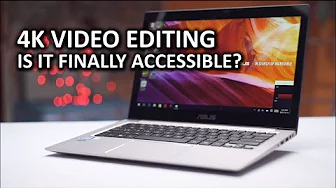
4K video editing on an ULTRABOOK!?
0 up · 0 down · 0 ratings
Channels and socials
Thanks to VideoBlocks for sponsoring this video. For $50 off your first year's membership visit vblocks.co during the month of December! We know that super powerful hardware has no issues editing 4K video... But what about super slim "ultrabook" style laptops? Pricing & discussion: linustechtips.com This video was sponsored by ASUS. Support us: linustechtips.com Join our community forum: bit.ly twitter.com @LinusTech Intro Screen Music Credit: Title: Laszlo - Supernova Video Link: youtube.com iTunes Download Link: itunes.apple.com Artist Link: soundcloud.com Outro Screen Music Credit: Approaching Nirvana - Sugar High youtube.com Sound effects provided by freesfx.co.uk
The video opens with Linus Tech Tips explaining the inspiration behind testing 4K video editing on a slim, portable laptop. He details the hardware configuration of the ASUS Zenbook UX303U, highlighting the Intel Skylake Core i7‑6500U, 12 GB of DDR4 RAM, and a discrete GPU that together provide the horsepower needed for smooth 4K playback and editing. Linus then demonstrates how he measures performance by transcoding footage from a Panasonic GH4 camera, loading it into a timeline, and monitoring CPU and GPU usage in real time. He shows that with the right settings the notebook can play back 4K footage at 30 FPS with responsive timeline scrubbing, and that exporting finished files takes roughly 17–20 minutes when the GPU is fully utilized. In the second half of the video Linus focuses on network performance and workflow optimization. He tests both wired and wireless connections, using a USB 2.0 gigabit Ethernet adapter and later a gigabit USB‑to‑Ethernet adapter, to determine the best way to edit directly off the notebook’s drive. He compares CPU usage and frame rates at different preview resolutions, concluding that a dual‑core Core i7 with a strong Wi‑Fi connection is sufficient for 4K editing on a thin laptop. The video ends with a call to action, encouraging viewers to subscribe, comment, and try the setup for themselves. Overall, the video provides a clear, step‑by‑step guide to evaluating 4K editing performance on an ultrabook, with practical benchmarks and actionable tips for both hardware and workflow.
Viewers praise the video for its thorough hardware walk‑through and practical performance data. The most liked comment (644 likes) notes the video’s relevance to Linus Tech Tips, while several replies highlight the importance of the USB 2.0 gigabit adapter and the overall workflow. Comments also mention the usefulness of the video for both personal and commercial projects, and many viewers express excitement about editing 4K on a slim laptop. The overall sentiment is positive, with a strong call to action that encourages engagement.
Topics · science & technology · review · pc · tech · linus · computer · performance · laptop
Questions answered
- What hardware configuration was used for 4K editing on the ULTRABOOK?
- The ASUS Zenbook UX303U was equipped with an Intel Skylake Core i7‑6500U, 12 GB of DDR4 RAM, and a discrete GPU that together provide the horsepower needed for smooth 4K playback and editing.
- How did the author measure performance of 4K editing?
- Linus measured CPU and GPU usage while playing back 4K footage at 30 FPS, and he recorded frame rates and CPU usage in seconds per frame to evaluate the notebook’s performance.
- What network setup was used for editing off the drive?
- He tested both a wired USB 2.0 gigabit Ethernet adapter and a gigabit USB‑to‑Ethernet adapter, finding that the latter provided a responsive timeline scrubbing experience comparable to local editing.