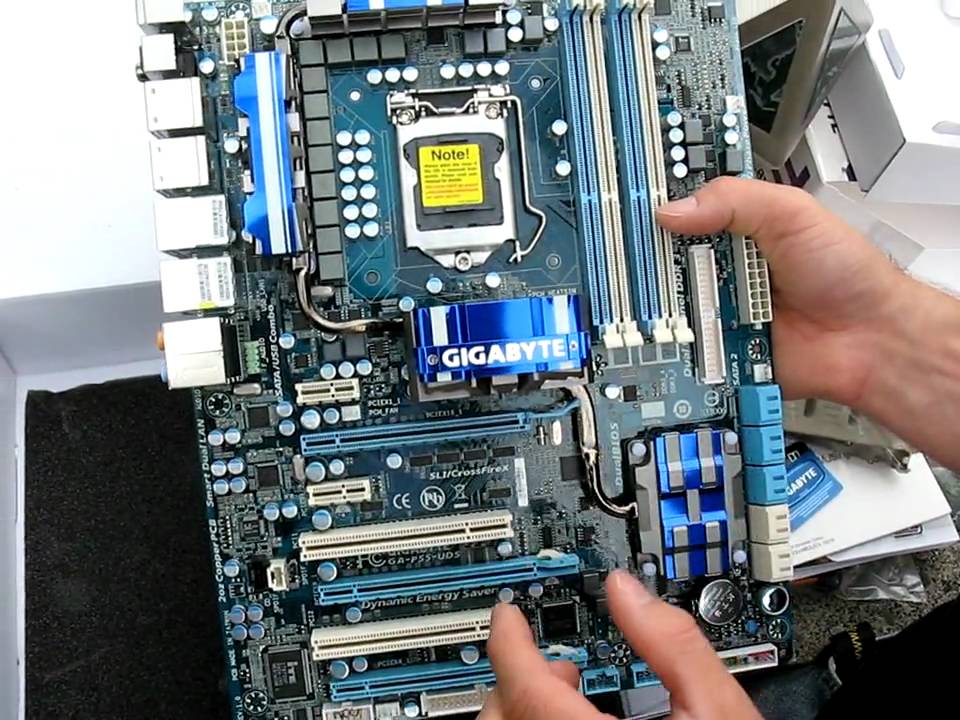
Gigabyte P55-UD5 P55 LGA1156 Core i5 Motherboard Unboxing Linus Tech Tips
0 up · 0 down · 0 ratings
Description
This step-down board from the uber-premium UD6 that we already looked at is mostly the same in terms of feature set. The biggest differences between the UD5 and the UD6 lie in the subtle details and the inclusion of a 12 phase power design versus a 24 phase power design.
This unboxing and overview of the Gigabyte P55-UD5 motherboard presents a mid-range answer to the high-end UD6, highlighting how it retains a strong feature set while scaling back on certain elements. The host explains the board’s 12 phase power design for the CPU and an additional two phases for the uncore, emphasizing Gigabyte's focus on delivering ample power to all components. The layout is described in detail, with the socket 1156 placement, robust cooling around the northbridge, southbridge, and MOSFET areas, and the orientation of power connectors including the 8-pin CPU and 24-pin main power. Dual-channel DDR3 memory is noted, with a reminder that the UD5 forgoes two extra slots found on more premium boards. The PCIe arrangement is explained: two PCIe 16x slots (physically 16x but electrically 8x), usable in 8x/8x for SLI or Crossfire, plus a 4x slot powered by the chipset that cannot drive SLI or Crossfire. The back I/O remains extensive, including PS/2, USB, eSATA, FireWire, Gigabit Ethernet, and 7.1 audio, while onboard features like clear CMOS, power, and reset switches add to the usability. Overall, the video combines unboxing, accessory inspection, and a thorough hardware walkthrough to show what makes the UD5 a capable step-down from the UD6, with practical insights into how the board fits within a contemporary LGA1156 build. The reviewer also touches on Gigabyte’s Ultra Durable 3 technology and Smart 6 utilities, noting some skepticism about bundled utilities but acknowledging the hardware strengths of the UD5. By the end, viewers gain a clear sense of the board’s target audience, its strength in power delivery and cooling, and where it fits in the broader Gigabyte lineup.
Topics · technology · hardware · unboxing · motherboard review
Questions answered
- What is the power design of the Gigabyte P55-UD5, and how does it compare to the UD6?
- The P55-UD5 features a 12 phase power design for the CPU and 2 phases for the uncore, which is a step down from the UD6's 24 phase CPU design, but it still provides robust power delivery for high-end components.
- What are the PCIe slot configurations and limitations for SLI or Crossfire on the UD5?
- The board includes two 16x physical slots that run at 8x electrically, suitable for SLI or Crossfire in 8x/8x mode, and a third 4x slot that is chipset-driven and not capable of SLI or Crossfire.