Part 3 iSwitched to Blackberry 10 Blog 30 Day Challenge Linus Tech Tips
0 up · 0 down · 0 ratings
Channels and socials
Big thanks to Bell Mobility for lending us this Blackberry Z10 to make this series possible. bell.ca As a longtime Android user, Slick will be doing a series of videos documenting his 30 day attempt to switch to Blackberry. He will not be allowed to use his Galaxy S3 any more than necessary and he will be documenting any surprises he encounters along the way. Sponsor Link: corsair.com This was shot based on experiences up to Day 17. Join our community forum: bit.ly twitter.com @LinusTech Here's a link to Linus' attempt to switch to Windows Phone 8: bit.ly Here's a link to Linus' attempt to switch to Android: bit.ly
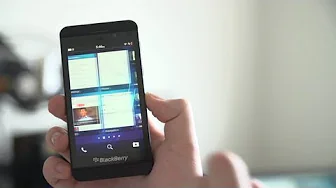
In this third installment of Linus Tech Tips’ Blackberry 10 blog series, the host explains the two main methods for sideloading Android apps onto the Blackberry 10 platform. He compares the Google Chrome app method with the DDPB method, noting that the Chrome approach feels simpler and more streamlined, while the DDPB route remains viable for users who prefer a different workflow. The process starts by installing the Playbook App Manager in Chrome, enabling development mode on the Blackberry 10 device, and then connecting the phone to the Chrome app via a local IP and a user-set password. He highlights practical steps such as installing bar files for apps like Winamp, Google Maps, and Instagram, and discusses how the Chrome app automatically installs these bar files once dragged into the Chrome interface. Throughout, he emphasizes that any issues encountered can usually be resolved by trying alternate bar file options or performing a quick uninstall and reinstall, and he shares the experience of a brief phone restart to get apps working properly. The video also covers some caveats and reflections from the side loading experience. He notes that certain apps may not be perfectly tuned for Blackberry, and that some functionality may require extra clicks or adjustments. He recounts a separate incident involving a failed system update that was resolved by factory resetting the device, and he argues that sideloading expands the Blackberry’s capabilities far beyond stock OS limitations without needing a dedicated app store solution. He closes by encouraging viewers who own a Blackberry to consider sideloading as a viable way to broaden app availability, while acknowledging that the series has faced occasional delays due to broader production considerations and thanking viewers for following the journey toward Day 30.
Topics · technology · mobile_devices · software_development · consumer_electronics