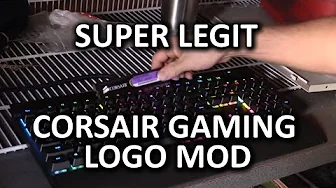
Fix Your "Corsair Gaming" Logo - Super Legit Modding Guide
0 up · 0 down · 0 ratings
Channels and socials
Like the new Corsair RGB keyboards, but hate the new Corsair Gaming logo? Want to replace it with something else? We've got you covered! Sponsor link: linustechtips.com Pricing & discussion: linustechtips.com Support us: linustechtips.com Join our community forum: bit.ly twitter.com @LinusTech Intro Screen Music Credit: Adhesive Wombat -
Check out his channel here: youtube.com Outro Screen Music Credit: Approaching Nirvana - Sugar High youtube.com
The video opens with Linus detailing a quick, humorous take on the new Corsair Gaming logo, proposing a playful approach to the perceived branding change. He walks through the idea of removing the logo from an RGB keyboard and entertaining the possibility of replacing it with something more elegant, joking about the invisibility of the original mark when the keyboard is powered on. The host then demonstrates the steps in a deliberately lighthearted, non-serious tone, starting with the practical task of prying off the existing logo using a small flat tool and saving the piece for later. A mock build session follows, where he suggests forging a new aesthetic by applying a Dremel cut, JB Weld, and a new logo to fill the hollow space. The tone shifts to a slightly self-deprecating moment as he admits his initial overconfidence and pivots to a more clever solution: a modular, Velcro-based logo mounting concept. This section emphasizes creativity and humor while spotlighting a meta-commentary about modding culture and the accessibility of swapping logos. He reassures viewers that the ad spot for the video is an unrelated sponsorship, and then returns to the central message that the logo change is not straightforward to fix on all products, but can be easily avoided on certain RGB keyboards. The concluding thoughts acknowledge the controversy around branding while suggesting a practical, non-destructive alternative and inviting viewers to consider different perspectives on corporate design decisions, all while keeping the mood light and accessible. The video blends playful banter with basic hardware tinkering steps, illustrating a sequence from logo removal to a modular replacement concept and a candid discussion about industry branding. We see a progression from identifying the logo issue to exploring feasible, non-destructive options and finally presenting a range of opinions about whether Corsair should or could revert the branding. The host anchors the discussion with practical tips for a safe, reversible approach and ends by encouraging viewer engagement, subscriptions, and broader conversations about product aesthetics in gaming hardware. Throughout, the emphasis remains on entertainment and lightweight experimentation rather than a formal teardown or professional modification guide, making the content approachable for hobbyists while still entertaining the tech-enthusiast audience.
Topics · technology · hardware · modding · tutorials · product-design
Questions answered
- What is the main idea behind the video, and how does the host propose handling the Corsair Gaming logo?
- The main idea is to humorously critique the Corsair Gaming logo by suggesting ways to remove or replace it on keyboards. The host demonstrates a playful approach, including prying off the logo, using a Dremel, and proposing a modular, Velcro-based replacement system as a non-permanent option.
- Is the logo modification presented as a serious or a joking guide?
- The content is presented as a lighthearted, joking guide rather than a formal, professional modification tutorial. The host emphasizes humor, self-deprecation, and community engagement, and even notes that the sponsorship spot and the overall tone are meant to entertain.