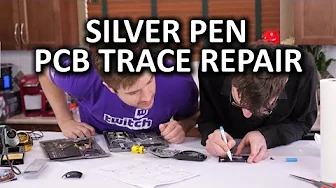
Silver Conductive Pen - DIY PCB Trace Repair
0 up · 0 down · 0 ratings
Channels and socials
Can two guys with little to no PCB repair experience fix the traces on the PCB for a mouse with nothing but this silver pen and a bit of electrical tape? Let's find out! Ting link: linus.ting.com Cooler Master link: linustechtips.com Pricing & discussion: linustechtips.com Support us: linustechtips.com Join our community forum: bit.ly twitter.com @LinusTech Intro Screen Music Credit: Title: Laszlo - Supernova Video Link: youtube.com Outro Screen Music Credit: Approaching Nirvana - Sugar High youtube.com
The video titled Silver Conductive Pen - DIY PCB Trace Repair explores a low-cost, hands-on method for repairing damaged PCB traces using silver conductive pens. The hosts begin by contextualizing the problem, noting that a mouse PCB had its traces damaged by an accidental battery acid spill and showing how a silver conductive pen can be used to bridge or reconstruct those traces. They discuss two main types of pens, outlining the differences between squeeze and push mechanism pens and roller ball pens, and explain which kinds are best suited for PCB work. Throughout the segment, they demonstrate practical steps: testing the ink on scrap material, applying careful pen strokes, and evaluating conductivity by observing mechanical function such as mouse button clicks. The presenters emphasize the importance of testing on a real PCB and keeping ventilation in mind, while acknowledging the learning curve and the need for steady hands and ESD safety. By the end of the first portion, they attempt live repairs on a damaged PCB trace, noting initial thickness issues, adjusting technique, and refining their approach to avoid bridging adjacent traces. The conclusion highlights that the repair is electrically conductive and functionally sufficient for basic use, underscoring the broader takeaway that repair can be more affordable and sustainable than replacement. The hosts pivot to a broader discussion about the pens’ potential applications from simple repairs to prototype work and even automotive trace work, illustrating a practical, tinkering mindset that aligns with DIY culture. The video rounds out with a call to action, encouraging viewer feedback, forum participation, and exploration of related tech topics while also promoting Ting mobile as a supporting sponsor in a separate segment. Overall, the episode blends practical troubleshooting with reflections on tool choice, demonstrated success, and opportunities for future tinkering projects. The practical demonstration provides actionable steps for viewers curious about quick PCB repairs, while also acknowledging limitations and the value of careful technique and testing. The closing remarks reinforce the educational purpose of the video and invites ongoing experimentation and community discussion.
Topics · electronics · repair · diy · prototyping · tech-tutorial