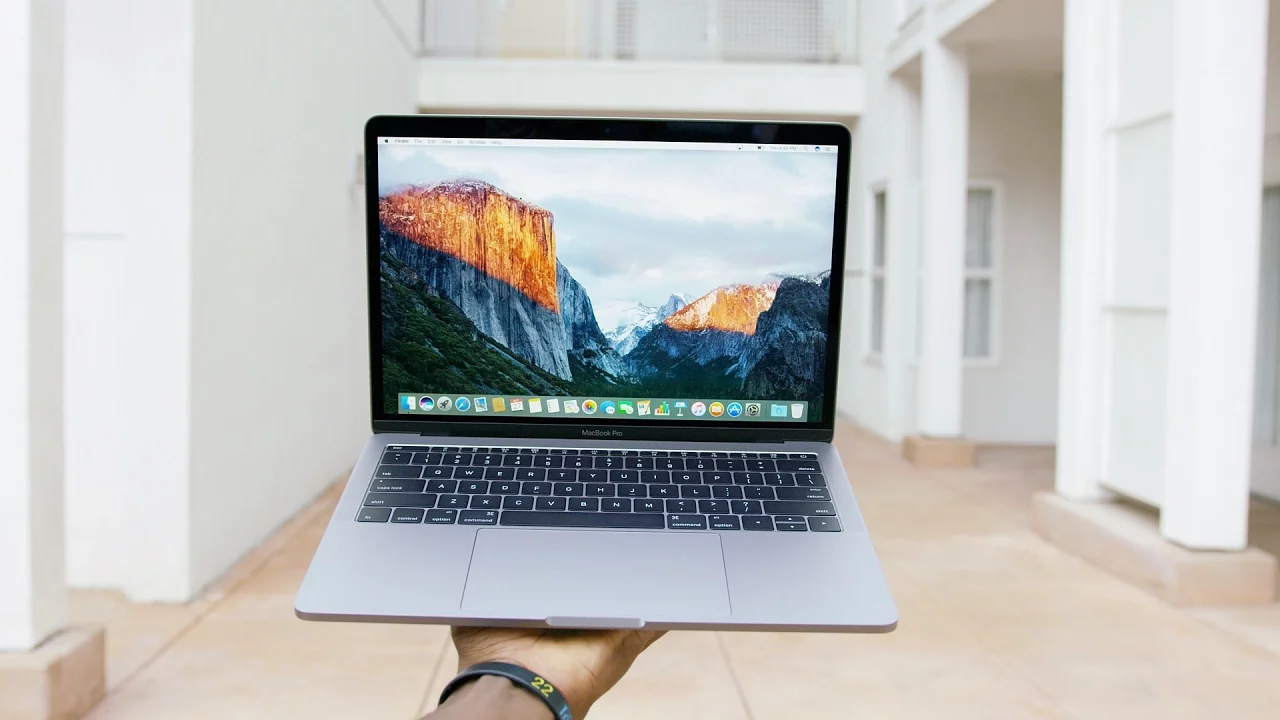
13" MacBook Pro 2016 Unboxing! (What's New)
0 up · 0 down · 0 ratings
Channels and socials
Baseline 2016 Macbook Pro 13" unboxing and Impressions! Interview with Craig Federighi: youtu.be Video Gear I use: kit.com Intro Track: Ongoing Thing by 20syl, Oddisee ~ twitter.com snapchat.com google.com @MKBHD @MKBHD
The 13 inch MacBook Pro 2016 unboxing focuses on what is new and what has changed compared to the previous generation. The video starts by noting that Apple released several new MacBook Pros, but this particular model is the baseline 13 inch version without the touch bar, making it a quick and practical look for potential buyers. The host walks through the packaging and design updates, highlighting that the chassis is thinner and lighter, with a uniform straight-edged metal body and subtle color options like space gray versus silver. He explains the port situation, pointing out the all USB-C world with no full-size USB ports, HDMI, SD card slot, or MagSafe, and how it necessitates adapters for many users. He also discusses the trackpad evolution, a larger Force Touch surface, and the keyboard’s butterfly switches, noting the tradeoffs in key travel and feel. The display remains Retina but with notably brighter panels, improved contrast, and a wider color gamut, which the host immediately notices when outdoors. Internally, the device ships with faster storage options and newer Intel chips, and while the improvements are respectable, he candidly compares it with the upcoming high-end configurations and the 15-inch model with the touch bar to outline the broader Apple lineup. He wraps by acknowledging a few compromises like the lack of an SD card slot and a non-glowing logo, while affirming that the new model still betters the MacBook Air in several categories, making it a strong choice for those who value portability with performance. The overall takeaway is a balanced view: Apple advances design and performance, but the price and the need for adapters temper enthusiasm for the 13-inch baseline model, while the 15-inch with touch bar remains an exciting prospect for power users and video editors. In the conclusion, the host shares personal excitement for the larger 15-inch option, mentioning that the touch bar could be a game changer for certain workflows like Final Cut Pro, and signals further coverage of the newer generation in subsequent videos. The unboxing itself is straightforward, focusing on the core changes rather than accessory bundles, and leaving viewers with a clear sense of how the 2016 13-inch MacBook Pro fits into both everyday use and professional editing scenarios.
Topics · technology · laptops · unboxing · consumer_electronics · design_and_style · hardware_specifications · display · peripherals
Questions answered
- What are the major hardware changes in the 13 inch MacBook Pro 2016 compared to the previous generation?
- The 2016 13 inch MacBook Pro concentrates on a thinner, lighter body, a larger trackpad, a redesigned keyboard with butterfly switches, and brighter Retina displays. It also adopts a USB-C only port strategy, removing full-size USB, HDMI, SD card, and MagSafe, which necessitates adapters for most peripherals.
- Is the lack of traditional ports a deal breaker for buyers considering this model?
- For some buyers, yes, the lack of legacy ports and MagSafe is a major drawback due to the need for dongles and adapters. However, proponents argue it signals a forward-looking design and a lighter device, with the understanding that adapters will be common for most users.