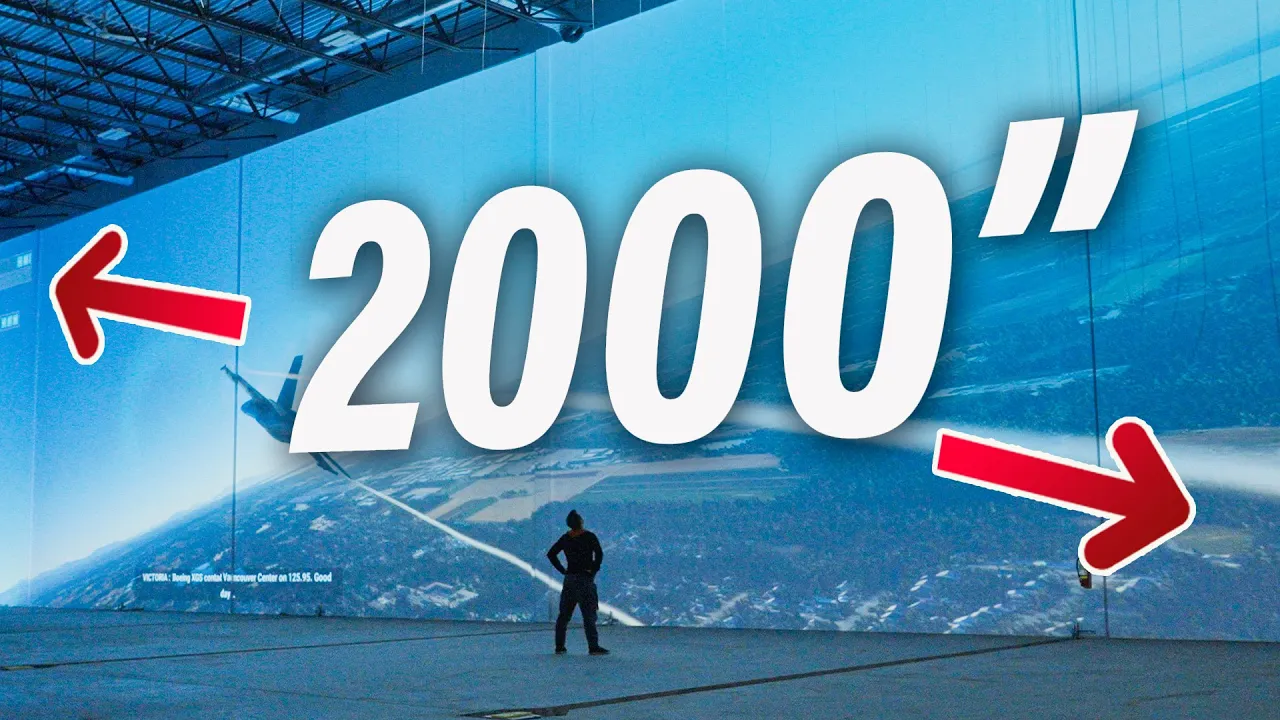
I BUILT the Worlds Biggest Gaming TV
0 up · 0 down · 0 ratings
Description
Thanks trainwell (formerly CoPilot Fitness) for sponsoring today’s video! Click my trainwell link go.trainwell.net and get 14 days FREE with your own expert personal trainer! It's here—the biggest gaming display! It's not by Hisense, it's not Samsung's The Wall, and it utterly embarrasses my 115" TCL TV. By area, this is bigger than most IMAX screens and WAY better to game on. It's a 2000" inch tv! Thanks Clark's AV! - check them out at clarksav.com Discuss on the forum: linustechtips.com
Promos
Check out the Epson Pro L1505UH 3LCF Laser Projector: lmg.gg Purchases made through some store links may provide some compensation to Linus Media Group. ► GET MERCH: lttstore.com ► GET EXCLUSIVE CONTENT ON FLOATPLANE: lmg.gg ► SPONSORS, AFFILIATES, AND PARTNERS: lmg.gg ► EQUIPMENT WE USE TO FILM LTT: lmg.gg ► OUR WAN PODCAST GEAR: lmg.gg FOLLOW US --------------------------------------------------- Twitter: twitter.com Facebook: @LinusTech Instagram: @linustech TikTok: @linustech Twitch: twitch.tv MUSIC CREDIT --------------------------------------------------- Intro: Laszlo - Supernova Video Link: youtube.com iTunes Download Link: itunes.apple.com Artist Link: soundcloud.com Outro: Approaching Nirvana - Sugar High Video Link: youtube.com Listen on Spotify: spoti.fi Artist Link: youtube.com Intro animation by MBarek Abdelwassaa @mbarek_abdel Monitor And Keyboard by vadimmihalkevich / CC BY 4.0 geni.us Mechanical RGB Keyboard by BigBrotherECE / CC BY 4.0 geni.us Mouse Gamer free Model By Oscar Creativo / CC BY 4.0 geni.us CHAPTERS --------------------------------------------------- 0:00 If you thought part 1 was cool... 1:10 The hardware involved 5:09 Old vs. new 6:30 CoPilot 8:07 How to set up a massive video wall 11:24 WIIIIIIIIIDE Linus 12:25 Peak immersion
The video chronicles the ambitious project of building what Linus Tech Tips claims to be the world’s biggest gaming display. The team partners with Clark's Audio Visual to mount multiple projectors inside a construction site setting, transforming a long wall into a gaming wall over 2,000 inches diagonally. The centerpiece is the Epson Pro-L 1505UH, a high brightness commercial projector that supports interchangeable lenses and a short throw option, enabling a massive image from a relatively close distance. The equipment is carefully planned to deliver brightness, color, and alignment at scale, with attention to practical constraints like power requirements and anchor points for safety. Viewers are guided through the deployment workflow, including projector alignment, edge blending, and testing with a grid pattern to ensure a seamless wall of images. The video also includes on-site sponsor segments and a behind-the-scenes look at the planning and execution required for such a bold build, concluding with a vivid demonstration of the final immersive setup. Overall, the narrative blends technical specificity with with a sense of spectacle, showing not just the build but the excitement of using a gigantic display for gaming experiences. The conclusion emphasizes the achievement, the practical challenges, and the eventual success of gaming on a screen that dwarfs typical home setups. The project is framed as both a technical demonstration and a proof of concept for what immersive, wall-scale gaming could become in the future, inviting viewers to imagine similar installations in other spaces.
Topics · technology · gaming · display-technology · home-theater · projections · construction-assembly
Questions answered
- What makes the Epson Pro-L 1505UH suitable for a 2000+ inch gaming wall?
- The Epson Pro-L 1505UH is a commercial grade three chip laser projector with high brightness (12,000 lumens in color) and interchangeable lenses, including a short throw option that enables a very large image from a relatively short distance, which is essential for a wall-sized display without requiring exterior mounting.
- How was the multi-projector setup synchronized for a seamless wall video?
- Three projectors were aligned physically on site, with a Datapath FX4 video wall controller used to split a single input across the displays, enabling edge blending and coordinated output while reducing PC load and latency to a few milliseconds.
- What were the main practical challenges in building the display?
- Key challenges included managing brightness and ambient light, aligning and focusing three projectors to form a seamless wall, routing power requirements with dedicated circuits, and handling the physical logistics of mounting heavy projectors in a construction-site environment.
- Did the team use any special tools to assist alignment and calibration?
- Yes, they used a grid/test pattern for focus and alignment checks, lens shifting controls to roughly align the image, and the Pixeline camera system of Epson equipment to assist with alignment across the wall.