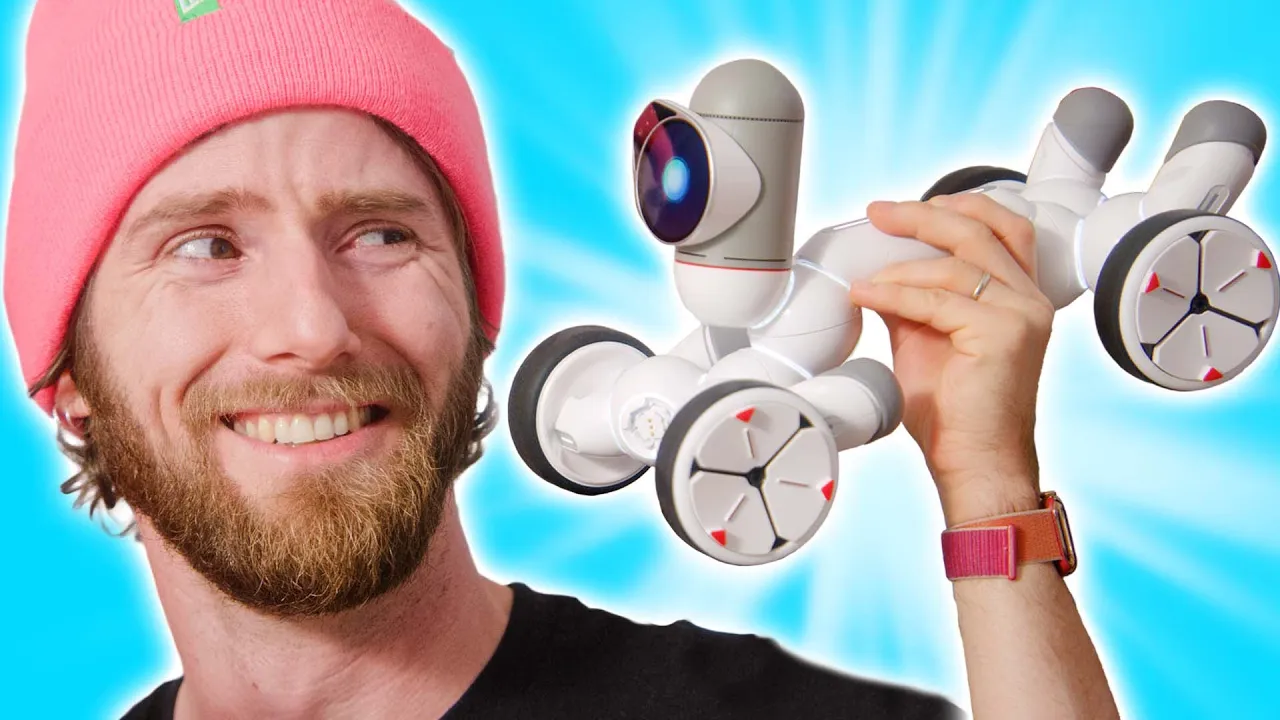
If Pixar made a robot - ClicBot Robot Showcase
0 up · 0 down · 0 ratings
Promos
Thanks to Keyi Tech for sponsoring today’s showcase of their ClicBot! Get your own ClicBot and use code LINUSSPECIAL for an extra 5% off on Amazon + a 10% discount that they're running for a limited time. Amazon: lmg.gg Official Keyi Website: bit.ly We got our hands on the new ClicBot 1000 Robots in One from Keyi and surprise surprise, it’s actually pretty neat. Discuss on the forum: linustechtips.com ►GET MERCH: lttstore.com ►SUPPORT US ON FLOATPLANE: floatplane.com ►LTX EXPO: ltxexpo.com AFFILIATES & REFERRALS --------------------------------------------------- ►Affiliates, Sponsors & Referrals: lmg.gg ►Check out our podcast gear: kit.co ►Private Internet Access VPN: lmg.gg ►Our Official Charging Partner Anker: lmg.gg ►MK Keyboards: lmg.gg ►Nerd or Die Stream Overlays: lmg.gg ►NEEDforSEAT Gaming Chairs: lmg.gg ►Displate Metal Prints: lmg.gg ►Official Game Store: nexus.gg ►Epic Games Store (LINUSMEDIAGROUP): lmg.gg ►Amazon Prime: lmg.gg ►Audible Free Trial: lmg.gg ►Streamlabs Prime: geni.us ►Our Gear on Amazon: geni.us FOLLOW US ELSEWHERE --------------------------------------------------- Twitter: twitter.com Facebook: @LinusTech Instagram: @linustech Twitch: twitch.tv FOLLOW OUR OTHER CHANNELS --------------------------------------------------- Techquickie: lmg.gg TechLinked: lmg.gg ShortCircuit: lmg.gg LMG Clips: lmg.gg Channel Super Fun: lmg.gg Carpool Critics: lmg.gg MUSIC CREDIT --------------------------------------------------- Title: Laszlo - Supernova Video Link: youtube.com iTunes Download Link: itunes.apple.com Artist Link: soundcloud.com Outro Screen Music Credit: Approaching Nirvana - Sugar High youtube.com Monitor And Keyboard by vadimmihalkevich / CC BY 4.0 geni.us Mechanical RGB Keyboard by BigBrotherECE / CC BY 4.0 geni.us Mouse Gamer free Model By Oscar Creativo / CC BY 4.0 geni.us
The video opens with a playful nod to past social robotics flops, setting the stage for Keyi Tech’s ClicBot as a potentially promising educational robotics platform. The host explains that the ClicBot is a modular, buildable robot kit funded by Kickstarter, with options ranging from starter to maker kits. They compare it to a Jibo-like concept, but emphasize that the ClicBot can be assembled into multiple forms, notably BAC, a tall, skinny model with suction cups, and BIC, a wheeled variant. The assembly process is demonstrated with two young participants, who physically connect modules, test suction cups, and observe basic motions as BAC begins to move with lights and simple interactions. The video then transitions to exploring the main menu, calibration procedures, and the idea that the kit can be used to create a wide range of configurations beyond the prebuilt ones. The presenters highlight the balance between approachable, kid-friendly construction and more advanced features that appeal to older hobbyists, including the ability to program animations via a graphical interface. Throughout, they praise the educational potential and the supportive online community that shares projects and tutorials, while noting some early bugs such as WiFi limitations and occasional app freezes. The hosts conclude that with ongoing updates and a library of over 200 interactions, ClicBot remains a compelling toy and learning tool for tech-savvy kids and curious makers alike, offering a nostalgic chance to revisit the dream of a robotic friend.
Topics · robotics · education · technology · crowdfunding
Questions answered
- What are the two main starter configurations for ClicBot mentioned in the video, and how do they differ in form and function?
- The two main configurations are BAC and BIC. BAC is a tall, skinny form that moves with suction-cup feet, while BIC is a wheeled variant designed for rolling movement. The host demonstrates both as built options and explains that templates exist for either form to perform different tasks or demonstrations.
- How can users program custom animations or behaviors for ClicBot, and what tools are mentioned for doing so?
- Users can program animations by setting up key frames visually through a graphical user interface. This allows the creation of custom motions and even AI-style programs for ClicBot, with a community platform where new ideas and tutorials are regularly shared.
- What is the approximate running time on a single charge for ClicBot, as noted in the video?
- ClicBot runs for about two hours on a single charge.