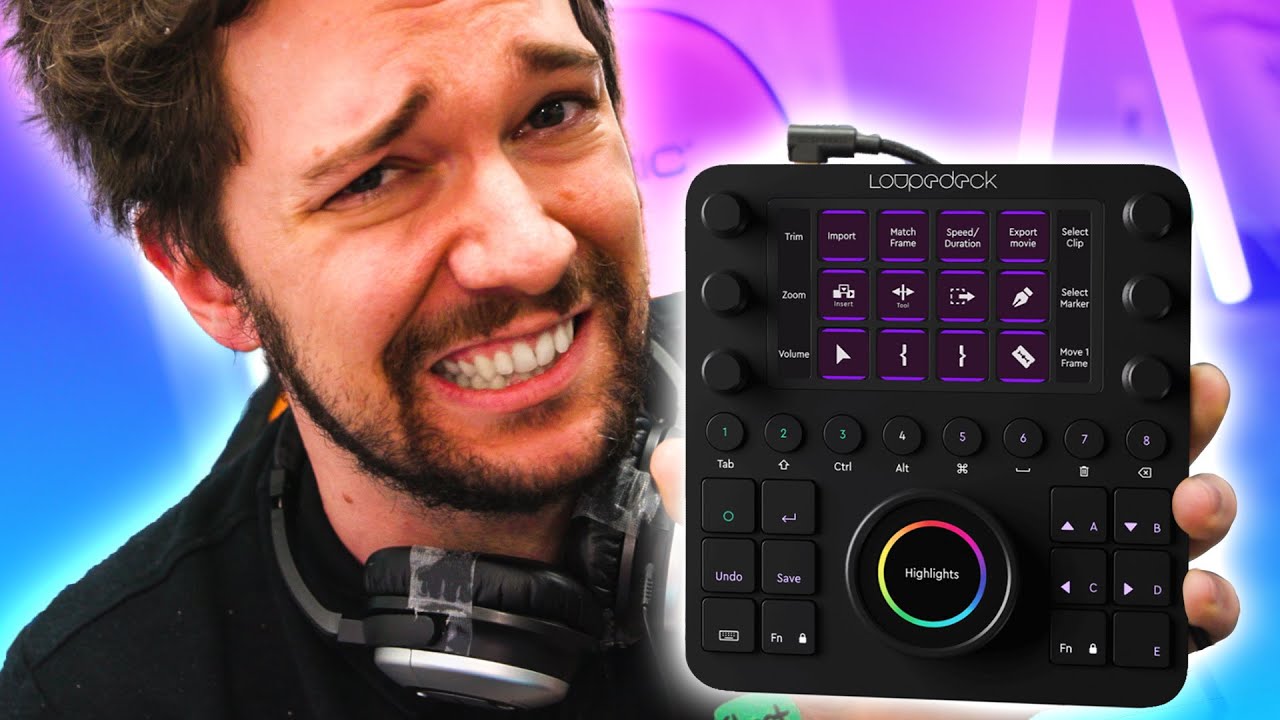
This should have been GREAT! - LOUPEDECK CT
0 up · 0 down · 0 ratings
Description
The Linus Media Group's King Of Macros takes a look at something that should have been the ideal productivity tool. Is it any good?
Check out the LOUPEDECK CT at lmg.gg Buy Loupedeck Creative Tool On Amazon (Paid Link): geni.us On BHPhoto (Paid Link): geni.us Buy Streamdeck XL On Amazon (Paid Link): geni.us On NewEgg (Paid Link): geni.us Buy Ripple Tangent On Amazon (Paid Link): geni.us On BHPhoto (Paid Link): geni.us
Promos
Check out Monogram Creative Console at monogramcc.com Purchases made through some store links may provide some compensation to Linus Media Group. GET MERCH: lttstore.com SUPPORT US ON FLOATPLANE: floatplane.com LTX EXPO: ltxexpo.com AFFILIATES & REFERRALS --------------------------------------------------- Affiliates, Sponsors & Referrals: lmg.gg Get Private Internet Access VPN at lmg.gg Get a Displate Metal Print at lmg.gg Support a Creator code LINUSMEDIAGROUP on Epic Games Store: lmg.gg Get a 30-day free trial of Amazon Prime at lmg.gg Our Test Benches on Amazon: lmg.gg Our Production Gear: lmg.gg FOLLOW US ELSEWHERE --------------------------------------------------- Twitter: twitter.com Instagram: @shortcircuityt Facebook: @ShortCircuitYT FOLLOW OUR OTHER CHANNELS --------------------------------------------------- Linus Tech Tips: lmg.gg TechLinked: lmg.gg Techquickie: lmg.gg LMG Clips: lmg.gg Channel Super Fun: lmg.gg Carpool Critics: lmg.gg
This video is a hands-on evaluation of the Loupedeck CT, framed as a product that promised to be the ultimate productivity tool but falls short in several critical areas. The host starts by outlining what the CT is supposed to do: a control surface with customizable dials, touchscreens, and profiles intended to replace keyboard and mouse workflows for apps like Lightroom, Photoshop, Premiere, and Final Cut. Early impressions focus on the hardware’s form factor, with the CT resembling a compact Stream Deck-like device but featuring rotary dials and touch-capable surfaces. The reviewer immediately notices that the supplied accessories are minimal and the hardware feels visually impressive but functionally underwhelming due to unfinished software and confusing UX. The core complaint quickly shifts to the software layer, where slow responsiveness, poor in-app explanations, and a lack of reliable customization undermine the hardware’s potential. The speaker argues that the CT would need stronger open API access and better documentation to become genuinely useful, and that competing products like the Stream Deck or Ripple Tangent currently deliver more reliable and focused experiences. Overall, the video builds a case that the CT is visually appealing and technically ambitious, yet hampered by incomplete software, limited customization, and a misaligned feature set for professional editing workflows. In the middle section, the reviewer dives into real-world application, highlighting specific pain points with Premiere and Photoshop integrations. The feedback emphasizes that many commands lack clear written explanations, and users must rely on trial-and-error to figure out what each button or dial does. There is a strong emphasis on the one-profile-per-application limitation, which complicates backups and multi-workflow scenarios. The reviewer also critiques the tactile feedback, noting that the CT’s haptic responses are inconsistent and sometimes misleading, while the physical dials vary in behavior between ratcheted and smooth. The discussion then switches to customization capabilities, pointing out the limited ability to adjust dial sensitivity, direction, acceleration curves, and the lack of customizable icons or text for on-device controls. The verdict in this segment is clear: for a tool that aims to replace keyboard shortcuts and streamline color grading and effects, the CT does not offer enough configurability or actionable guidance to justify its cost and learning curve. The section closes with a contrast to more specialized or open solutions, arguing that a product like Ripple Tangent or a highly customizable Stream Deck ecosystem better serves professional editors and colorists. In the final stretch, the host consolidates the takeaways into practical guidance for potential buyers. They acknowledge that the hardware construction is solid and that some workflows, particularly within Photoshop actions and selective color corrections, can be enhanced with the CT, but the overall software experience remains a bottleneck. The video presents a balanced view: the CT could be a compelling tool if its software were improved, if the team offered deeper customization options, and if it embraced a more focused scope rather than attempting to support a broad swath of applications. The presenter expresses a personal preference for more open, community-driven development and suggests that the product would be more valuable if it leaned into user-driven macro and preset ecosystems, similar to rival platforms. In conclusion, the video urges viewers to consider alternative control surfaces that are already delivering strong color correction or a streamlined workflow, while acknowledging the Loupedeck CT’s potential if software and UX are overhauled in future updates.
Topics · technology · hardware · video editing · software · digital arts
Questions answered
- What is the Loupedeck CT designed to do for video editors?
- It is a hardware control surface with dials and touchscreens intended to replace or augment keyboard shortcuts and improve workflow across apps like Premiere, Photoshop, and After Effects, though the software ecosystem currently limits its usefulness.
- What are the main drawbacks highlighted in the review?
- Key drawbacks include unfinished software, slow responsiveness, limited customization options, lack of clear documentation, and an inability to customize icons, dials, or multiple profiles per application.
- How does the Loupedeck CT compare to rivals according to the reviewer?
- The reviewer finds rivals like Ripple Tangent or Stream Deck to be more focused or better documented, delivering more reliable color correction or macro capabilities, while CT aims broad support but underdelivers.