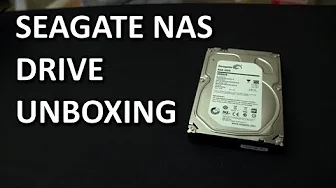
Seagate NAS Hard Drive Unboxing & Overview
0 up · 0 down · 0 ratings
Channels and socials
Seagate has a NAS drive now. We unboxed (unbagged?) it! Sponsor link: corsair.com Join our community forum: bit.ly twitter.com @LinusTech Pricing & availability: ncix.com Intro Screen Music Credit: Adhesive Wombat -
Check out his channel here: youtube.com Outtro Screen Music Credit: Approaching Nirvana - Sugar High youtube.com
The video provides an unboxing and first look at Seagate's NAS hard drive, including a discussion of its intended use, performance expectations, and practical considerations for a home or small office NAS build. The host explains that the drive is optimized for NAS deployments and comes in capacities up to 4 terabytes with a three year warranty. He highlights that NAS drives prioritize vibration tolerance, 24/7 workload capability, and quiet operation, rather than raw performance, because NAS bottlenecks are often due to external factors like the network interface and enclosure, not the drives themselves. The presenter compares NAS drives to enterprise class disks and notes that while NAS drives are not as fast as some enterprise options, they offer sufficient performance for typical NAS setups, especially when running RAID configurations like RAID 5. He discusses how network throughput, RAID overhead, and controller capabilities influence real-world speeds, suggesting that a single gigabit link is a common limiter. The video also signals upcoming testing comparing Seagate NAS drives to competitors such as Synology NAS devices and WD Red drives, promising practical performance results. Viewers are invited to subscribe for updates and further tests, which underscores Linus Tech Tips’ approach of practical, hands-on benchmarking beyond theoretical specs.
Topics · technology · hardware · storage · nas · unboxing · review
Questions answered
- What makes Seagate NAS drives different from standard desktop hard drives?
- NAS drives are designed for 24/7 workloads, have vibration tolerance optimized for multi-drive enclosures, and focus on quiet operation, whereas performance is often limited by the NAS controller and network rather than the drives themselves.
- Why does the video suggest that network throughput is a common bottleneck in NAS setups?
- Because most NAS setups are limited by the network interface, typically gigabit, which can cap transfer speeds regardless of the drives inside; RAID overhead and controller capabilities can also influence real-world performance.