Reviving my favorite mechanical keyboard - DIY Keyboard Repair
0 up · 0 down · 0 ratings
Promos
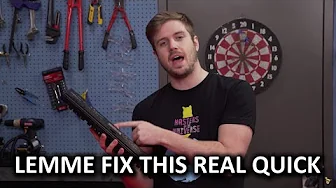
Luke's old Ducky DK9008 mechanical keyboard broke a while back, and he REALLY wanted to start using it again... Squarespace link: Visit squarespace.com and use offer code LINUS to save 10% on your first order! Intel link: linustechtips.com Pricing & discussion: linustechtips.com Support us: linustechtips.com Join our community forum: bit.ly twitter.com @LinusTech Intro Screen Music Credit: Title: Laszlo - Supernova Video Link: youtube.com iTunes Download Link: itunes.apple.com Artist Link: soundcloud.com Outro Screen Music Credit: Approaching Nirvana - Sugar High youtube.com Sound effects provided by freesfx.co.uk
In this video, Linus Tech Tips host Luke walks through reviving his cherished Ducky DK9008 mechanical keyboard, which is technically broken but emotionally meaningful to him. He begins by outlining why the keyboard matters, noting its customized keycaps, signature from Team Liquid members, and the tactile Cherry MX switches that give it a distinct feel. He then demonstrates the initial teardown, showing how he carefully removes screws and pries apart the plastic case, identifies snapped plastic anchors, and reveals internal components that need attention. Luke suspects that hot glue may be the practical fix, given the damaged plastic mounts, and discusses his plan to clean the parts and reattach the board with a temporary yet reversible adhesive before a proper test. After applying hot glue to reinforce the broken mounts and reassembling, he tests the keyboard on a computer, noting initial driver lag that resolves once the system stabilizes, and confirms that the keyboard is back in working order. He reflects on the experience, emphasizing that fixing it was feasible even outside of warranty, and encourages others to attempt repairs when possible to gain hands-on experience and reduce waste. The video then shifts into a broader maintenance and repair workflow. Luke clarifies that the core issue was not the solder joints but the snapped plastic mounts, which informed his approach to stabilization with hot glue. He documents the critical steps: disassembly, identifying failure points, reaffixing the backplate using a reversible adhesive, and ensuring the connector remains secure on the PCB. Throughout, he acknowledges the logistics of working with a two-part backboard and the need to align the bezel with a guide rail, illustrating the trial and error that often accompanies DIY fixes. He also threads a maintenance tip, pointing viewers toward a previous guidance video on keycap care and lubrication as complementary upkeep. The closing segments reinforce a practical mindset: if a device is out of warranty and repairable, attempt a fix to gain skills, and accept that not all repairs will be perfect but many will still succeed. In the concluding moments, Luke celebrates the successful revival of the keyboard and thanks viewers for watching, while noting the project’s blend of craft and engineering. He references sponsor and merchandise segments in a light, approachable manner, and invites the audience to explore related content and forums for ongoing DIY electronics discussion. The video ends on a note of satisfaction and practical encouragement, highlighting that hands-on repair can be an effective, gratifying way to extend the life of beloved hardware and learn valuable repair techniques along the way.
Topics · technology · diy · electronics · hardware · tutorials
Questions answered
- What was the main issue preventing the keyboard from working, and how was it resolved?
- The main issue was broken plastic anchors inside the case that held the backboard. Luke stabilized the mounts with hot glue, reattached the assembly, and verified that the keyboard now functions after testing.
- What maintenance steps does the video suggest beyond the repair itself?
- Beyond the repair, the video points to cleaning and maintaining keycaps and the board, and it references a prior video on maintenance and lubing techniques for mechanical keyboards.