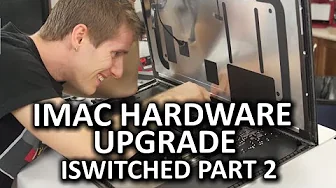
iMac 5K Hardware Upgrade - iSwitched to Mac Part 2
0 up · 0 down · 0 ratings
Channels and socials
After using the new iMac as my daily driver for a few weeks, I decided it needed a bit of a hardware upgrade. But did my PC hardware experience translate over to the Mac world? Ting link: linus.ting.com iFixit guide: bit.ly Sponsor link: linustechtips.com Pricing & discussion: linustechtips.com Support us: linustechtips.com Join our community forum: bit.ly twitter.com @LinusTech Intro Screen Music Credit: Adhesive Wombat -
Check out his channel here: youtube.com Outro Screen Music Credit: Approaching Nirvana - Sugar High youtube.com
In this Part 2 of iSwitched to Mac, the host takes a practical, hands-on approach to upgrading an iMac 5K 27 inch, focusing on real-world challenges and the differences from traditional PC upgrades. He explains upfront that the common criticisms of Macs,high cost and poor upgradability,are addressed through a detailed teardown and upgrade attempt. The video documents the plan to add an SSD and upgrade RAM while using a Mac compatible RAM from Kingston to probe how macOS handles a tighter, Apple-controlled configuration. The hosts begin by noting the unique manual tools required for iMac internals, such as a pizza cutter tool, a spudger, and adhesive removal strips, highlighting the non-standard internals that force online parts shopping and careful handling. As the teardown progresses, they discuss the time barriers and skill level required for DIY Mac upgrades, illustrating the steep learning curve with careful commentary on potential risks, including the possibility of turning the machine into an expensive paper weight. The team persistently explores upgrade options, including the compatibility of a 960 GB Kingston SSD and the feasibility of replacing the hard drive cable, which, due to model specifics, proves unavailable for an overnight delivery and ultimately not feasible without risking fan control issues. Throughout, the emphasis is on the tradeoffs between design choices, upgradeability, and cost, with a closing assessment that while the iMac 5K 27 in retina offers strong performance and a beautiful chassis, it limits user customization, especially compared to traditional desktop rigs. The video concludes with reflections on whether Apple’s approach is justifiable for most users and hints at future expectations around expandability, coupled with sponsor and community engagement that underscore the broader tech ecosystem around Mac hardware. Finally, the host teases ongoing explorations of thermal throttling and other upgrade paths in upcoming content, reinforcing the theme that Mac hardware remains a carefully curated environment rather than a flexible platform for DIY enthusiasts.
Topics · technology · computer_hardware · macintosh · hardware_upgrades · consumer_electronics
Questions answered
- What is the main upgrade attempted in the video and why was it chosen?
- The main upgrade is adding a 960 GB SSD and upgrading RAM to 32 GB to evaluate macOS 10 performance with a more capable, yet still Apple-controlled, hardware configuration.
- Why is upgrading the iMac 5K inner hardware challenging compared to a PC?
- Upgrading the iMac involves non-standard internals, specialized tools, and limited availability of replacement cables or parts, making it a more time-consuming and riskier process than typical PC upgrades.
- Were there any salvageable upgrade options discussed for the hard drive?
- The team considered replacing the hard drive cable and attempting a standard SATA power modification, but determined it could cause fan control issues and would not work with the current model without broader compatibility changes.