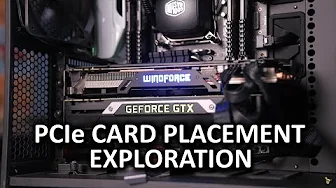
Video Card Ventilation - Does card proximity affect temperatures?
0 up · 0 down · 0 ratings
Channels and socials
Do other PCIe cards affect the temps of your video card? Should you be concerned with "feng shui-ing" your build for optimal airflow? TunnelBear: Save 10% on your purchase of unlimited tunneling at tunnelbear.com Intel link: linustechtips.com Pricing & discussion: linustechtips.com Support us: linustechtips.com Join our community forum: bit.ly twitter.com @LinusTech Intro Screen Music Credit: Title: Laszlo - Supernova Video Link: youtube.com iTunes Download Link: itunes.apple.com Artist Link: soundcloud.com Outro Screen Music Credit: Approaching Nirvana - Sugar High youtube.com
The video investigates how the placement of PCIe expansion cards can influence graphics card temperatures within a typical mid-tower PC build. The host explains that a standard open-air test bench would skew results, so they use a fair, representative case setup with a 240 mm AIO for CPU cooling and two graphics cards: a reference GTX 980 Ti and an open air internal exhaust style 980 from Gigabyte, along with a control card placed at varying distances. They emphasize that the goal is not to declare an absolute winner between blower and internal exhaust designs, but to quantify how much proximity to a neighboring card can alter clock speeds and temperatures during a sustained load, using Crisis 3 Skybox as the thermal workload. The test explores several practical scenarios: a second card placed directly against the test card, a second card positioned as far away as possible in a seven-slot case, and the baseline with no additional interference, providing comparative MHz shifts and temperature changes. The results show that a blower-style 980 Ti experience a notable 114 MHz drop depending on proximity, with an 88 MHz improvement when the control card is farther away, illustrating that even common layouts can meaningfully affect performance. For the internal exhaust card, proximity to the test card increases temperature but may cause a modest clock reduction, whereas moving the second card away produced only a small temperature impact in some configurations. The host concludes that while not every setup will be dramatically affected, awareness of card proximity is useful for ITX builds and other tight cases, and advises considering airflow layout in case selection and component placement. The video also plugs related content on GPU boost and links to affiliate resources, balancing practical hardware testing with a touch of humor and audience engagement. Overall, the discussion reframes what “optimal airflow” means in real-world builds and emphasizes that small changes in card proximity can translate to measurable performance differences, especially in compact systems or when using cards with aggressive boost behavior.
Topics · computer hardware · hardware testing · thermal performance
Questions answered
- What setup did the testers use to simulate a real-world PC build for temperature measurements?
- They used a full-size standard case with a 240 mm AIO for CPU cooling, a reference GTX 980 Ti and an open-air internal exhaust 980, plus a control card positioned at varying distances to assess the impact on temperatures and clock speeds.
- Do higher proximity effects apply equally to blower and internal exhaust cards?
- No, the results show that proximity can cause a larger clock speed reduction for blower-style cards in close contact, while internal exhaust cards may experience temperature changes with less drastic clock speed impacts in some placements.