The $69 Gaming PC RETURNS
0 up · 0 down · 0 ratings
Promos
Receive an additional $25 credit for Ting today when you use code LINUS2018 at linus2018.ting.com GlassWire Firewall: Use code LINUS and get 25% off GlassWire at geni.us Buy gaming PCs on Amazon: geni.us Discuss on the forum: linustechtips.com Our Affiliates, Referral Programs, and Sponsors: linustechtips.com Get Private Internet Access today at geni.us Linus Tech Tips merchandise at designbyhumans.com Linus Tech Tips posters at crowdmade.com Our Test Benches on Amazon: amazon.com Our production gear: geni.us Twitter - twitter.com Facebook - @LinusTech Instagram - @linustech Twitch - twitch.tv Intro Screen Music Credit: Title: Laszlo - Supernova Video Link: youtube.com iTunes Download Link: itunes.apple.com Artist Link: soundcloud.com Outro Screen Music Credit: Approaching Nirvana - Sugar High youtube.com Sound effects provided by freesfx.co.uk
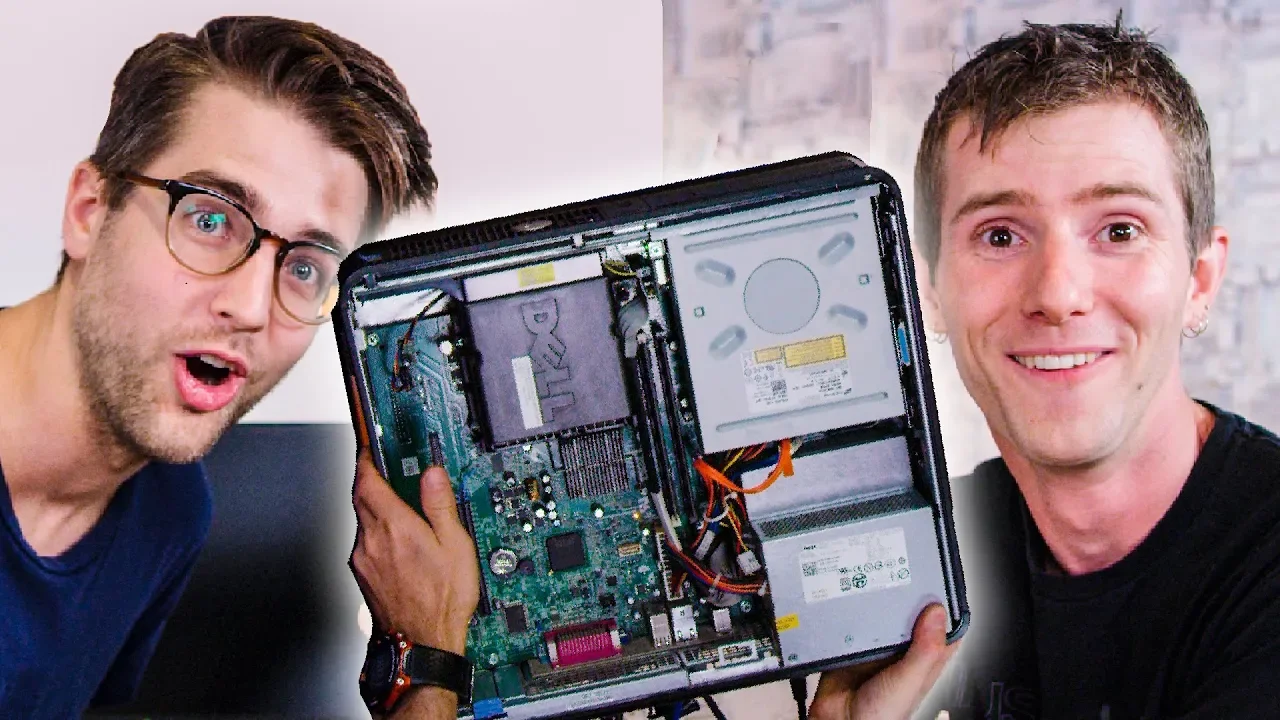
The video opens by setting a clear brief for a budget gamer who values playable performance over fancy features, introducing Riley as the host to revive a famously frugal project. The team scavenges a Dell Optiplex 380 found on eBay for a mere 27 dollars, highlighting the challenge of turning a repurposed office PC into a capable gaming machine. They note the hardware limitations from the start, including an Intel Core 2 Duo E7500, 4 GB of DDR3 RAM, and a 160 GB hard drive, and discuss the absence of a dedicated graphics card. Despite these constraints, the hosts outline a pragmatic goal: run casual esports titles like Minecraft, League of Legends, Dota 2, and CS:GO at modest settings rather than chasing modern AAA performance. The project then pivots to a core strategy for upgrading the machine, exploring the feasibility of a low-profile PCIe graphics card via a PCIe extender and a power solution that stays within the tiny case footprint. They emphasize that the objective is value and practicality, not cutting-edge visuals, while reminding viewers that used hardware on eBay carries risk and variability. The crew demonstrates how to assemble the parts inside the limited Dell chassis, showing the awkward geometry and the necessity of adapters and careful cable management to make a low-budget build functional. In the closing mindset, they acknowledge the educational humor and the surprising potential of turning a $27 machine into a playable game station for a budget-conscious audience, while hinting at further improvements like potential SSD upgrades and additional RAM to push performance into a more usable range.
Topics · technology · gaming · hardware · budget · pc_building
Questions answered
- What was the initial hardware spec of the Dell Optiplex 380 used in the build?
- The Dell Optiplex 380 started with an Intel Core 2 Duo E7500, 4 GB of DDR3 RAM, and a 160 GB hard drive, with no dedicated graphics card.
- What upgrade path did the hosts pursue to enable gaming on this system?
- They attempted to add a low-profile PCIe graphics card using a PCIe extender and a power solution, given the case space constraints, to reach playable fps in titles like CS:GO and Minecraft.
- Which games and target settings did they aim for to judge the system’s viability?
- They targeted casual esports titles such as Minecraft, League of Legends, Dota 2, and CS:GO, aiming for 720p to 1080p with low to medium details for acceptable performance.
- What upgrade suggestions were discussed as potential improvements beyond the initial GPU?
- Possible improvements included adding an SSD, more RAM, and a newer GPU like a 750 Ti or 950, while noting the motherboard could support cheap quad-core CPUs like the Q6600 for further boosts.