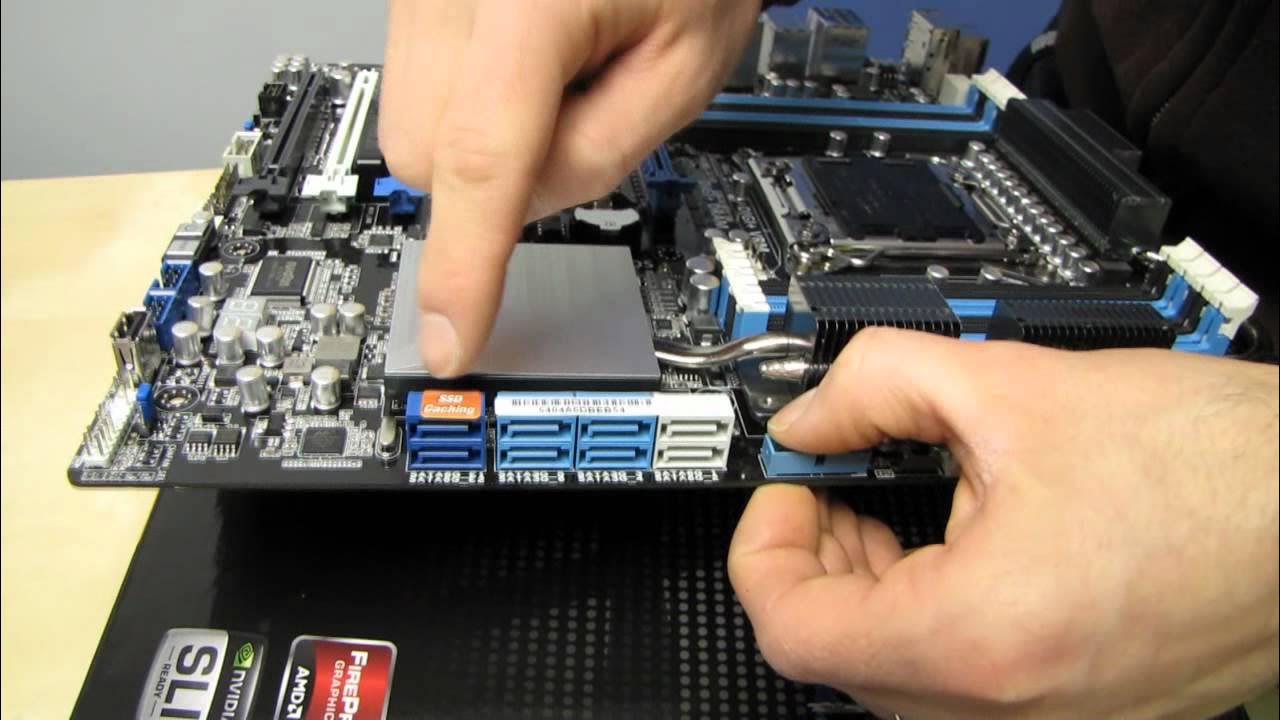
ASUS P9X79 WS High Performance Workstation Motherboard Unboxing & First Look Linus Tech Tips
0 up · 0 down · 0 ratings
Description
CA: ncix.com US: us.ncix.com Republic of Gamers is the brand ASUS reserves for ultimate gaming boards, but it could be argued that the "WS" moniker is even more ultimate for some users. Personally I'd rather have the support for ub3r amounts of RAM and validation with high end RAID cards and whatnot than the gaming features. This thing is BAWSS!
Linus Tech Tips presents an in-depth unboxing and first look at the ASUS P9X79 WS High Performance Workstation Motherboard. The host highlights the board's workstation oriented design, noting the abundance of PCI Express slots, eight DIMM slots for massive RAM capacity, Digi+ digital VRM power control, and a cooling solution that targets CPU VRM and additional heat sinks. He walks through the included accessories, such as SLI bridges, a PCI riser, IO shield, and the driver DVD, explaining that drivers should be downloaded from the ASUS site for the latest features. A significant portion of the video is devoted to the motherboard layout, including the multiple PCIe x16 and x8 slots, the CPU socket, memory slots, and the chipset cooling architecture, with commentary on how this board supports four-way SLI and four-way Crossfire. The discussion also covers practical considerations for workstation builds, such as front-panel USB, thunderous fan headers (six PWM fans), dual Intel ethernet, and BIOS features like USB BIOS Flashback and Fan Expert Plus for per-fan control. By the end, Linus emphasizes the board’s robust feature set for professional workloads like 3D rendering and video editing, while also acknowledging overclocking capabilities and the kind of reliability expected in a workstation-class motherboard. He wraps up with initial impressions and a note that the full review and testing would come in future videos, inviting viewers to subscribe for more unboxings and hardware analysis.
Topics · technology · computers · hardware · unboxing · reviews · pc_hardware · workstation_computers · tech_education
Questions answered
- What makes the ASUS P9X79 WS suitable for workstation workloads?
- It features eight DIMM slots for large memory capacity, multiple PCIe slots for multi-GPU configurations, Digi+ digital VRM power control for stable overclocking, extensive fan headers for cooling, dual Intel Ethernet ports, and workstation-oriented utilities like USB BIOS Flashback.
- Which expansion configurations are recommended on this board?
- Two main PCIe 16x slots for dual-GPU setups, with additional PCIe slots wired for 8x or 4x, allowing four-way GPU configurations in appropriate setups.
- What BIOS and utility features stand out on this motherboard?
- USB BIOS Flashback for firmware updates without a CPU or RAM installed, Fan Expert Plus for dynamic fan control, USB3 boost for faster USB 3.0 performance, and a comprehensive set of LED indicators to monitor modes and errors.