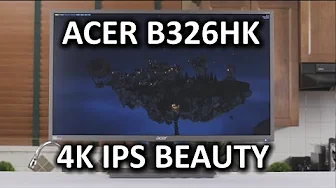
Acer B326HK 4K IPS Monitor
0 up · 0 down · 0 ratings
Channels and socials
You guys started responding INSTANTLY when I posted a picture of the box of this monitor, the Acer B326HK. Is this display as impressive as we all hoped it would be? AndMesh link: andmesh.com Sponsor link: linustechtips.com Pricing & discussion: linustechtips.com Support us: linustechtips.com Join our community forum: bit.ly twitter.com @LinusTech Intro Screen Music Credit: Adhesive Wombat -
Check out his channel here: youtube.com Outro Screen Music Credit: Approaching Nirvana - Sugar High youtube.com
The Acer B326HK is a 32-inch 4K IPS monitor that Linus Tech Tips presents as a compelling option for both general productivity and media consumption, with a focus on the high pixel density and color fidelity that IPS affords at UHD resolutions. The reviewer begins with a physical overview of the stand, the weight of the panel, and the build quality, noting the stand’s solidity and height, tilt, and swivel adjustments, as well as the VESA mounting compatibility for alternative setups. He moves to the back panel and the I/O arrangement, highlighting HDMI with MHL, DisplayPort and mini DisplayPort, a dual-link DVI that operates up to 30 Hz at 4K, and a built-in USB 3.0 hub; the discussion also covers the out-of-box wake-from-sleep support on Macs and the 60 Hz Ultra HD HDMI 2.0 option. In terms of image quality, the reviewer emphasizes the high contrast, the ability to use the monitor without aggressive scaling in Windows 7, and the IPS glow and backlight bleed experiences, noting a minor bottom-right hotspot on his unit but praising the overall readability and color accuracy for design work. He compares its 32-inch footprint to smaller or ultrawide alternatives, finding that the extra real estate benefits window management and multitasking, though acknowledging the trade-offs for pure gaming due to the 60 Hz refresh rate. The review concludes with balanced recommendations: strong overall value for a UHD IPS panel and productivity workflow, decent gaming performance, and a note that reviewers should watch for upcoming FreeSync or G-Sync updates before making a final purchasing decision for gaming emphasis. The video also includes sponsorship and accessory mentions, plus user guidance on potential future alternatives and price expectations, all while maintaining a practical stance on what this 4K IPS display delivers today versus what the market might offer next. Overall, this review treats the B326HK as a well-priced option for those prioritizing text readability, color fidelity, and screen real estate, with the caveat that die-hard gamers may want to wait for adaptive sync improvements or a higher refresh rate solution.
Topics · hardware · display technology · technology reviews · consumer electronics
Questions answered
- What inputs and connectivity does the Acer B326HK offer for modern PCs and laptops?
- The monitor includes HDMI with MHL, full-size DisplayPort, mini DisplayPort, and dual-link DVI which supports up to 30 Hz at 4K, along with a built-in USB 3.0 hub and a headphone pass-through.
- Is the B326HK a good choice for productivity and window management at 4K, and what are the caveats for gaming?
- Yes, its 32-inch 4K IPS panel provides high pixel density and improved readability, making it excellent for productivity and multitasking. The caveat for gaming is the 60 Hz refresh rate and the current lack of adaptive sync, which may affect fast-paced gaming experiences compared to higher refresh rate or G-Sync/FreeSync-enabled monitors.