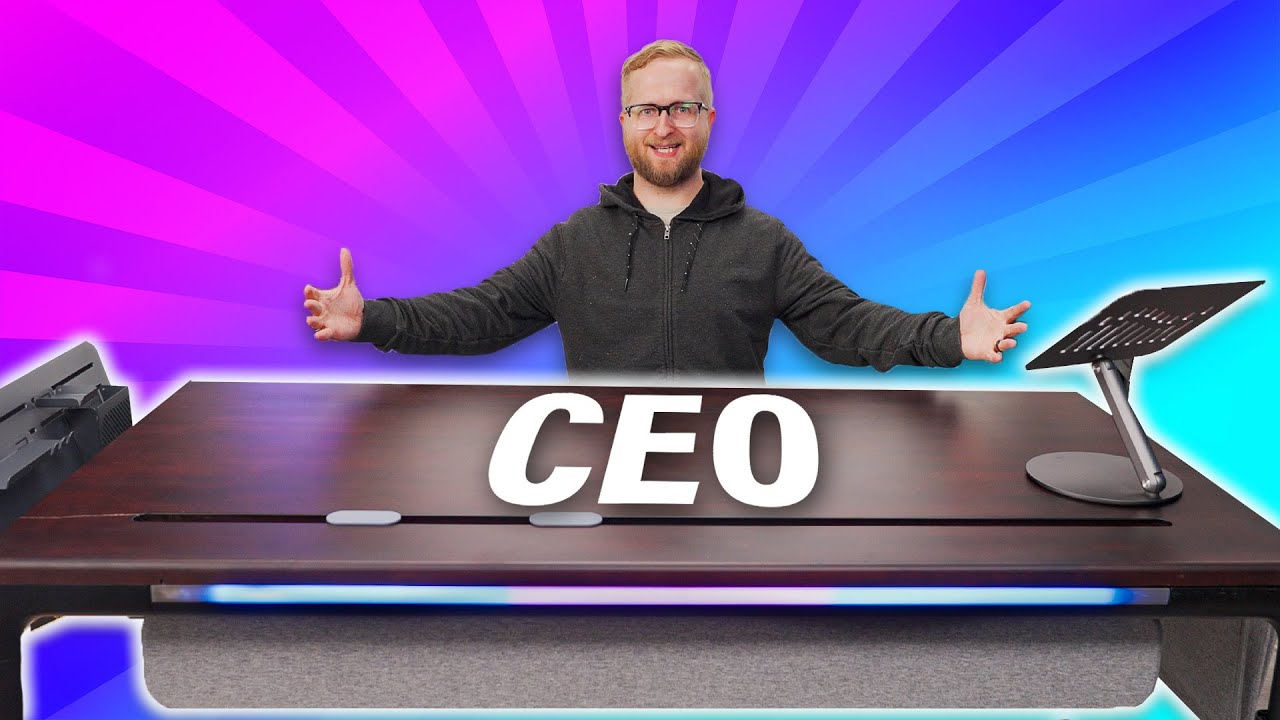
This desk is too good for me - Beflo Tenon Smart Desk
0 up · 0 down · 0 ratings
Promos
Get hooked up with the latest and greatest audio gear at lmg.gg Colton's built a lot of desks in his life, but this one is special as it's for executives only! Will the desk's walnut top, built-in screen, IO, and various accessories impress the new CEO or is Colton bound to get fired? Want us to unbox something? Make a suggestion at lmg.gg ► GET MERCH: lttstore.com ► LTX 2023 TICKETS AVAILABLE NOW: lmg.gg ► GET EXCLUSIVE CONTENT ON FLOATPLANE: lmg.gg ► SPONSORS, AFFILIATES, AND PARTNERS: lmg.gg ► PRODUCTS WE USE ON THE SHORTCIRCUIT SET: lmg.gg FOLLOW US ELSEWHERE --------------------------------------------------- Twitter: twitter.com Instagram: @shortcircuityt TikTok: @linustech Facebook: @ShortCircuitYT CHAPTERS --------------------------------------------------- 0:00 Contents may be heavy 0:32 Unboxing and setup 5:27 Sponsor - Sweetwater 5:52 Design impressions, app setup, and customization options 9:03 Optional accessories 15:59 Getting an Executive's opinion 17:35 Overall thoughts 17:52 Outro
The video opens with an unboxing and initial setup of the Beflo Tenon Smart Desk, highlighting the sheer scale and heft of the package. The presenter notes the heavy contents and shows the two-person lift requirement, setting expectations for assembling what is positioned as a premium executive desk. Early on, the focus is on the build process, including identifying the various add-ons and the clear labeling of screws, which the host appreciates for ease of assembly. A crack in the desktop surface is noticed during setup, which becomes a recurring concern about overall quality and alignment of screw holes, contributing to a sense of cautious optimism about the desk’s design while acknowledging potential manufacturing defects. The host eventually completes the basic frame assembly, attaches the top, and powers up the integrated touch panel, signaling that the core desk is functional and ready for software integration. A sponsored segment from Sweetwater interrupts the flow, presenting a typical YouTube sponsorship interlude before returning to the desk itself. The design impression shifts to a minimalist walnut top with a built-in touch screen, IO ports, and a modular accessory ecosystem, which elevates the desk from a simple work surface to a feature-rich workstation. The video then dives into the associated Beflo Tenon app, where the desk connects, firmware updates install successfully, and height profiles get saved, illustrating the blend between hardware and software control. Throughout, the presenter experiments with profile saving, brightness settings, and color LED options, showcasing the customization potential and the importance of user preferences in an executive setting. In the latter portion, multiple accessories are introduced, including cable management solutions, laptop mounts, and a cantilever-like docking solution, with practical demonstrations of how these features might shape a polished, professional office aesthetic. The host concludes with a candid assessment of value, acknowledging the premium price, real wood top, and the breadth of add-ons, while suggesting that the gray top variant could present a cleaner, more cohesive look for those who want a fully integrated setup. The closing remarks summarize the desk as a strong concept that delivers executive-grade design and modular flexibility, tempered by the reality of cost and the challenges of assembling and managing a comprehensive accessory bundle. Overall, the video blends product exploration, hands-on assembly, software integration, and a cautious appraisal of whether the premium investment aligns with a serious professional workflow.
Topics · technology · furniture · product_review · office_equipment
Questions answered
- What is the Beflo Tenon Smart Desk best known for based on the video
- It is designed as a premium executive desk with a walnut top, built-in touchscreen, IO, and a modular ecosystem of accessories for cable management and workstation customization.
- What are common concerns raised by viewers
- Price, the cost of accessories, and the requirement to create accounts and use an app for features and updates are frequent concerns.
- Does the video show how to install the accessories
- Yes, the host demonstrates several accessories and cable management options, and discusses how the components fit together, though not every accessory is shown with full step-by-step installation.
- Is there any noted hardware issue in the video
- A crack is observed on the desktop during assembly, which raises questions about the quality control and alignment of screw holes.