My most painful PC build is done - Custom 1U PCs for my House
0 up · 0 down · 0 ratings
Promos
Try Rocket Money for free: rocketmoney.com #rocketmoney #personalfinance Create your build at buildredux.com It took a while, but we FINALLY have everything here to finish the computers for my home LAN setup, now we just need to assemble them. Should be easy, right? Discuss on the forum: linustechtips.com Buy an ASUS PRIME B650M-A II-CSM Motherboard: geni.us Buy an AMD Ryzen 5 7600X CPU: geni.us Buy an EKWB EK-Pro CPU WB AM5 Rack Ni + Inox Water Block: lmg.gg Buy G.SKILL Flare X5 6000MTs CL30 2x16GB DDR5 RAM: lmg.gg Buy an Innodisk EGPL-T101 M.2 10GbE LAN Module: geni.us Buy a Noctua NF-A4x20 PWM Fan: geni.us Buy an FSP 850W Flex ATX PSU: geni.us Buy a Crucial T700 4TB PCIe Gen5 NVMe M.2 SSD: geni.us Buy an Inwin RS110-07-650 1U Rackmount Chassis: lmg.gg Buy an EVGA NVIDIA GeForce RTX 3080 XC3 Graphics Card on eBay: ebay.us Buy an EKWB EK-Quantom Vector XC3 RTX 3080/90 D-RGB Nickel/Acetal GPU Water Block: lmg.gg Buy a C-Payne MCIO PCIe Gen5 Device Adapter: lmg.gg Buy EKWB EK-Pro Tubing 6/12mm Reinforced EPDM: lmg.gg Buy a THLY 12VDC to 24VDC Converter: geni.us Purchases made through some store links may provide some compensation to Linus Media Group. ► GET MERCH: lttstore.com ► GET EXCLUSIVE CONTENT ON FLOATPLANE: lmg.gg ► SPONSORS, AFFILIATES, AND PARTNERS: lmg.gg ► EQUIPMENT WE USE TO FILM LTT: lmg.gg ► OUR WAN PODCAST GEAR: lmg.gg FOLLOW US --------------------------------------------------- Twitter: twitter.com Facebook: @LinusTech Instagram: @linustech TikTok: @linustech Twitch: twitch.tv MUSIC CREDIT --------------------------------------------------- Intro: Laszlo - Supernova Video Link: youtube.com iTunes Download Link: itunes.apple.com Artist Link: soundcloud.com Outro: Approaching Nirvana - Sugar High Video Link: youtube.com Listen on Spotify: spoti.fi Artist Link: youtube.com Intro animation by MBarek Abdelwassaa @mbarek_abdel Monitor And Keyboard by vadimmihalkevich / CC BY 4.0 geni.us Mechanical RGB Keyboard by BigBrotherECE / CC BY 4.0 geni.us Mouse Gamer free Model By Oscar Creativo / CC BY 4.0 geni.us CHAPTERS --------------------------------------------------- 0:00 - Intro 0:50 - Build Redux! 1:09 - GPU Relocation 2:13 - New Parts List 6:05 - Install begins feat. yougin 10:20 - Icron dock, GPU, fittings 12:34 - Gen5 PCIe Risers 14:47 - GPU install 18:20 - Fans 20:20 - POST feat. problems 22:50 - Tragedy 24:02 - Testing 25:10 - Rocket Money 25:48 - Outro
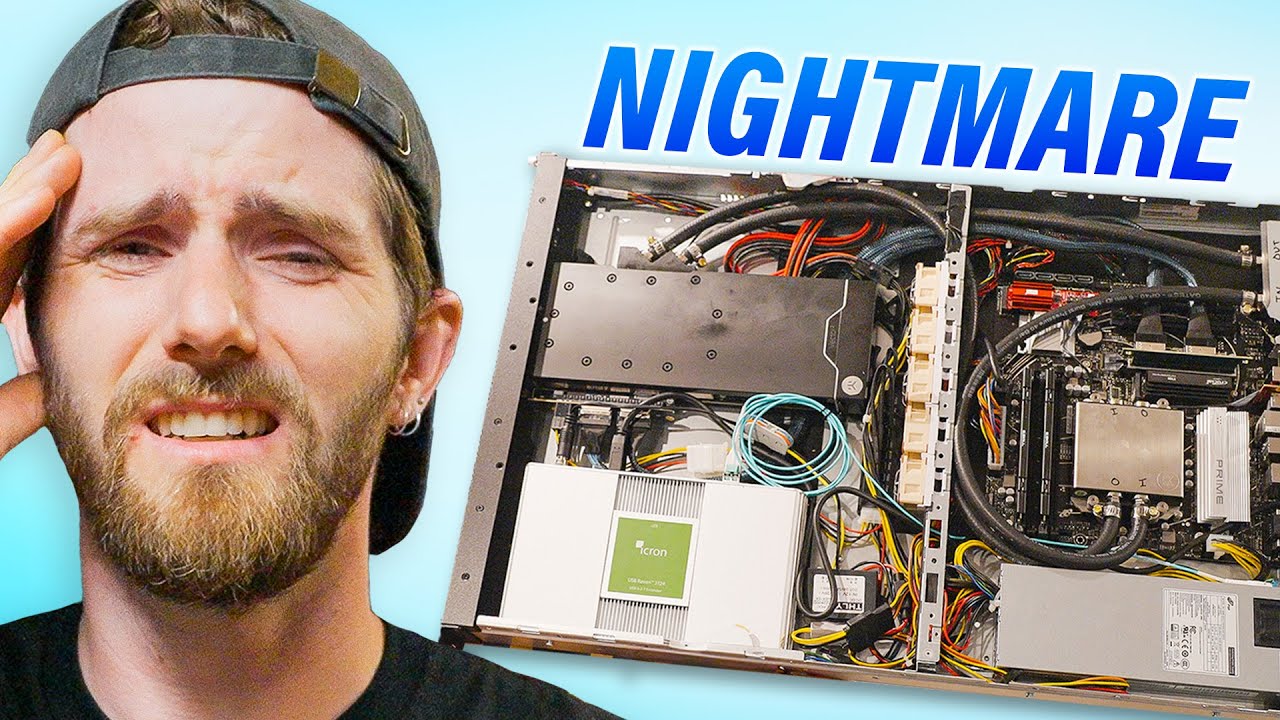
This video documents the progression of Linus and team as they finalize a set of custom 1U rackmount PCs designed for a home LAN. The host explains that the latest revision resolves several optical and signaling challenges that plagued earlier versions, notably the relocation of the GPU to the front for signaling reliability with optical displays. A key theme is making a compact, solid 1U design feasible, including an AM5 water cooling setup that fits in a slim profile and a custom 3D printed IO shield. The build uses a Prime B650M A2 motherboard from Asus because of its corporate stable lifecycle and cost efficiency, paired with a Ryzen 5 7600X CPU to balance performance and future upgrade capability. The team discusses the cooling strategy, choosing EKWB AM5 rack blocks and compact Noctua fans to manage heat while preserving the slim form factor. They also repurpose a variety of components from previous builds, including an Inwin RS110 chassis, a custom PCIe pass through, and a 10 GbE NIC in an M.2 slot to add networking performance where a high end gaming feature set would otherwise be lacking. The narrative covers both the technical challenges and the light hearted moments of collaboration, including the kids helping assemble parts, occasional missteps with fitment and cable routing, and a running commentary on the tradeoffs between signal integrity, space constraints, and cost. Finally, the video pivots to a sponsorship segment, transitioning from the hands on build to tips on personal finance tools while showcasing how the system operates as the water cooling loop comes together and passes initial testing scenarios. The overall arc emphasizes creative engineering under tight space constraints, the payoff of a working, testable 1U PC rack, and the ongoing process of finalizing multiple units for a home lab environment.
Topics · technology · education · hardware · diy · computing · gaming
Questions answered
- What makes the 1U rackmount PC design challenging and how is it addressed in this build?
- The main challenges are space constraints and PCIe signaling loss when using risers. The build addresses this with front mounted GPU, AM5 water blocks that fit in 1U, a compact 850W PSU, and high quality adapters to minimize signal loss while using a 1U slim chassis.
- Why use a corporate stable motherboard like Asus Prime B650M A2 in a gaming 1U build?
- Because it offers extended product lifecycle, stability, and cost efficiency without unnecessary RGB features, which suits a home lab environment and long term upgrades.
- What cooling strategy is used for these 1U PCs?
- A rack specific EKWB AM5 water block paired with a compact radiator and low profile fans to keep temperatures in check within the 1U form factor.
- What networking expansion is included given a 1U board with limited features?
- An InnoDisk 10 GbE NIC added via an M.2 slot through a PCIe extension to provide high speed networking without using a dedicated full size card.
- How do the hosts manage GPU installation in a 1U chassis?
- The GPU is mounted at the front thanks to a custom 3D printed TPU bracket and PCIe pass through adapters, with attention to preventing leaks and ensuring reliable power delivery.