In Home Game Streaming Latency Test with High Speed Camera
0 up · 0 down · 0 ratings
Channels and socials
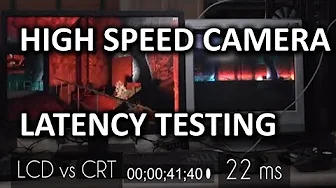
We use our high speed camera to measure the latency or delay introduced by the various in-home game streaming options. We include NVIDIA SHIELD, Valve STEAM OS, and Limelight! Sponsor link: linustechtips.com Detailed video about STEAM In Home Streaming: youtube.com Pricing & discussion: linustechtips.com Join our community forum: bit.ly twitter.com @LinusTech Intro Screen Music Credit: Adhesive Wombat -
Check out his channel here: youtube.com Outro Screen Music Credit: Approaching Nirvana - Sugar High youtube.com
This video conducts a practical comparison of local in home game streaming latency using a high speed camera to capture the exact delay from input to on screen action. The host sets up a controlled environment with a high end gaming PC, a dedicated router, and multiple client devices including a SteamOS machine and an Nvidia Shield, to measure latency across wired and wireless configurations. By using a bright, abrupt in-game event in Counter-Strike as a trigger, the video demonstrates a consistent methodology to quantify frame delay between the CRT monitor and LCD displays, establishing a baseline of approximately 22 milliseconds when gaming directly on the PC and then contrasting it with streaming setups. The Steam In-Home Streaming test emerges as one of the stronger performers in wired mode, showing around 74 milliseconds of total delay when compared to a CRT, which translates to about 3 to 4 frames at 60 Hz. In wireless scenarios, Nvidia Gamestream via Shield delivers similar latency to the wired Steam test yet introduces the possibility of interference and variable performance due to wireless conditions, typically not achieving the same consistency as a wired link. The Limelight open source solution, when run on Android devices, generally yields higher latency and lower image quality in the reviewer’s experience, underscoring the trade-offs between ease of use, compatibility, and raw responsiveness. Overall, the video concludes that while local streaming adds noticeable latency relative to a directly connected setup, well-optimized solutions can still be highly playable; continued encoder and decoder improvements could bring streaming latency even closer to the feel of local play. Viewers are left with practical guidance on when to choose wired local streaming, and when wireless or alternative protocols might still suffice for less demanding gaming genres. The discussion ends with perspective on future improvements and an invitation for viewer feedback on sensitivity to latency and potential updates to newer streaming technologies.
Topics · technology · networking · gaming · latency · hardware · video_streaming
Questions answered
- What is the approximate total latency observed for Steam In-Home Streaming when wired, relative to a CRT baseline?
- Approximately 74 milliseconds, which is roughly a 4 to 5 frame delay at 60 Hz.
- How does Nvidia Gamestream compare in latency, and what is a key limitation when using it wirelessly?
- Gamestream shows latency in the same ballpark as Steam In-Home Streaming (about 74 milliseconds in the tested wired scenario), but wireless operation introduces variability due to interference and less consistent performance.
- What is the measured advantage of gaming directly on the PC compared to streaming, in terms of input-to-display latency?
- Direct PC play shows about 22 milliseconds of delay versus streaming, representing roughly a 3x improvement in responsiveness compared to the best streaming results in the test.
- Why was Limelight described as less favorable in this test, despite its broad device support?
- Limelight offered playable latency on some devices but generally had higher latency and lower image quality in the reviewer’s tests, making it less competitive with the other streaming options.