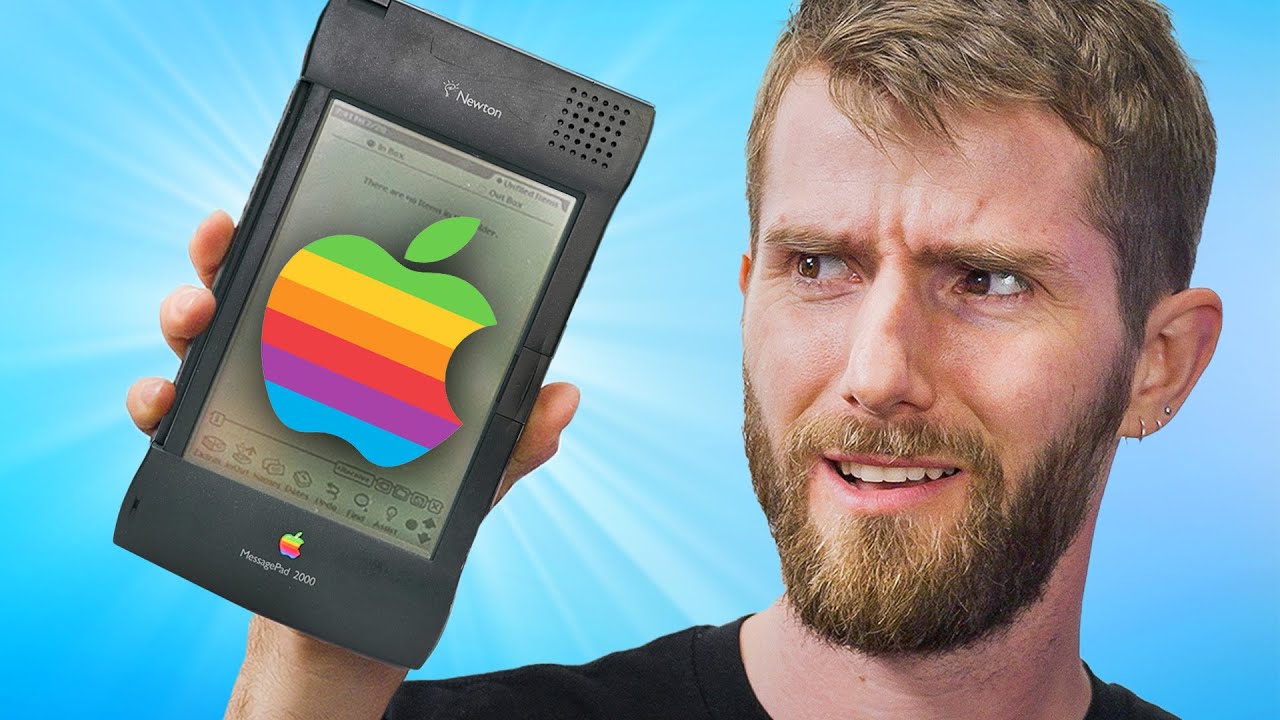
Apple's Big Failure That Gave Us iPhone - Newton
0 up · 0 down · 0 ratings
Promos
Level up your on-the-go gaming experience with the REDMAGIC 8S Pro at bit.ly Create your build at buildredux.com The iPhone revolutionized the smartphone industry and put one in nearly everyone’s pocket. But the iPhone didn’t appear from nowhere - it owes much of its inspiration to the ill-fated Apple Newton. Discuss on the forum: linustechtips.com Purchases made through some store links may provide some compensation to Linus Media Group. ► GET MERCH: lttstore.com ► GET EXCLUSIVE CONTENT ON FLOATPLANE: lmg.gg ► SPONSORS, AFFILIATES, AND PARTNERS: lmg.gg ► EQUIPMENT WE USE TO FILM LTT: lmg.gg ► OUR WAN PODCAST GEAR: lmg.gg FOLLOW US --------------------------------------------------- Twitter: twitter.com Facebook: @LinusTech Instagram: @linustech TikTok: @linustech Twitch: twitch.tv MUSIC CREDIT --------------------------------------------------- Intro: Laszlo - Supernova Video Link: youtube.com iTunes Download Link: itunes.apple.com Artist Link: soundcloud.com Outro: Approaching Nirvana - Sugar High Video Link: youtube.com Listen on Spotify: spoti.fi Artist Link: youtube.com Intro animation by MBarek Abdelwassaa @mbarek_abdel Monitor And Keyboard by vadimmihalkevich / CC BY 4.0 geni.us Mechanical RGB Keyboard by BigBrotherECE / CC BY 4.0 geni.us Mouse Gamer free Model By Oscar Creativo / CC BY 4.0 geni.us CHAPTERS --------------------------------------------------- 0:00 Intro 1:04 What IS a Newton? 2:10 Meet the MessagePad 2000 3:44 Surprisingly robust I/O 6:52 Linus learns how to Newton 9:47 Linus gets distracted by games 11:15 Recording a voice memo 11:54 Managing notes and doodling 13:11 It had a real keyboard 15:45 It was never meant for WiFi, but... 18:03 Linus crashes it 18:43 Adding events to the calendar 21:15 There's a NES emulator... 22:29 It was amazing for the time! 23:51 Why did it fail then? 24:21 Newton's legacy lives on in the iPhone
The video begins by reframing the Apple Newton as a true ancestor of modern smartphones, arguing that the iPhone did not appear from nothing but inherited DNA from the Newton. The host introduces the MessagePad 2000 and sets up context about how the Newton was ahead of its time with a touchscreen, an ARM processor, and the idea of a personal digital assistant that combined note taking, address book, and calendar in a compact form. The discussion establishes that although Jobs killed the Newton in 1997, its concepts lived on in later Apple products and even in the iPhone, with emphasis on handwriting recognition, the use of a stylus, and the emphasis on app-like functionality despite the period limitations. The host then digs into the hardware specifics, explaining the LCD display with grayscale color, the architecture, RAM, flash storage, and the unique power setup using AA batteries and a battery-backed storage scheme, highlighting the era’s tradeoffs between portability and capability. The video proceeds to demonstrate the device’s I/O options, including two PCMCIA slots, an infrared beam for wireless data transfer, a proprietary serial port, and an integrated stylus storage solution. Through hands-on experimentation, the host shows how the Newton handled handwriting input, the on-screen keyboard, and the various input modes, noting that handwriting recognition improved in later OS versions but struggled with cursive input on the original units. The segment on WiFi and networking is practical and illustrative, showing attempts to connect to a modern network with an obsolete card, and discussing the broader observation that the Newton was never designed for WiFi but could be extended with adapters and later community patches to run newer software. The video then shifts to user experience, exploring calendar management, notifications, and even a NES emulator, revealing both the device’s surprising capabilities for its time and the limitations that ultimately contributed to its commercial failure. The host concludes by tracing the Newton’s legacy, linking its handwriting recognition evolution to Rosetta and Mondello, and showing how many concepts from the Newton, including the idea of mobile computing and handwriting-based input, foreshadowed the iPhone and modern iPadOS/macOS. The sponsor message is integrated toward the end, and the video closes with a retrospective reflection on how the Newton’s design and DNA influenced later mobile devices, underscoring the lasting impact on consumer electronics despite its initial commercial struggles.
Topics · technology · history · mobile_devices · computing · consumer_electronics
Questions answered
- What display technology did the Apple Newton use and what were its capabilities?
- The Newton used an LCD display with 16 color grayscale at 480 by 320 resolution, which was advanced for its time.
- Was the Newton designed to connect to WiFi, and could it be upgraded to wireless networking?
- The Newton was not built for WiFi; it used PCMCIA cards for networking and required external modems or adapters, with community patches later enabling newer capabilities.
- How did handwriting recognition evolve on the Newton and what later Apple technologies did it influence?
- The Newton used Calligrapher and later Rosetta and Mondello handwriting systems that learned over weeks or months, and this handwriting recognition lineage contributed to technologies in macOS and iPadOS, shaping later input methods.