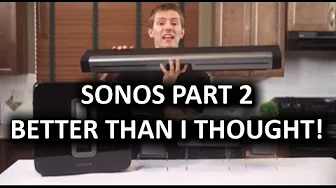
SONOS Wireless HiFi Speaker System Part 2
0 up · 0 down · 0 ratings
Channels and socials
Sonos' software and hardware ecosystem is simple enough that you can be up and running within 5 minutes, and yet so deep that I needed two nearly 10-minute videos to cover it properly! Part 2 focuses on the wireless experience as well as grouping speakers, and using Sonos gear as a home theater speaker setup. Sponsor link: linustechtips.com Pricing & discussion: linustechtips.com Support us: linustechtips.com Join our community forum: bit.ly twitter.com @LinusTech Intro Screen Music Credit: Adhesive Wombat -
Check out his channel here: youtube.com Outro Screen Music Credit: Approaching Nirvana - Sugar High youtube.com
SONOS Wireless HiFi Speaker System Part 2 delves into the wireless experience of the Sonos Play series, showing how a single ethernet-connected unit acts as a controller while the remaining speakers join a self-healing mesh network. The video clarifies a common misconception from Part 1 by explaining that you only need one device wired to the network to initiate the setup, with the rest connecting wirelessly for flexible placement. The presenter discusses performance across 2.4 GHz and 5 GHz bands, noting that Sonos uses a proprietary protocol atop familiar Wi‑Fi frequencies. While wireless operation introduces slight latency and a bit less responsiveness when adding new speakers or adjusting settings, the overall experience remains smooth thanks to a substantial audio buffer, which helps prevent playback interruptions during network hiccups or temporary disconnections. He also highlights practical tips like manually selecting channels if interference arises, though his auto-setup generally performs well in typical home environments. The Playbar segment follows, emphasizing ease of integration with TVs and the room-to-room synchronization capabilities that allow multi-room playback, as well as stereo pairing within a room and optional subwoofer support. The reviewer is impressed that the Playbar setup is effortless and that its sound quality often surpasses stock TV speakers, with surprisingly solid bass and a user-friendly remote control flow. He also notes some design trade-offs, such as the lack of standard speaker inputs on the Playbar and a desire for even more expandable options like outdoor speakers or a power-through daisy-chain, but remains generally positive about the Sonos ecosystem for its consistency, ease of use, and accessible multi-room/surround potential. The video concludes with an overall endorsement of the Sonos system as a cohesive, scalable solution that, despite imperfections and price, delivers a reliable, enjoyable listening experience across the home, which even earned a nod of approval from the presenter's household. The discussion emphasizes the core strengths of Sonos: ease of setup, reliable wireless networking, robust app-driven control, and the ability to group speakers for synchronized playback or create room-specific audio profiles. The reviewer also contrasts Sonos favorably against traditional home theater setups in terms of simplicity and user experience, while acknowledging limitations such as constrained physical inputs on some components and the ongoing trade-off between sleek design and potential expandability. Concluding thoughts reiterate that Sonos offers a forward-looking, integrated audio ecosystem that is not the cheapest nor the absolute best-sounding option, but stands out for its practicality, consistency, and the way it integrates into daily living, which even passes the spouse approval test.
Topics · technology · home_audio · consumer_electronics · wireless_networks
Questions answered
- What is needed to start using Sonos wireless speakers, and how does the setup differ from Part 1?
- Only one component needs an Ethernet connection to act as the controller; the rest join a wireless mesh automatically, eliminating the need for multiple wired connections.
- Can the Playbar be integrated with a TV to form a full home theater experience, and how is bass handled?
- Yes, the Playbar can be added to the Sonos mesh to handle TV audio, and it delivers substantial bass even without a sub, though a Sub can be added for deeper low-end response.