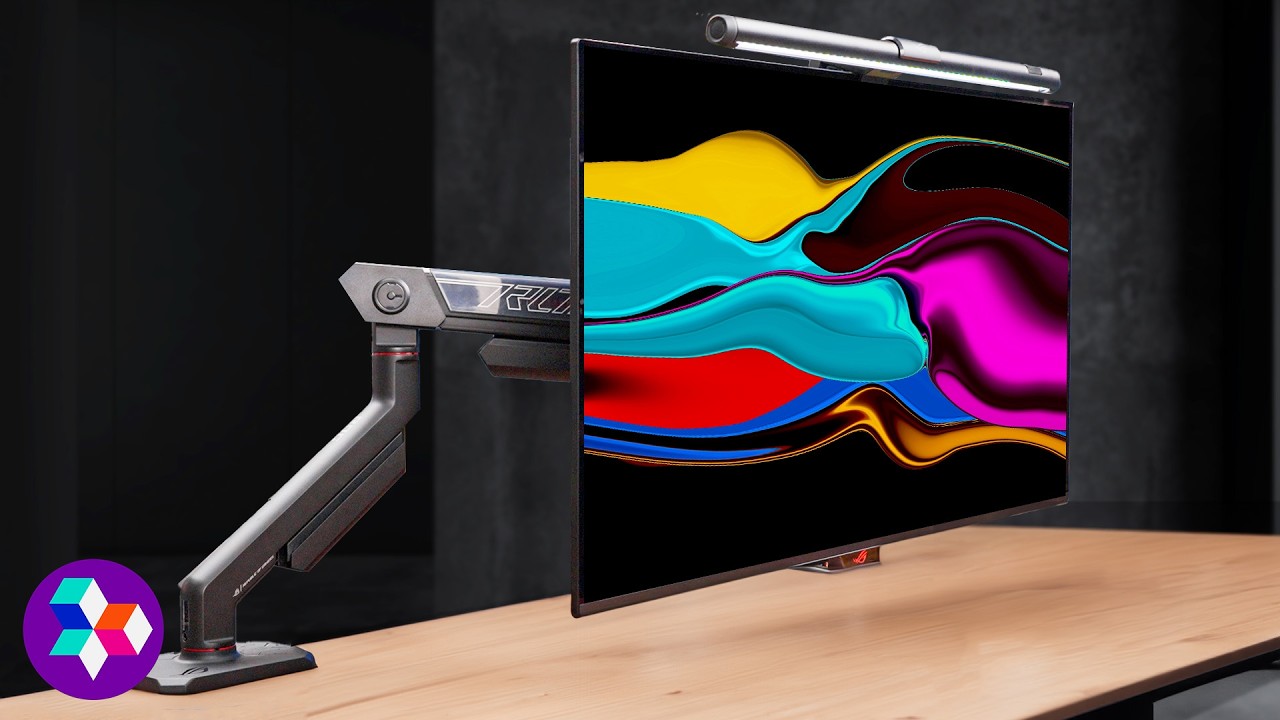
The Monitor I Should Have Waited For - ASUS ROG OLED Master Kit
0 up · 0 down · 0 ratings
Description
Promos
Visit here to view ROG OLED gaming solutions: us.rog.gg and receive a FREE Ghostrunner game code with an ROG OLED monitor purchase: us.rog.gg ASUS sent over their ROG OLED Master Kit for us to
Check out ASUS DisplayWidget: rog.gg Purchases made through some store links may provide some compensation to Linus Media Group. Want us to unbox something? Make a suggestion at lmg.gg ► GET MERCH: lttstore.com ► GET A VPN: piavpn.com ► GET EXCLUSIVE CONTENT ON FLOATPLANE: lmg.gg ► SPONSORS, AFFILIATES, AND PARTNERS: lmg.gg CHAPTERS --------------------------------------------------- 0:00 Intro 0:35 Unboxing 2:55 The Stand 3:45 IO 4:22 Monitor Arm 6:00 Light Bar 7:15 Cut the Lights 8:05 But How Does it FEEL? 9:45 Measurements 10:50 Pricing 11:18 Outro
The video opens with an enthusiastic unboxing and first impressions of the ASUS ROG OLED Master Kit, highlighting that ASUS sent a complete set including a monitor arm, a light bar, and the flagship PG32UCDM OLED monitor. The host walks through the packaging, noting the tidy travel kit that houses all cables and accessories, and comments on the sturdy stand base and the flat panel design which makes desk routing easier. Assembly of the monitor arm is shown next, with emphasis on the counterweight mechanism, clamp design, and the impressive load capacity that promises solid support for larger displays. After mounting the display, the focus shifts to the light bar, its mounting method, and the on-device controls via the ASUS DisplayWidget software, which allows color temperature and brightness adjustments along with RGB effects. The host then tests the OLED panel with fast-paced gaming, discussing 3D motion clarity, response times, and the 240 Hz capability, while comparing brightness, color accuracy, and HDR performance to expectations. Real-world use cases are considered, such as rotating the monitor for different tasks, watching content with Dolby Vision, and evaluating the on-screen controls and connectivity options. Concluding thoughts cover overall value, price ranges for the complete kit, and the potential fit for viewers who want a premium, single-package OLED gaming setup, with caveats about the cost and the necessity of the various add-ons depending on individual needs.
Topics · technology · hardware · product_review · peripherals
Questions answered
- What comes in the ASUS ROG OLED Master Kit besides the monitor itself?
- The kit includes a monitor arm, a light bar, a travel cable kit with multiple cables, a power brick, and a VESA adapter, along with labeled connectors for easy setup.
- How does the light bar integrate with the monitor and software?
- The light bar mounts on the monitor arm and is controlled via ASUS DisplayWidget, allowing adjustments for brightness, color temperature, and RGB effects, with an advanced setting to tailor lighting for different apps.
- What are the key display specs discussed for the PG32UCDM OLED monitor?
- Key specs mentioned include 32 inches, 4K resolution, up to 240 Hz, Dolby Vision support, and strong color accuracy with HDR performance.