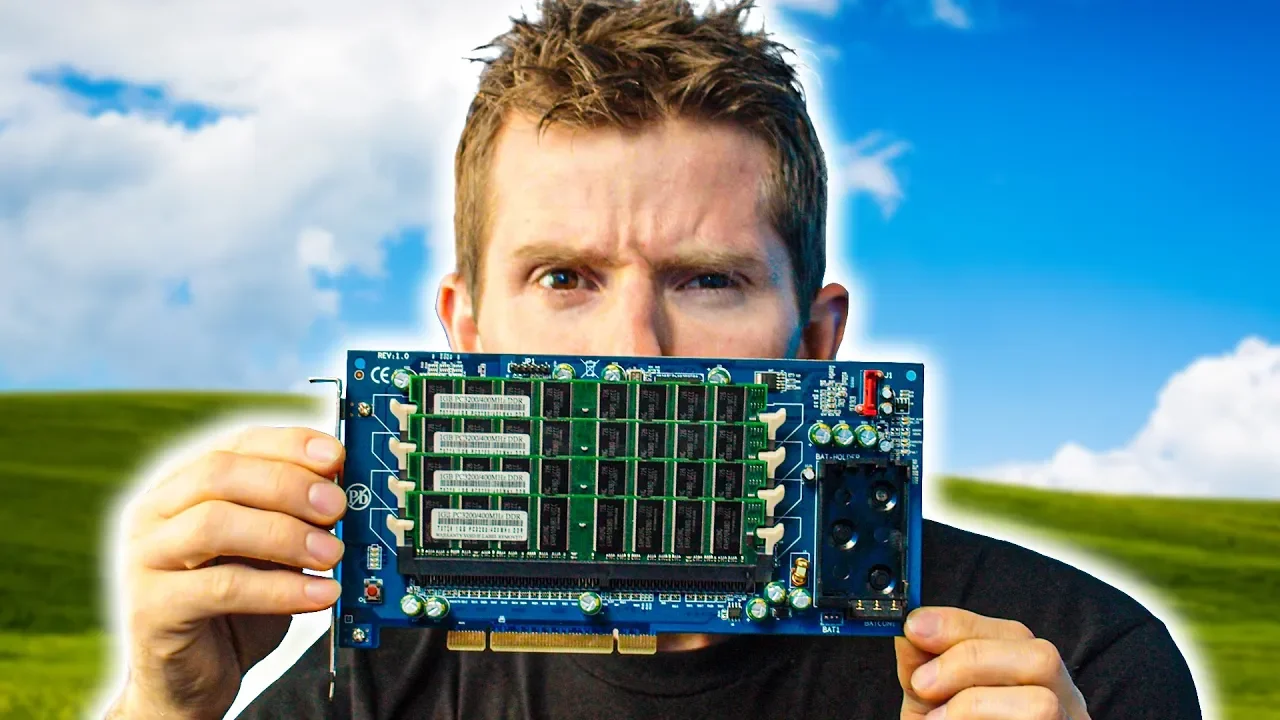
WTF is this thing? - RAM on a PCI Card??
0 up · 0 down · 0 ratings
Promos
When DDR2 launched, Gigabyte had a great idea with the i-RAM... take that old DDR1 memory and use it as your boot drive! So how did it turn out?... Buy actual PCIe SSDs On Amazon (PAID LINK): lmg.gg On Newegg (PAID LINK): lmg.gg Purchases made through some store links may provide some compensation to Linus Media Group. Discuss on the forum: linustechtips.com Our Affiliates, Referral Programs, and Sponsors: lmg.gg Get a VPN today with PIA at geni.us Get a Displate Metal Print at lmg.gg Get a 30-day free trial of Amazon Prime at lmg.gg Linus Tech Tips merchandise at lttstore.com Linus Tech Tips posters at crowdmade.com Our Test Benches on Amazon: amazon.com Our production gear: geni.us Twitter - twitter.com Facebook - @LinusTech Instagram - @linustech Twitch - twitch.tv Intro Screen Music Credit: Title: Laszlo - Supernova Video Link: youtube.com iTunes Download Link: itunes.apple.com Artist Link: soundcloud.com Outro Screen Music Credit: Approaching Nirvana - Sugar High youtube.com
The video opens by situating the Gigabyte IRAM RAM-on-a-PCI-card in its historical context, describing a time when consumer SSDs were not yet mainstream and DDR2 memory was driving a major upgrade path for gamers. The host explains the problem: boot speed and system responsiveness were bottlenecked by the slow, traditional hard drives of the era, creating demand for faster boot devices. The concept behind the IRAM is to repurpose leftover DDR1 memory as a boot drive by placing it on a PCI card, with an FPGA acting as a translator between the SATA interface and the memory controller. The discussion then delves into the hardware design: PCI’s limited 133 MB/s shared bus, the role of the XYLink FPGA, and the decision to avoid custom silicon due to a tiny initial production run. The host details how RAM differs from hard drives in data organization, the volatile nature of DRAM, and why preserving data across power cycles required supplementary battery back-up logic on the card. He also contrasts the theoretical speed benefits with the practical constraints, noting that the IRAM could outperform early HDDs and approach SSD-like performance only in certain scenarios, but suffered from limited capacity and high costs. The segment concludes with a practical teardown, showing Windows installations on the IRAM, the necessity of power retention to maintain boot state, and final reflections on why the concept ultimately did not take off. The video frames the IRAM as a historical stepping stone toward faster storage technologies like Intel Optane, while also acknowledging its limitations, such as volatility, lack of ECC support, small capacity, and steep price. The host closes by inviting viewers to explore Optane further and hints at upcoming reviews of SSDs, underscoring the IRAM’s place in the evolution of memory and storage in consumer PCs.
Topics · technology · computing · hardware
Questions answered
- What was the primary purpose of Gigabyte's IRAM card?
- The IRAM card aimed to use leftover DDR1 RAM as a boot drive by placing RAM on a PCI card and translating the SATA interface to the memory controller, providing faster boot times than HDDs available at the time.
- Why did the IRAM not become widely adopted?
- It faced several drawbacks: a shared PCI bus bottleneck, volatile memory requiring constant power for data retention, lack of ECC support, limited maximum capacity, and high cost per gigabyte compared to evolving SSDs.
- How does RAM differ from a hard drive in data storage?
- RAM stores bits in a grid of memory cells that are instantly accessible via addresses, whereas a hard drive stores data on spinning platters with physical read/write heads, leading to fundamentally different access patterns and performance characteristics.