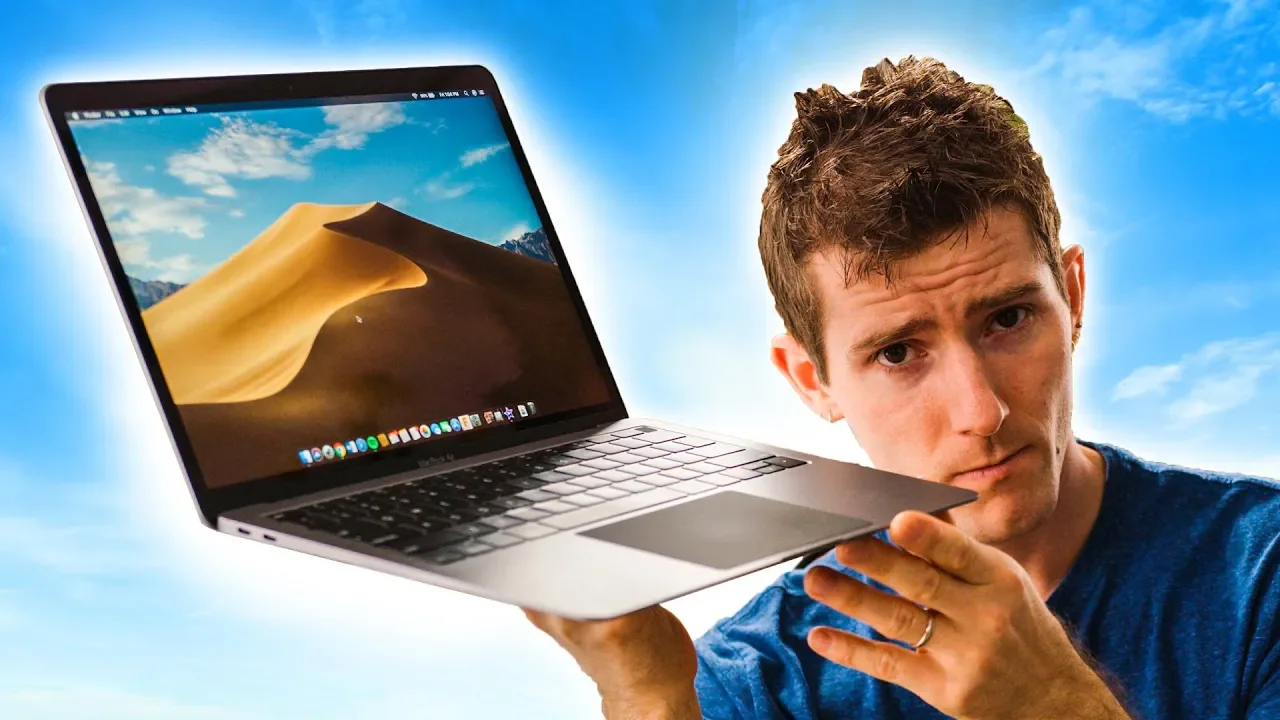
MacBook Air 2018 – A PC Guy's Perspective
0 up · 0 down · 0 ratings
Description
Get yourself a Dbrand skin at lmg.gg
Promos
Check out Memory Express' new Victoria Location here lmg.gg The MacBook Air has FINALLY been updated for 2018, but can it keep up with the much stiffer competition in the ultrabook market? Buy Macbook Air On Amazon: geni.us On Newegg: geni.us Discuss on the forum: linustechtips.com Our Affiliates, Referral Programs, and Sponsors: linustechtips.com Get Private Internet Access today at geni.us Linus Tech Tips merchandise at designbyhumans.com Linus Tech Tips posters at crowdmade.com Our Test Benches on Amazon: amazon.com Our production gear: geni.us Twitter - twitter.com Facebook - @LinusTech Instagram - @linustech Twitch - twitch.tv Intro Screen Music Credit: Title: Laszlo - Supernova Video Link: youtube.com iTunes Download Link: itunes.apple.com Artist Link: soundcloud.com Outro Screen Music Credit: Approaching Nirvana - Sugar High youtube.com
The video presents a detailed, user-centric evaluation of the 2018 MacBook Air from a PC user’s perspective. The host emphasizes the remarkable build quality, noting the aluminum chassis feels extremely stiff with minimal screen flex and a compact, light profile just under three pounds. He highlights the redesigned display, increased resolution and color gamut, and the absence of a touchscreen as a recurring point of contention, arguing that Apple’s macOS remains highly optimized for productivity with a refined trackpad and a responsive fingerprint power button. The review also delves into connectivity, praising the Thunderbolt 3 ports for their wide compatibility with displays, docks, and external GPUs, while contrasting the keyboard experience with competitors like the Surface Laptop 2 and Dell XPS, explaining why the Air 2018 still trails in keys feel and travel. On performance and value, the host points out the dual-core low-power CPU’s efficiency and solid battery life around 10 hours for everyday tasks, but he questions the price-to-performance equation given higher-end ultrabooks that offer more cores and multitasking headroom. Throughout, the verdict is measured: the MacBook Air 2018 excels in design, trackpad, display quality, and macOS usability, but its keyboard and overall performance relative to rivals spark debate about whether the premium price justifies the experience, especially for users who value Windows-native multitasking and more robust hardware. The video closes with practical takeaways and purchase suggestions, noting the Air’s strengths while acknowledging it isn’t a universal replacement for all ultrabook needs, particularly for power users or those who require strong Windows integration.
Topics · technology · laptops · computer_hardware · product_review · macos
Questions answered
- What is the main trade-off highlighted for the MacBook Air 2018 compared to rivals like the Surface Laptop 2?
- The main trade-off is that while the MacBook Air 2018 offers excellent build quality, a superb trackpad, and great macOS integration, it uses a dual-core CPU with weaker multitasking performance compared to competitors that have quad-core CPUs, and it lacks a touchscreen.
- Why do some viewers prefer not to have a touchscreen on ultraportable laptops?
- Several viewers argue that a high-quality trackpad and keyboard, combined with gestures and macOS efficiency, make a touchscreen unnecessary for everyday productivity and that fingerprints on a glossy screen plus the potential for accidental touches detract from the experience.
- Is the MacBook Air 2018 recommended for users who need strong Windows-centric multitasking?
- For users who require heavy Windows-based multitasking and wider software compatibility, the Air 2018 may feel underpowered and less practical than some Windows ultrabooks, though it remains appealing for those invested in macOS and Apple ecosystem.