Parrot AR.Drone iPad Controlled Remote Control Aircraft Test Flight Demo Linus Tech Tips
0 up · 0 down · 0 ratings
Description
ncix.com OMG. So cool.
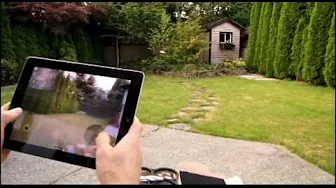
The Linus Tech Tips video delivers a comprehensive look at the Parrot AR.Drone, focusing on setup, binding, and on-air operation. It starts with an overview of the drone itself, highlighting the indoor and outdoor hull options, battery life, and the lightweight design that improves performance. The host then walks through the binding process, connecting to the AR Drone’s Wi-Fi hotspot and launching the AR Free Flight app along with a couple of companion apps to enable extra features like LED color changes, stunts, and video or photo capture. Throughout the first portion, emphasis is placed on ease of use, including how the iPad controls map to drone motion, and on basic safety considerations such as keeping a clear area during takeoff and testing the controls in a safe environment. The video also addresses durability, noting foam hull resilience, flexible propellers, and an electronic fault protection system that cuts power to motors when resistance is encountered, thereby reducing potential damage. The host provides practical tips on repairs and replacement parts, underscoring the modular nature of the platform and the availability of upgrades and extended batteries. Overall, the segment builds a foundation for new users by demystifying binding, demonstrating simple flight controls, and setting expectations for initial flight behavior in a real-world outdoor setting.
Topics · technology · drones · product_review · demonstrations
Questions answered
- What first steps are required to start using the Parrot AR.Drone with an iPad?
- Power the drone, connect to its Wi-Fi hotspot, open the AR Free Flight app, and pair with the drone by following on-screen prompts in the app.
- How does the AR.Drone maintain stability during flight?
- It uses a bottom mounted camera to help the drone hover steadily and keep position, and the electronics can cut all motors if the blades encounter resistance to prevent damage.