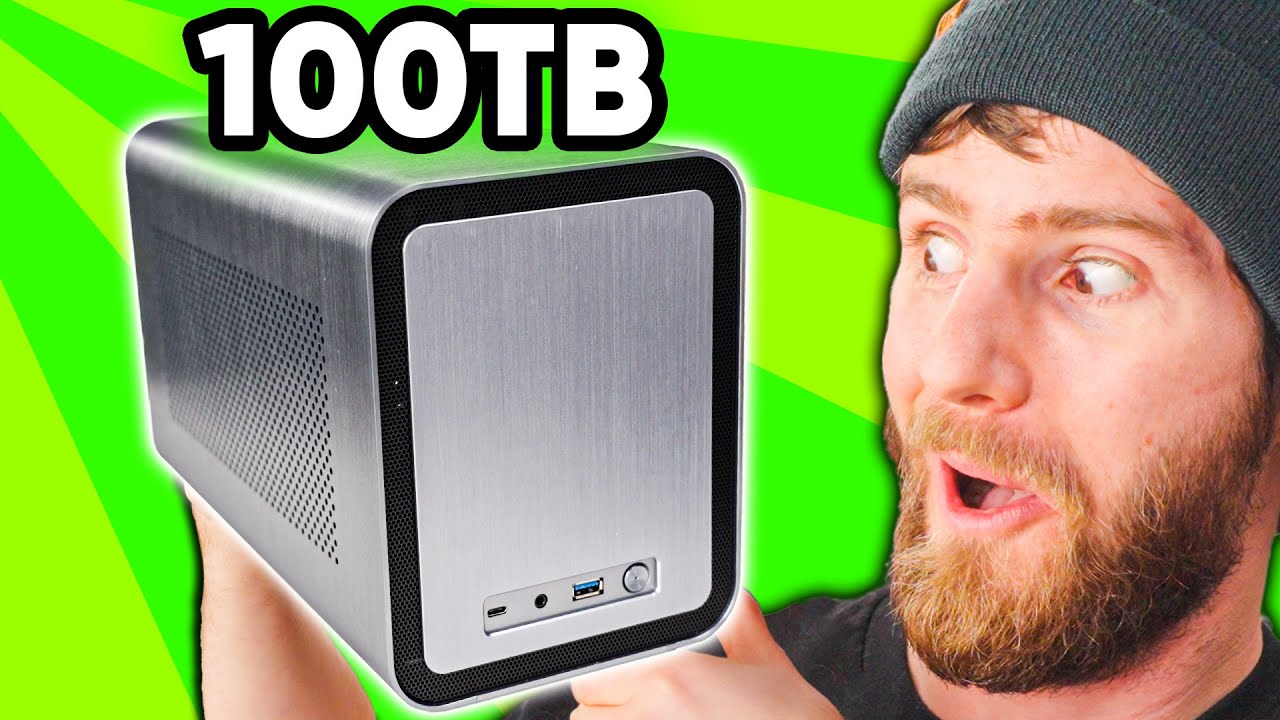
This blows away the competition - JONSBO N1 NAS Build
0 up · 0 down · 0 ratings
Promos
Try FreshBooks free, for 30 days, no credit card required at freshbooks.com Get 50% off on your annual Zoho CRM subscription at: lmg.gg We’ve built some crazy servers in the range of petabytes of storage, but we haven’t talked much about smaller, more practical home NAS units… or how you can build one yourself – like we’re doing today with the JONSBO N1 NAS case and Seagate storage. Discuss on the forum!: linustechtips.com Buy the Jonsbo N1 Mini Case: lmg.gg Buy an AMD Ryzen 3 3100 on Amazon: geni.us Buy an Asus ROG STRIX B550-I: geni.us Buy a G.Skill Ripjaws V 16 GB Kit on Amazon: geni.us Buy a Kingston A400 120 GB on Amazon: geni.us Buy an EVGA SuperNOVA GM 550W: geni.us Purchases made through some store links may provide some compensation to Linus Media Group. ► GET MERCH: lttstore.com ► AFFILIATES, SPONSORS & REFERRALS: lmg.gg ► PODCAST GEAR: lmg.gg ► SUPPORT US ON FLOATPLANE: floatplane.com FOLLOW US ELSEWHERE --------------------------------------------------- Twitter: twitter.com Facebook: @LinusTech Instagram: @linustech TikTok: @linustech Twitch: twitch.tv MUSIC CREDIT --------------------------------------------------- Intro: Laszlo - Supernova Video Link: youtube.com iTunes Download Link: itunes.apple.com Artist Link: soundcloud.com Outro: Approaching Nirvana - Sugar High Video Link: youtube.com Listen on Spotify: spoti.fi Artist Link: youtube.com Intro animation by MBarek Abdelwassaa @mbarek_abdel Monitor And Keyboard by vadimmihalkevich / CC BY 4.0 geni.us Mechanical RGB Keyboard by BigBrotherECE / CC BY 4.0 geni.us Mouse Gamer free Model By Oscar Creativo / CC BY 4.0 geni.us CHAPTERS --------------------------------------------------- 0:00 Intro
Linus and the team dive into building a compact, highly capable NAS using the JONSBO N1 case and consumer hardware to beat a comparable Synology setup on price and upgradeability. The video frames the challenge of buying a closed NAS versus building your own, stressing the appeal of a small, stylish, serviceable box that can scale with needs. Early on they price the build against a DS1520+, focusing on cost, upgrade path, and maintainability, and they conclude the JONSBO N1 option can be cheaper when you factor in components like the drive backplane. The chassis is shown from the outside and then disassembled to reveal its minimalist, modular layout, with emphasis on its ability to lie flat or stand upright and the simple five-drive backplane design. Linus explains choices for the core components, including an AMD B550 motherboard, a Ryzen 3 3100 CPU, and 16 GB of RAM, arguing that used parts can significantly trim costs without compromising reliability for a TrueNAS-based storage stack. The team demonstrates careful cable management and the importance of right-angle SATA cables to avoid clearance issues as the backplane slides into the shell. They then walk through installing TrueNAS, configuring the ZFS storage pool with RAID-Z1, and adding a cache device to improve performance, highlighting how the system can scale from a few drives to a full five-bay array while remaining cost-effective compared to off-the-shelf options. In testing, they map an SMB share, verify network performance with a 2.5 Gbps switch, and show a real-world copy test that yields impressive throughput for a home-built solution. The video ends by underscoring the NAS build as a flexible platform capable of hosting VMs and containers, with a nod to potential future upgrades like faster NICs or more CPU headroom, and it closes with a plug for FreshBooks sponsorship related to business efficiency. Overall, the episode presents a practical, upgradeable, compact NAS build that delivers substantial storage capacity and cost savings with room to grow, while demonstrating the sort of real-world trade-offs and handson troubleshooting viewers can expect when attempting a DIY storage server at home.
Topics · technology · hardware · DIY · storage · nas · linux · server · computing
Questions answered
- What is the main goal of the JONSBO N1 NAS build in this video?
- The goal is to create a compact, upgradeable home NAS that is cheaper than a comparable prebuilt solution like the Synology DS1520+ while offering easy serviceability and room for future expansion.
- Which storage configuration is used in the build and why?
- A RAID-Z1 ZFS pool is used with a dedicated NVMe cache drive to balance capacity, data protection, and performance, leveraging TrueNAS for a robust storage stack.
- What hardware choices help keep costs down while preserving reliability?
- Using a Ryzen 3 3100 CPU, 16 GB of DDR4 RAM, a motherboard with dual M.2 slots, and a backplane-enabled JONSBO N1 case; using a secondhand CPU can save money while maintaining compatibility.
- What is a key tip for installing the backplane to avoid damage?
- Use 90-degree SATA cables and manage the chain of backplane connectors carefully to avoid clearance issues and potential damage during insertion.