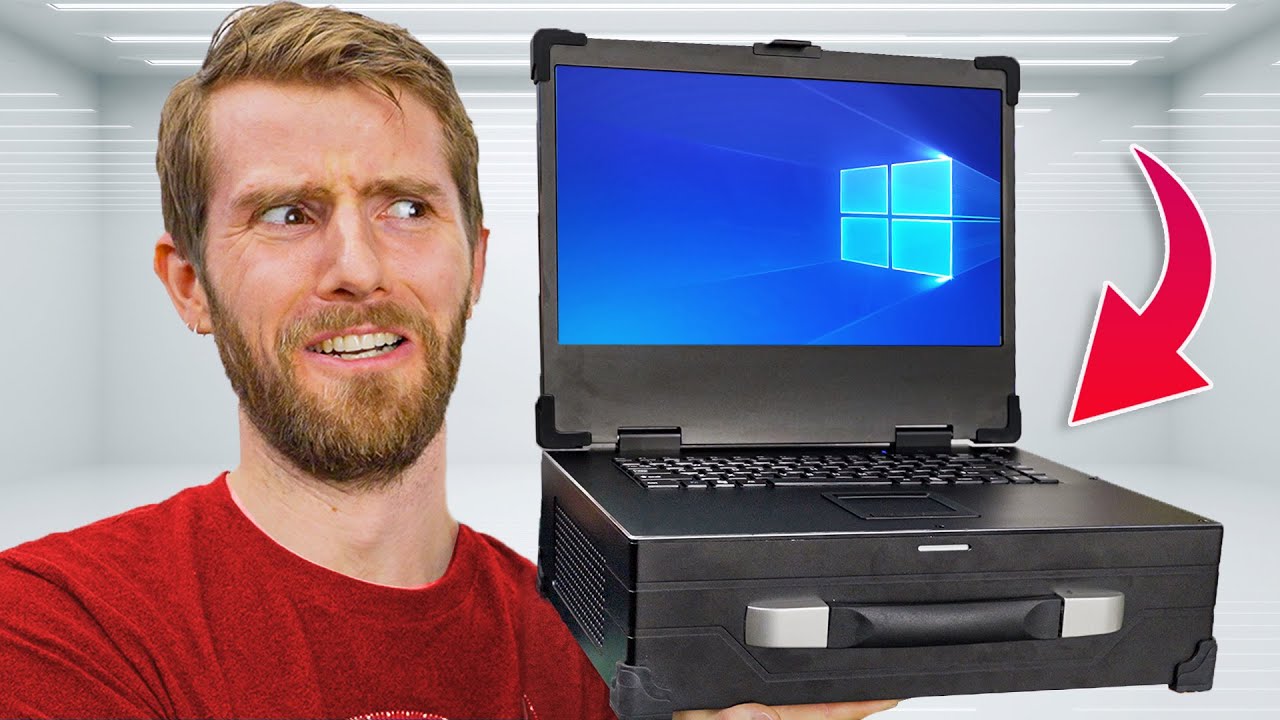
Building your own “Laptop” is Terrible and I LOVE it! - MaCase B21 Briefcase PC
0 up · 0 down · 0 ratings
Promos
Check out CableMods StealthSense cables at: Amazon: amazon.com CableMod: store.cablemod.com If you’ve ever thought about building your own laptop, luggable, or briefcase PC, you probably came to the conclusion pretty quickly that building a portable chassis from scratch is just not something an average person should have to do. But now, thanks to Alibaba’s constant stream of weird oddity computer parts, we can fit a full gaming PC, complete with a desktop GPU, 600W power supply, and ITX motherboard, in a case that’s only slightly larger than a laptop that’s too big to be useful, and only slightly heavier than what would cause an average person to slip a disc. Discuss on the forum: linustechtips.com Buy a Macase B21 "Briefcase" Case: lmg.gg Buy an AMD Ryzen 7 7800X3D CPU: geni.us Buy a GIGABYTE B650I Aorus Ultra Motherboard: geni.us Buy a GIGABYTE A620I AX Motherboard: geni.us Buy a Samsung 970 Evo Plus NVMe M.2 SSD: lmg.gg Buy a Samsung 980 Pro NVMe M.2 SSD: lmg.gg Buy an Alphacool Isbaer Pro ES 80mm AIO Cooler: geni.us Buy a Noctua NH-L12S CPU Cooler: geni.us Buy G.SKILL Ripjaws S5 6000MHz CL36 2x16GB DDR5 RAM: geni.us Buy a Noctua NF-A8 80mm Fan: geni.us Buy a NVIDIA GeForce RTX 4070 FE Graphics Card: lmg.gg Buy a SilverStone FX600 Platinum PSU: geni.us Buy a CoolerMaster MASTERACCESSORY Riser Cable: geni.us Buy a CableMod 12VHPWR 180 Degree Angled Adapter: lmg.gg Purchases made through some store links may provide some compensation to Linus Media Group. Purchases made through some store links may provide some compensation to Linus Media Group. ► GET MERCH: lttstore.com ► GET EXCLUSIVE CONTENT ON FLOATPLANE: lmg.gg ► SPONSORS, AFFILIATES, AND PARTNERS: lmg.gg ► EQUIPMENT WE USE TO FILM LTT: lmg.gg ► OUR WAN PODCAST GEAR: lmg.gg FOLLOW US --------------------------------------------------- Twitter: twitter.com Facebook: @LinusTech Instagram: @linustech TikTok: @linustech Twitch: twitch.tv MUSIC CREDIT --------------------------------------------------- Intro: Laszlo - Supernova Video Link: youtube.com iTunes Download Link: itunes.apple.com Artist Link: soundcloud.com Outro: Approaching Nirvana - Sugar High Video Link: youtube.com Listen on Spotify: spoti.fi Artist Link: youtube.com Intro animation by MBarek Abdelwassaa @mbarek_abdel Monitor And Keyboard by vadimmihalkevich / CC BY 4.0 geni.us Mechanical RGB Keyboard by BigBrotherECE / CC BY 4.0 geni.us Mouse Gamer free Model By Oscar Creativo / CC BY 4.0 geni.us CHAPTERS --------------------------------------------------- 0:00 Intro 2:30 CPU, Motherboard 4:25 Cooling and RAM 7:18 GPU and Power Supply 9:59 Putting it all together 12:05 Turning it on, testing it out 14:12 Heating up! 16:53 Is this for you? Conclusion
The video opens by immediately reframing the idea of portable computing, poking fun at traditional pre-built laptops and presenting a mass-produced briefcase PC chassis as a surprisingly viable alternative. The hosts describe the MaCase B21 Briefcase PC as a heavy, rugged aluminum container with protective rubber corners, a built-in monitor, and a side of skepticism about how practical such a chassis can be for real gaming and on-site work. They acknowledge the design’s appeal for LAN gaming, field editing, and hosting PCIe expansion cards that conventional laptops can’t support, while noting the obvious tradeoffs like weight and bulk. The team then outlines their hardware choices, starting with a Ryzen 7 7800X3D CPU and a Gigabyte B650i Aorus Ultra motherboard, explaining the rationale for a compact yet feature-rich ITX setup, including additional USB, Ethernet, and storage options. Throughout the setup, they confront fitment challenges, such as cooling clearance, RAM height, and the orientation of the 80mm AIO cooler, illustrating the tight tolerances of squeezing desktop-grade components into a luggable chassis. The narrative moves from packing constraints to performance expectations, with a plan to optimize airflow around the GPU and to test the system under load, balancing power, thermals, and practicality. By the end of the built segment, the team acknowledges that while the device is not a true laptop, it achieves a highly portable, desktop-class gaming and workstation experience that can be carried or transported as a single unit, pending weatherproofing considerations and component compromises. The video closes with a real-world test under load, showing playable 1080p gaming at high frame rates, a thermal readout exposing hotspot activity on the keyboard versus a cooler wrist rest, and a reflection on the price-to-performance proposition versus traditional portable workstations. They compare costs with commercial portable workstations and emphasize the value of a roughly $2,000 build that still delivers solid performance, while reiterating the novelty and potential limitations of such a luggable rig. The sponsors are acknowledged, and the presenters invite viewers to explore CableMod cables and consider future iterations or related builds, hinting at ongoing experimentation and community discussion around lugable PC concepts.
Topics · technology · hardware · computing · gaming
Questions answered
- What CPU and motherboard were chosen for the MaCase B21 build and why?
- The build uses a Ryzen 7 7800X3D CPU paired with a Gigabyte B650i Aorus Ultra motherboard. The CPU was chosen for its performance and efficiency in a compact ITX form factor, while the Ultra motherboard was selected for its robust IO and additional PCIe/USB capacity to accommodate expansion and given the limited space inside the case.
- What cooling and RAM choices were made to fit inside the briefcase chassis?
- An 80mm Alphacool Ice Bear Pro ES cooler was considered but not used due to size constraints; the team instead used a Noctua NH-L12S cooler mounted with the fan on the bottom. Low-profile RAM from G.Skill was chosen, specifically Ripjaws S5 and Flarex 5, in a 2x16GB kit at 6000 MT/s CL36 to fit within the tight clearance around the CPU cooler.