LG EA93 21:9 Aspect Ratio 29" IPS LCD Monitor - Linus Tech Tips CES 2013
0 up · 0 down · 0 ratings
Description
LG had a HUGE pryamid showcase with a ton of these things. This is very exciting for movie-watching and productivity! Day 3 - video 19
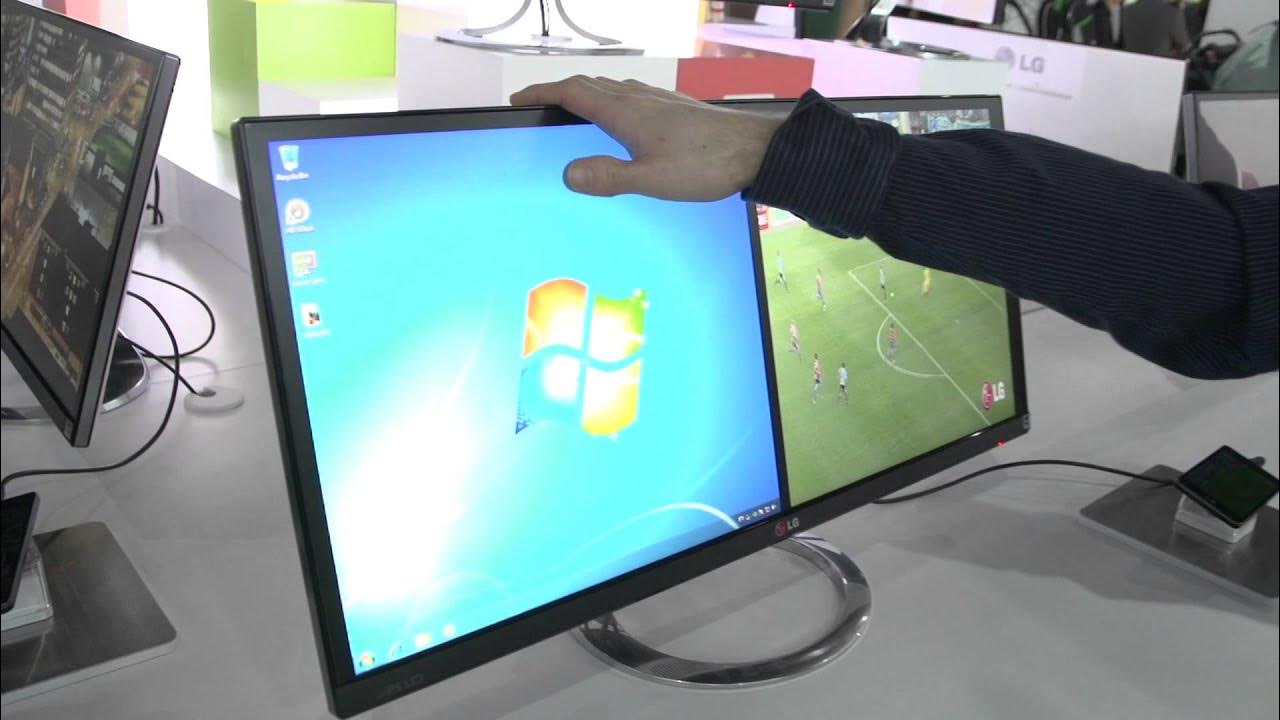
The LG EA93 is showcased at CES 2013 as a 29-inch IPS LCD monitor with a dramatic 21:9 aspect ratio, designed to dramatically widen the viewing area for both entertainment and productivity. Linus emphasizes that the screen spans more than aLinus forearm and fingertips in length, underscoring its 21 by 9 format which aims to eliminate black bars on widescreen content. He highlights how the display is not only great for cinematic viewing but also for multitasking, noting a feature called virtual display manager that can split the screen into two 17-inch style viewing panes. The monitor accepts dual inputs, enabling one side to come from a PC and the other from an LG smartphone, which opens up new multitasking workflows beyond a single computer. Linus also explains the advantages of an IPS panel for a screen this wide, arguing that edge color shift would degrade viewing quality with other panel types. From a productivity perspective, he pitches long spreadsheets and Excel-heavy tasks as potential time savers since the expansive real estate reduces the need to scroll and resize across multiple monitors and bezels. Overall, the segment frames the EA93 as a breakthrough for both immersive media consumption and professional workflows, with an emphasis on its thin bezels, practical input versatility, and the benefits of IPS technology for color accuracy and viewing comfort.
Topics · technology · monitors · consumer electronics · productivity
Questions answered
- What makes the LG EA93 different from typical monitors of its time?
- It uses a 21:9 aspect ratio on a 29-inch IPS panel, supports dual inputs for multi-source usage, and includes a virtual display manager to split the screen into two large workspaces, improving productivity and multitasking.
- How does the EA93 benefit productivity tasks like Excel?
- The wide 21:9 screen real estate reduces the need to switch between windows and scroll, allowing long spreadsheets to fit more on screen at once, which can save time and reduce eye strain.
- Can the monitor be used with more than one device at once?
- Yes, one side can receive input from a PC while the other side can accept input from another device such as a smartphone, enabling multi-source workflows.