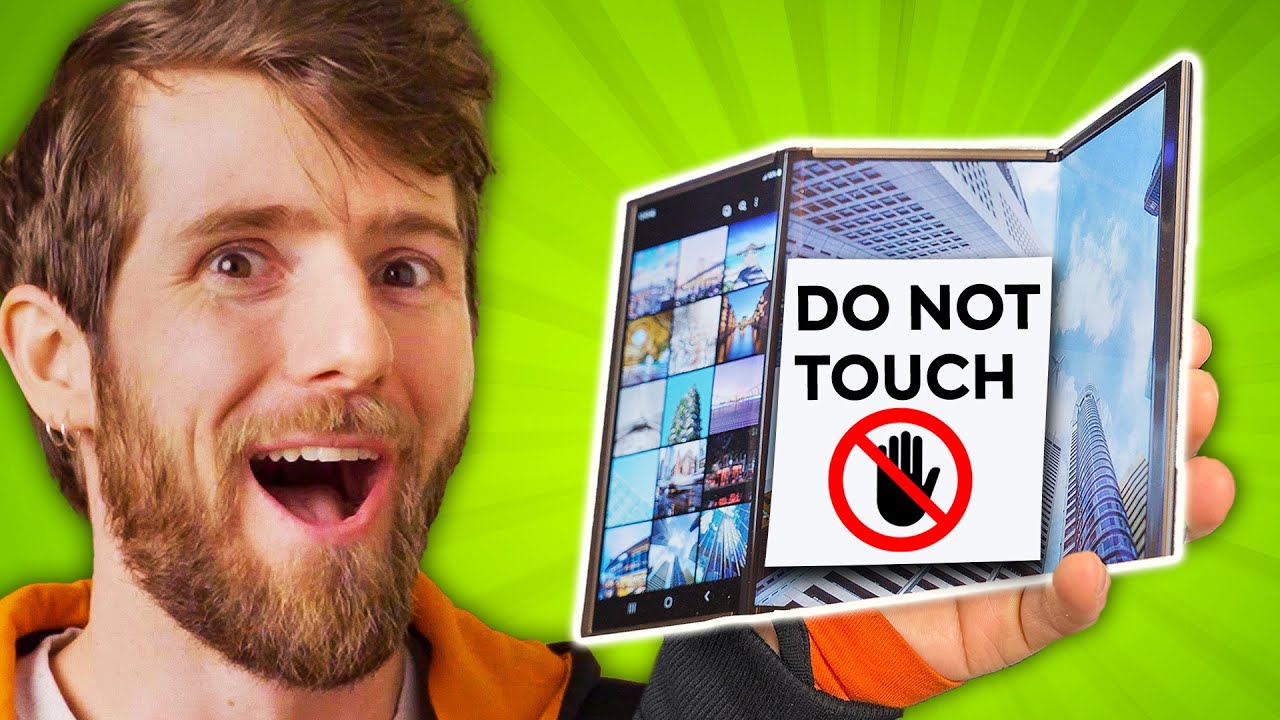
I can't believe they let us touch these
0 up · 0 down · 0 ratings
Promos
Thanks to Samsung Display for sponsoring today's video! Learn more about Samsung Display's newest tech through the below links: Samsung Display website: samsungdisplay.com OLED microsite: oledera.samsungdisplay.com Newsroom: global.samsungdisplay.com YouTube: youtube.com Discuss on the forum: linustechtips.com ► GET MERCH: lttstore.com ► SUPPORT US ON FLOATPLANE: floatplane.com ► AFFILIATES, SPONSORS & REFERRALS: lmg.gg ► PODCAST GEAR: lmg.gg FOLLOW US --------------------------------------------------- Twitter: twitter.com Facebook: @LinusTech Instagram: @linustech TikTok: @linustech Twitch: twitch.tv MUSIC CREDIT --------------------------------------------------- Intro: Laszlo - Supernova Video Link: youtube.com iTunes Download Link: itunes.apple.com Artist Link: soundcloud.com Outro: Approaching Nirvana - Sugar High Video Link: youtube.com Listen on Spotify: spoti.fi Artist Link: youtube.com Intro animation by MBarek Abdelwassaa @mbarek_abdel Monitor And Keyboard by vadimmihalkevich / CC BY 4.0 geni.us Mechanical RGB Keyboard by BigBrotherECE / CC BY 4.0 geni.us Mouse Gamer free Model By Oscar Creativo / CC BY 4.0 geni.us CHAPTERS --------------------------------------------------- 0:00 Intro 0:39 Flex G 1:03 Samsung Display 2:12 Flex G Tablet 2:52 Flex S Style 3:30 Motorized Displays 5:45 Flex In N Out 6:52 Flex Note 7:39 Digital Cockpit
The video surveys Samsung Display’s latest concept screens and explains how they could reshape how we interact with devices. It starts by framing these concepts as proofs of concept rather than ready-made products, clarifying that the models shown are prototypes from Samsung Display and not final consumer devices. The host highlights the Flex G as a slim 7.2 inch AMOLED when unfolded, noting the surprising thinness and the potential for a stylus, while cautioning that an outer display would be essential for practical day-to-day use. Throughout, the host weighs use-case scenarios, such as the benefits of an external monitor or additional screens for multitasking, against real-world constraints like software UI adaptation and the thicker profile required by slide-out mechanisms. He also evaluates the Flex G tablet, the Flex S style phone, and the Flex In N Out concept, explaining how each design attempts to balance portability with expanded real estate for apps and tools. The video shifts to non-mobile applications as well, showing an OLED monitor and a digital cockpit idea for cars, followed by a gaming-focused dual screen handheld concept, which the host argues could shift how we view ergonomics and screen placement. In closing, the host invites viewer feedback on future use cases and emphasizes that sponsorship with Samsung Display provides rare hands-on access to these cutting edge concepts, while stressing that real software and developer support will ultimately determine which ideas make it to market.
Topics · technology · consumer electronics · mobile devices · display technology
Questions answered
- What is the Flex G concept and why is it considered interesting yet cautious for mainstream adoption?
- The Flex G is a slim folded design that becomes a 7.2 inch AMOLED display when opened, and includes a stylus. It is viewed as interesting due to its thin profile and potential for portability, but adoption depends on practical usability, external display options, and how software adapts to the expanded form factor.
- Why does the presenter discuss external displays and different folding configurations as part of evaluating these concepts?
- External displays and various folding configurations could mitigate some usability drawbacks of a single compact screen by providing more workspace for typing and viewing. However, they also add thickness, potential UI adaptation challenges, and require ecosystem support from developers.
- What are some practical considerations mentioned for expanding or folding displays in real-world use?
- Key considerations include software and app UI adapting to variable screen real estate, potential temporary UI glitches during transition, the increased device thickness from slide-out mechanisms, and how the expanded area may be warped or less stable in certain conditions.