Using Apple Vision Pro: What It’s Actually Like!
0 up · 0 down · 0 ratings
Promos
Everything you need to know about using Apple Vision Pro Vision Pro Review: youtu.be Apple's Forbidden words: youtu.be MKBHD Merch: shop.mkbhd.com Tech I'm using right now: amazon.com Intro Track: Jordyn Edmonds smarturl.it Playlist of MKBHD Intro music: goo.gl Headset provided by Apple for review. 0:00 Intro 1:14 This is a VR headset 4:23 The Battery 6:21 The Controls 8:24 VisionOS 10:21 Passthrough 12:37 Full Immersion 13:45 The Keyboard 15:03 What Does It Actually Do? 18:44 The "Killer App" 21:38 Mac Virtual Display 23:53 The Eyes 27:16 Personas 32:12 Facetimes 35:35 Review Preview ~ twitter.com @MKBHD @MKBHD
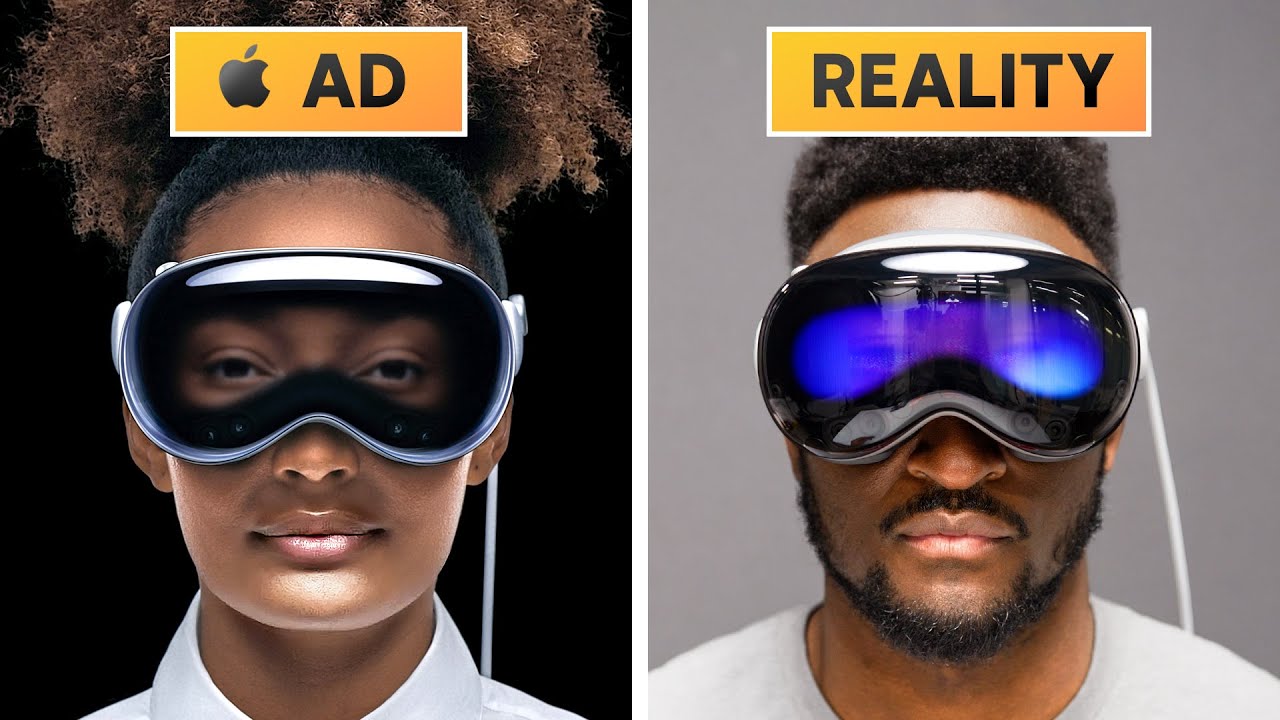
This video is a deep, hands on breakdown of using Apple Vision Pro, starting from the hardware fundamentals and moving through the software, interaction models, and real world use cases. The host emphasizes that Vision Pro is a premium, high end device that fuses a VR headset with spatial computing, bringing together eye tracking, hand controls, and a new operating system called VisionOS. He notes the device is substantial in weight and front heavy due to the battery placement, and explains why Apple chose to separate the battery from the headset itself. The calibration process on first use is described in detail, including eye-tracking calibration and hand positioning to teach the device how you interact with the interface. The hardware also features multiple sensors around the frame, infrared tracking, lidar, and an M2 chip paired with an R1 processor to manage passthrough and compute tasks. The Vision Pro’s passthrough is highlighted as the best the author has seen, with near real time rendering that makes the external world feel seamless while the device is worn. The author walks through VisionOS as a spatial extension of apps, where windows float in the room and can be resized, moved, and interacted with by looking at items and pinching to select. The app ecosystem is analyzed, showing two app types: native Vision Pro apps that take advantage of the 3D space and traditional iPhone/iPad apps that run in a glassy, floating window. While there are several strong native apps for media, notes, and productivity, the author notes that there is not yet a killer app that justifies the price for everyone, though the ecosystem and Mac integration shine as major value propositions. The video explains how you can connect to a Mac to turn it into a 4K virtual display inside the headset, enabling seamless multi-app workflows with a real keyboard and trackpad while the Vision Pro remains in a blended environment. The Persona feature, which creates a digital representation of the user’s face with eyes visible to others in passthrough or on video calls, is explored in detail, including the process to register a Persona and the current limitations of hair rendering and realism. The reviewer also covers the social and communication aspects, notably how FaceTime calls look through Vision Pro and how spatial audio enhances the sense of presence. In conclusion, the video frames Vision Pro as a bold, market-shaping device with extraordinary immersion and potential, but with notable downsides such as weight, battery life, app selection, and the high price. A longer, follow-up review is teased to dive into use cases, pricing philosophy, and a broader evaluation of the product category. The author encourages viewers to subscribe for the forthcoming full review and shares balanced upsides and downsides to help viewers weigh whether this new category is right for them.
Topics · technology · consumer electronics · virtual reality · augmented reality · software · hardware · review · mac integration
Questions answered
- What are the core input methods for Vision Pro and how do they work?
- Vision Pro primarily uses eye tracking and hand gestures, with pinch and look interactions to select items. A digital crown and a physical button provide additional controls. Text input can be done by peeking at keys and pinching to select, or by voice input for URLs and commands.
- Is there a killer app that justifies buying Vision Pro now?
- No single killer app is identified in the video. The value comes from the ecosystem, native Vision Pro apps, and strong Mac integration that allows a 4K virtual display, multi-app workflows, and immersive communication like FaceTime.
- How does Persona work and what are its current limitations?
- Persona creates a digital representation of your eyes and facial expressions that can be seen by others in passthrough or during immersive calls. Current limitations include hair rendering, lighting realism, and some sensitivity issues with skin tone visibility.