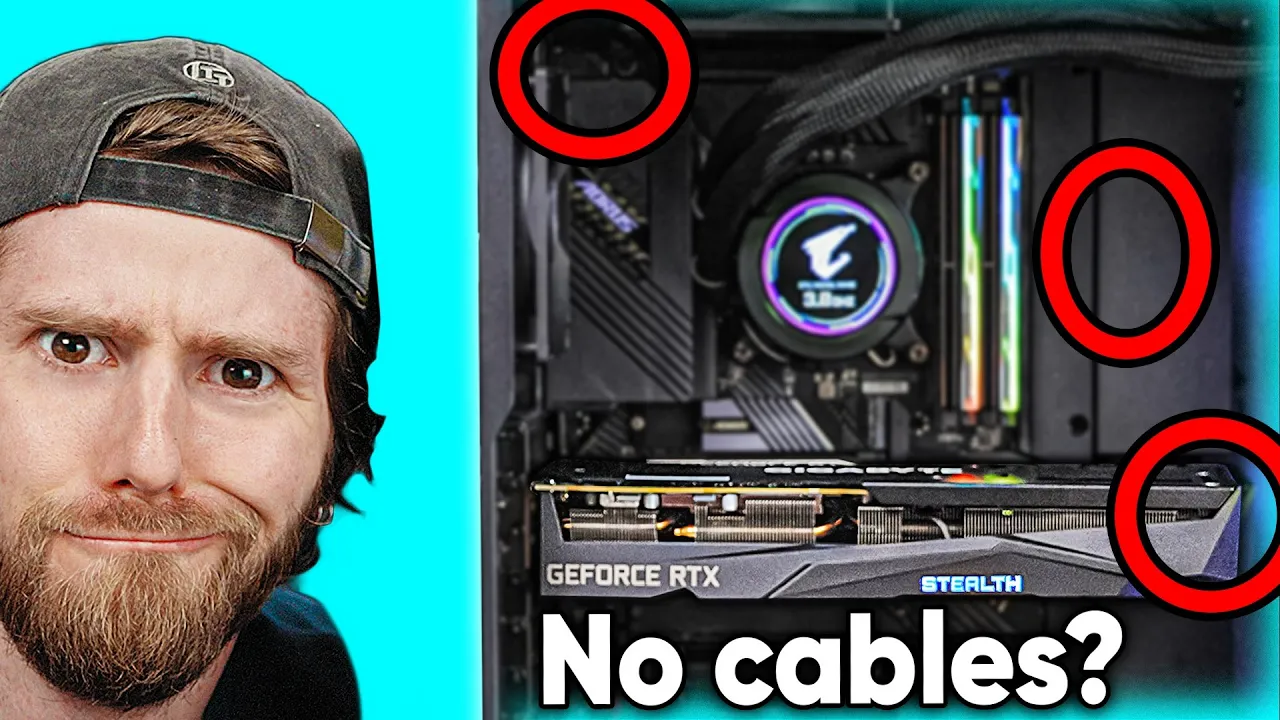
Where Are the Cables??? - Gigabyte Project Stealth
0 up · 0 down · 0 ratings
Promos
Get 20% Off Pulseway's IT Management Software at lmg.gg Get 15% off your order and get dad something nice at ridge.com Tired of conventional case design and cable management? We know we are, so when Gigabyte sent us a Project Stealth we had to put it together and see for ourselves if there could be a better way. Discuss on the forum: linustechtips.com Gigabyte Project Stealth: gigabyte.com MainGear's Stealth Gaming PC: maingear.com Gigabyte UD 1000W Gold GEN 5: geni.us AORUS WATERFORCE X 360: geni.us Aorus Gen4 7000s SSD 2TB: geni.us Aorus DDR4 4400MHz 2x8GB: geni.us Purchases made through some store links may provide some compensation to Linus Media Group. ► GET MERCH: lttstore.com ► AFFILIATES, SPONSORS & REFERRALS: lmg.gg ► PODCAST GEAR: lmg.gg ► SUPPORT US ON FLOATPLANE: floatplane.com FOLLOW US --------------------------------------------------- Twitter: twitter.com Facebook: @LinusTech Instagram: @linustech TikTok: @linustech Twitch: twitch.tv MUSIC CREDIT --------------------------------------------------- Intro: Laszlo - Supernova Video Link: youtube.com iTunes Download Link: itunes.apple.com Artist Link: soundcloud.com Outro: Approaching Nirvana - Sugar High Video Link: youtube.com Listen on Spotify: spoti.fi Artist Link: youtube.com Intro animation by MBarek Abdelwassaa @mbarek_abdel Monitor And Keyboard by vadimmihalkevich / CC BY 4.0 geni.us Mechanical RGB Keyboard by BigBrotherECE / CC BY 4.0 geni.us Mouse Gamer free Model By Oscar Creativo / CC BY 4.0 geni.us CHAPTERS --------------------------------------------------- 0:00 Intro 0:47 Project Stealth 1:55 Headers 3:40 The Board 6:30 Reassembly 7:45 GPU 9:00 Time to Build 10:12 Airflow 12:50 Powering On 13:45 Thermals 14:20 Conclusion 15:33 Outro
The video opens with a dramatic reveal of a Gigabyte Project Stealth build where the host notices there are essentially no visible cables, a concept that immediately raises questions about how power and data are routed in this chassis. The team explains that the GPU power connectors are located at the bottom of the card and are fed through a custom back-end path, which allows most of the traditional cabling to be hidden behind the motherboard. This unusual layout is unpacked through a historical lens, noting that Maingear previously patented a similar concept and that Gigabyte has licensed related ideas, enabling a cleaner build with seemingly fewer visible cables. Early on, the host articulates a key design motivation: improving airflow by removing cable clutter, while also explaining that the motherboard and case must accommodate such a nonstandard arrangement. The discussion then shifts to the mechanical tradeoffs, including the rear-mounted components, the cutouts in the chassis, and the implications for maintenance and future upgrades, setting the stage for a hands-on assembly. As the build progresses, the team disassembles and re-evaluates the motherboard and chassis to verify compatibility with standard components. They compare the Project Stealth board to a DDR4 and DDR5 context, noting that some components are custom while others can be standard, and they highlight the rear-mount approach to interfaces such as USB, power, and fans. The presenter questions whether the design would prevent upgrades or standard replacements, ultimately praising the clear labeling on headers as a sign of user-friendly intent, while also critiquing certain gaps such as the absence of a dedicated PCIe cable routing option for vertical mounting. The discussion underscores a tension between innovation and practicality, acknowledging the potential for standardization benefits but recognizing limitations introduced by the nontraditional layout. The segment closes with a plan to test airflow and cooling, emphasizing the need to verify that the system remains serviceable and upgradable despite the stealth-centric design. The build sequence resumes with a focus on hardware choices, including a 12700 processor and DDR5 memory, paired with an RTX 3070 variant that integrates flat PCIe connectors and small pigtails feeding standard back-panel interfaces. The team tests mounting strategies, addresses a few clearance issues, and stresses the importance of cable length optimization given the chassis was not originally designed for this project. From there, thermal testing begins, revealing high CPU and GPU temperatures during benchmarking. The host expresses frustration about airflow and the perceived lack of air movement from the front, while the team experiments with various mounting and cooling strategies and considers a potential partnership with Maingear to design a chassis tailored to this approach. The verdict is mixed: the concept is striking and the potential for neater builds is clear, but execution and airflow performance require refinement. Overall, the video blends high-energy experimentation with critical assessment, ultimately celebrating the innovation while calling for improved engineering and standardization to maximize longevity and serviceability of stealth-oriented PC builds.
Topics · technology · hardware · pc_building · product_design · airflow · cable_management
Questions answered
- What makes Gigabyte Project Stealth different from a traditional PC build?
- It relocates or hides most cables and uses back-end connections, with power and interfaces routed behind the motherboard to create a cleaner front and improve airflow.
- Will the Project Stealth design cut off upgradeability or standard component compatibility?
- While some components are nonstandard, the assessment suggests it remains compatible with standard motherboards and GPUs, though certain cutouts and mounting choices may limit future upgrades and require careful planning.