Apple Magic Keyboard: Floating iPad Pro?
0 up · 0 down · 0 ratings
Promos
iPad Pro and Magic Keyboard are the best pair yet.. if you're 1 type of person. MKBHD Merch: shop.mkbhd.com Video Gear I use: kit.co Tech I'm using right now: amazon.com Intro Track: youtube.com Playlist of MKBHD Intro music: goo.gl ~ twitter.com @MKBHD @MKBHD
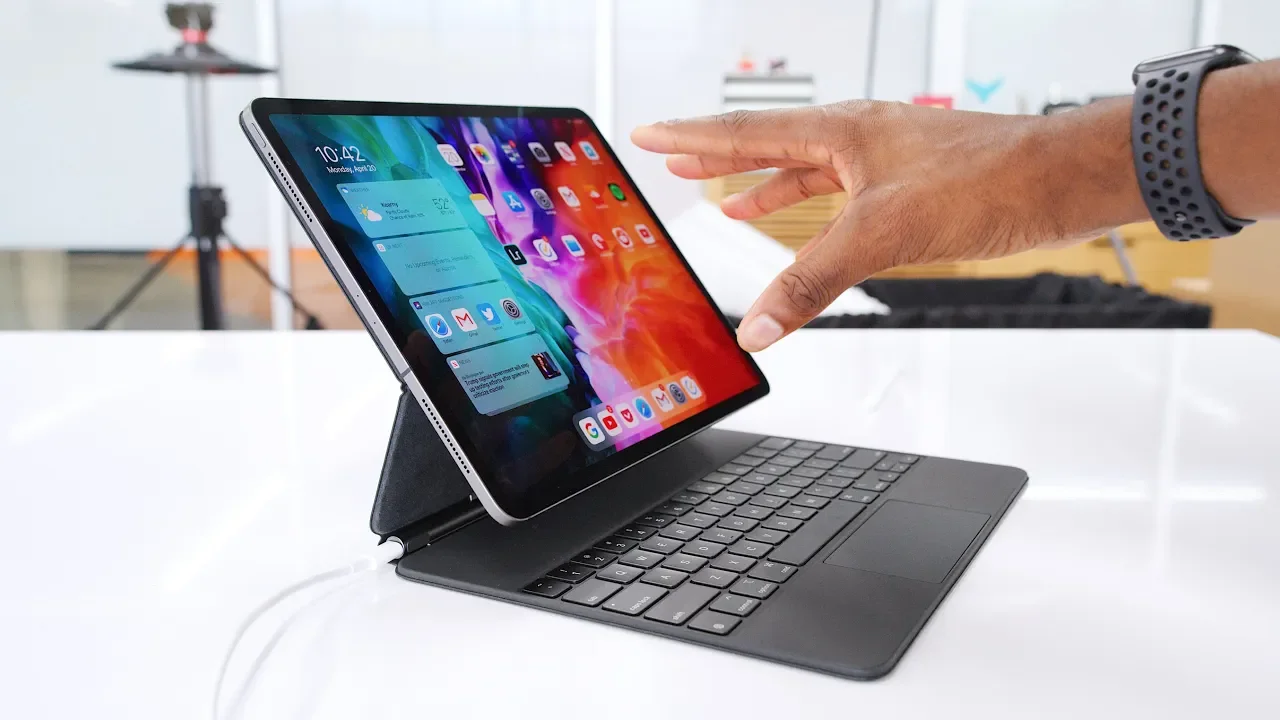
The video introduces the Apple Magic Keyboard case for the iPad Pro and presents it as a bold, innovative accessory that turns the iPad into a near laptop-like machine. The host walks through the construction, starting with the magnets that securely attach the iPad to the top half, the long hinge with a USB-C pass-through, and the sturdy, rubberized base that houses the full-size backlit keyboard and the trackpad. He emphasizes the floating effect when the iPad is docked, describing how the magnets align perfectly and the pins connect for power and data, enabling a responsive typing experience with a 120 Hz display feel. The keyboard itself is praised for its scissor switches, travel, lack of flex, backlighting, and the trackpad’s physical click,a key piece in achieving a true laptop-like experience on a tablet. The reviewer notes the setup feels premium and robust, and he highlights the efficiency gains from the USB-C passthrough and the high refresh rate of the iPad Pro display as important benefits. Transitioning from hardware to usability, he explains how the iPad OS quirks and the lack of physical function keys affect daily tasks, including the absence of dedicated brightness, volume, or keyboard backlight shortcuts, which require using the screen or digging into settings. The discussion also covers practical trade-offs, like the weight distribution where most heft is up top, making it feel slightly top-heavy, and the effort required to adapt to new keyboard shortcuts and multitasking gestures. He concludes by weighing the price against the laptop alternative, noting the combined cost of the iPad Pro and the Magic Keyboard case can approach the price of a laptop, and presents two user archetypes: those who keep the keyboard attached as a full-time setup, and those who pop it out for occasional typing. Ultimately, he finds the Magic Keyboard case to be the best possible iPad typing solution yet, while still wanting the flexibility and occasional laptop capability that a traditional notebook provides. The verdict: for some, this is a compelling upgrade worth the investment, but for others, a dedicated laptop remains preferable depending on how they multitask and where they prioritize portability versus productivity.
Topics · technology · product_review · accessories · ipad
Questions answered
- What makes the Magic Keyboard case feel like a laptop on the iPad Pro?
- The combination of a full-size backlit keyboard, a precise trackpad that physically clicks, a stiff hinge that allows the iPad to hover above the keyboard, and a USB-C pass-through for charging creates a laptop-like experience with iPadOS support.
- Are there any notable drawbacks to using the Magic Keyboard as a primary computer?
- Yes, there are downsides such as the weight distribution making the setup top-heavy, the lack of physical shortcut keys for brightness and volume, and the need to use the screen or settings to adjust keyboard backlighting and some multitasking tasks.