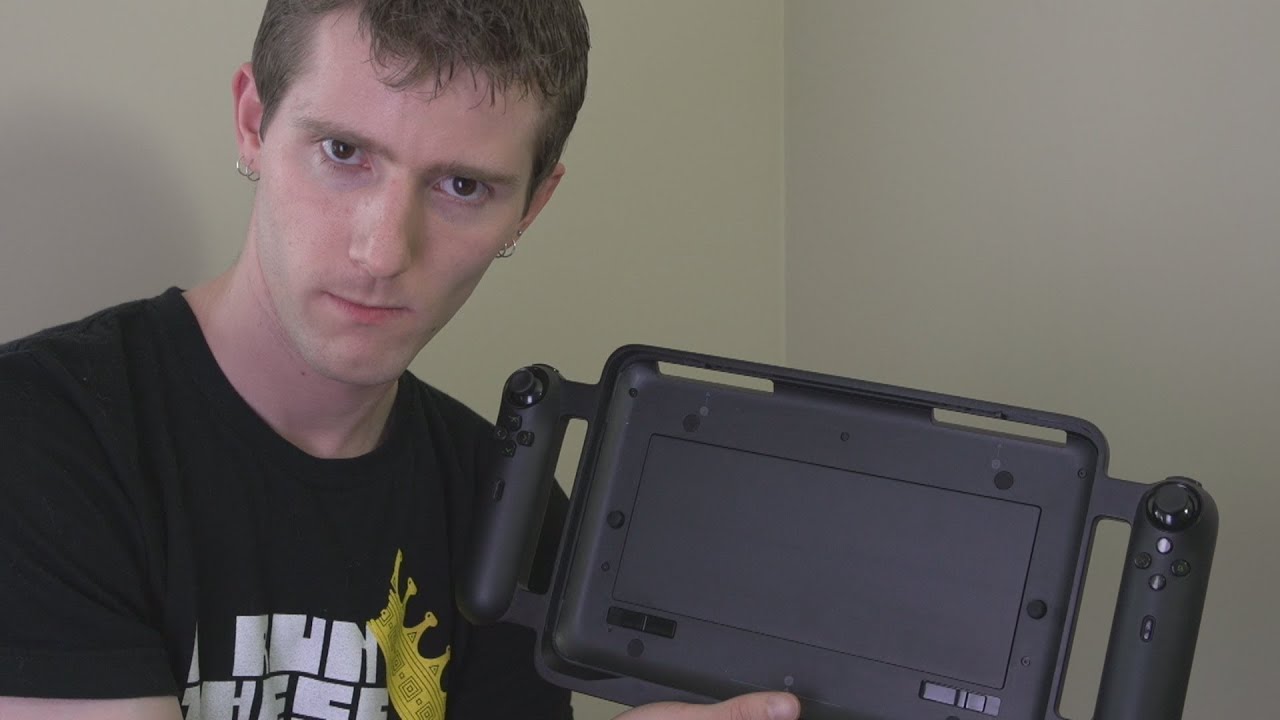
Razer Edge Pro Unboxing & Review
0 up · 0 down · 0 ratings
Promos
The Razer Edge Pro is the first "gaming grade" tablet on the market. It come with a Core i7 CPU, GeForce GT 640M LE graphics core, and a MASSIVE 256GB of storage. But is it worth the $1500?? Sponsor links to iRacing promotion participating retailers: linustechtips.com Read more & join our community forum: bit.ly twitter.com @LinusTech Pricing & availability: amzn.to
The video opens with the unboxing and initial overview of the Razer Edge Pro, a premium gaming tablet aimed at delivering PC-like performance in a tablet form factor. The presenter notes the packaging quality and immediately highlights the large power brick, the proprietary power connector, and the included documentation and accessories such as a cleaning cloth and stickers. He then introduces the Edge Pro as the $1500 version and explains that the full experience requires additional accessories like the Edge docking station and a game controller, which add features such as a dedicated headphone mic jack, USB hub functionality, and additional inputs for console-style play. The docking station is demonstrated as a robust accessory with a strong rubberized bottom, designed to hold the tablet steady when used as a gaming console next to a TV. The game controller is unpacked and reviewed, detailing layout, button set, analog sticks, shoulder buttons, triggers, and a larger battery, all intended to enhance play when the tablet is docked or used with legacy PC games via Windows. In the hardware discussion, the speaker emphasizes the Edge Pro’s size and build quality, pointing out the aluminum back and glass top, and explains the cooling design that channels air from one side to the other. He compares the device to a traditional laptop in thickness and weight, using a size comparison with a smartphone, and notes the 1.9 GHz Core i7 with Turbo Boost up to 3.0 GHz, 8 GB of RAM, and a 256 GB SSD, paired with a GeForce GT 640M LE for gaming performance. The display is described as IPS with a 1366x768 resolution, which the presenter defends as a reasonable choice given the hardware and the aim to avoid heavy downscaling or dithering for the GPU. Gameplay demonstrations with Dirt 3 show the device delivering acceptable frame rates for many games, while acknowledging the absence of a physical keyboard that complicates Windows navigation and alt-tab functionality during play. The review concludes by weighing the novelty and portability of a gaming-grade tablet against its price, noting the unique experience but acknowledging that battery life and compromises may deter some buyers, yet the device remains a standout concept in mobile gaming. Overall, the video frames the Razer Edge Pro as a premium, capable, and visually distinctive product that pushes PC gaming into a tablet footprint. The reviewer praises the build quality, cooling design, and the value of the docking and controller accessories, while also candidly addressing limitations such as battery life, screen resolution, and the reliance on Windows navigation without a physical keyboard. He argues that the Edge Pro offers a genuinely unique gaming experience that sits between a high-end tablet and a compact gaming notebook, and he signals that potential buyers should be prepared for the cost and for some trade-offs in battery life and portability. The closing remarks invite viewers to consider how the Edge Pro fits into a gaming setup, whether via docked console-style play or portable PC gaming, and encourage subscribing for more unboxings and tech reviews from Linus Tech Tips.
Topics · gaming hardware · tablet · unboxing · technology review
Questions answered
- What makes the Razer Edge Pro a gaming tablet rather than a standard tablet?
- It pairs a Core i7 CPU, 8 GB RAM, 256 GB SSD, and a GeForce GT 640M LE GPU with a Windows-based tablet design, plus optional accessories like a docking station and game controller to enable PC-style gaming and connectivity.
- Does the Edge Pro's 1366x768 IPS display significantly limit gaming?
- The reviewer argues that the resolution is a reasonable compromise given the mobile GPU, as higher resolution would require more downscaling or interpolation and could hurt performance.
- What accessories enhance the Edge Pro experience?
- The Edge docking station adds HDMI, USB hub, and audio ports, while the game controller provides extra inputs, extended battery life, and a secure dock fit for TV play.
- What is a notable trade-off of using the Edge Pro for gaming?
- Weight and battery life are substantial trade-offs; the integrated setup can be heavy and gaming sessions reduce battery life to a few hours.