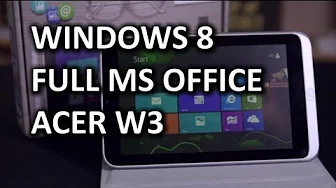
Acer Iconia W3 Windows 8 Tablet Unboxing & Overview
0 up · 0 down · 0 ratings
Channels and socials
The Acer Iconia W3 tablet runs a full-fledged Windows 8 operating system with an Atom processor and includes a full copy of Microsoft Office 2013 Home and Student. Other than an unfortunate TN panel (although it's not terrible as far as TN panels go) it looks like pretty much the go-to device for a great value small Windows based tablet. Sponsor link: corsair.com Join our community forum: bit.ly twitter.com @LinusTech Pricing & availability: ncix.com Intro Screen Music Credit: Adhesive Wombat -
Check out his channel here: youtube.com Outtro Screen Music Credit: Approaching Nirvana - Sugar High youtube.com
The Acer Iconia W3 unboxing and overview presents a compact Windows 8 tablet designed to combine portability with a full PC experience. The video starts by noting the device’s position in the market as an early compact Windows tablet, highlighting that Windows 8 and Windows RT initially targeted larger screens and how the W3 addresses usability at an 8-inch form factor. The host describes the unboxing, showing the quick start guide, power adapter, and the tablet with its slim profile and removable microSD expansion. He compares the device to an HTC One for scale, discusses the dual stereo speakers, and points out the oddly placed Windows and Acer branding which hints at mixed orientation expectations for landscape versus portrait use. Accessories include a protective case and an optional keyboard dock, which clips onto the tablet to provide a more productive experience with Office 2013 Home and Student included. The host then dives into the hardware and software specs, noting the Atom Z2760 processor, 2GB of memory, 32 or 64GB storage via eMMC, and an 8-hour battery life alongside Wireless N and Bluetooth 4.0. He evaluates the keyboard dock as a usable typing solution that enhances productivity despite adding weight and reducing portability, and he emphasizes the value of a full Office suite on a small Windows tablet. A core caveat is the use of a TN display, which affects viewing angles and color accuracy, particularly for media consumption, and the host weighs the trade-offs between portability, screen quality, and the availability of alternative IPS panels. The video closes with practical takeaways: the W3 is a compelling value proposition for Windows-on-a-tablet use, especially for productivity on the go, but buyers should be mindful of the display technology and form factor when choosing between small tablets and slightly larger, more capable devices. Viewers are encouraged to consider docking options and to decide what balance of screen quality, keyboard usability, and portable form they prefer.
Topics · technology · hardware · tablets · unboxing
Questions answered
- What are the key hardware specifications of the Acer Iconia W3?
- The device runs an Intel Atom Z2760 processor at 1.5 GHz with a boost up to 1.8 GHz, 2 GB of memory, and 32 or 64 GB of eMMC storage. It tows an 8-inch touchscreen, has dual stereo speakers, a microSD expansion slot, and supports Wireless N and Bluetooth 4.0.
- What are the main pros and cons highlighted for the W3 in the review?
- Pros include full Windows 8 with Office 2013 Home and Student, a compact and portable form factor, and a functional keyboard dock for improved productivity. Cons focus on the TN display which yields limited viewing angles and color performance, making media viewing less ideal compared to IPS panels, and the heavier combined package when the keyboard dock is attached.
- Is the keyboard dock worth it for this tablet?
- Yes for users who want improved typing comfort and productivity, especially since Office is included, but it adds weight and reduces portability, making the overall package feel more like a netbook than a tablet with a detachable keyboard.