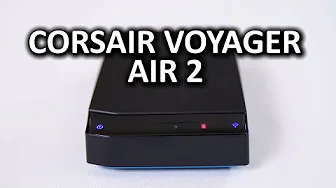
Corsair Voyager Air 2 Wireless Mobile Storage
0 up · 0 down · 0 ratings
Promos
My review of the Corsair Voyager Air 2 is here. With so many mobile storage options available, is there a compelling use case for a wireless hard drive like this one? Ting price comparison link: linus.ting.com Sponsor link: linustechtips.com Pricing & discussion: linustechtips.com Support us: linustechtips.com Join our community forum: bit.ly twitter.com @LinusTech Intro Screen Music Credit: Adhesive Wombat -
Channels and socials
Check out his channel here: youtube.com Outro Screen Music Credit: Approaching Nirvana - Sugar High youtube.com
Corsair’s Voyager Air 2 Wireless Mobile Storage is analyzed with a strong emphasis on how the second generation differs from the original Voyager Air. The video opens with a reflection on the product’s evolution and the broader journey of Linus Tech Tips, then dives into the external design changes, noting a softer blue finish and a grippy rubber ring that improve on-table stability, while the top uses a more standard matte black plastic. The host details the hardware ensemble inside the case, including a 1 TB hard drive, wireless network components, and a substantial 6200 mAh battery, then moves to setup and software. The core of the review focuses on the software experience: how to power up, connect via a self-generated Wi-Fi hotspot, and configure features such as Wireless Pass Through, DLNA server setup, and automatic cloud sync with services like Dropbox or Google Drive. The reviewer highlights file management capabilities, noting improvements over earlier Wi-Fi drives with local cache options, editability of metadata and tag-based organization, and support for third-party media players like OPlayer or VLC. Limitations are candidly discussed, including coarse file sorting, limited search, and inconsistent metadata handling, especially around videos and TV show metadata, plus the absence of a true Plex-like transcoding server. The video concludes by weighing the hardware and software tradeoffs, acknowledging Corsair’s continued software support for an older model, and suggesting practical use cases while hinting at future possibilities for more advanced media server capabilities. The sponsor segment for Ting is integrated with a clear note on service models and geographic considerations, concluding with actionable links and a call to subscribe for more content.
Topics · tutorial · technology · hardware · reviews · storage · wireless_media
Questions answered
- What is the Voyager Air 2 primarily composed of inside the enclosure?
- Inside the Voyager Air 2 you’ll find a 1 TB hard drive, a wireless networking module, and a large 6200 mAh battery that powers the device and its features.
- Can the Voyager Air 2 run a Plex server or provide on-device transcoding?
- No, the Voyager Air 2 does not run a Plex server or offer on-device transcoding; it relies on its software for basic media management and streaming with external apps.